

Support our independent tech coverage. Chrome Unboxed is written by real people, for real people—not search algorithms. Join Chrome Unboxed Plus for just $2 a month to get an ad-free experience, access to our private Discord, and more. Learn more about membership here.
START FREE TRIAL (MONTHLY)START FREE TRIAL (ANNUAL)

In case you’ve missed all the CES coverage, the Google Assistant is EVERYWHERE. According the the folks in Mountain View, a Home device was sold every second between the release of the Home Mini in October and January 5th. By my math, that’s roughly just short of seven million devices.
Those numbers include the original Home and the new Home Max but chances are many of you picked up the Google Home Mini on sale or as a freebie with a new Chromebook or Pixel Phone. Initially, my Google Home Mini found its place on a landing in the stairwell of my townhouse and it is a great spot for it. It is within earshot if I want to tell it to cast a Netflix show to the TV or just have some family fun with the kids.
However, as of late, I find myself using the Assistant in my kitchen more than anywhere. I’m a foodie and I love to cook. I spend a good portion of time in the kitchen preparing a meal, making snacks for the kids or just hanging out having a cup of coffee and listening to the news and having the Mini sitting on the counter has become a frustration for me.
For places like the nightstand, an end table in the living room or even my stairwell, the placement of the Mini gives it the appearance of a piece of decor and it works great. With three color options, most can find a fitting place for it to sit.
In the kitchen, I’m a purist. Counters should be clear of clutter because things get crazy when I’m in all-out meal prep mode. My Mini should be accessible but out of the way.
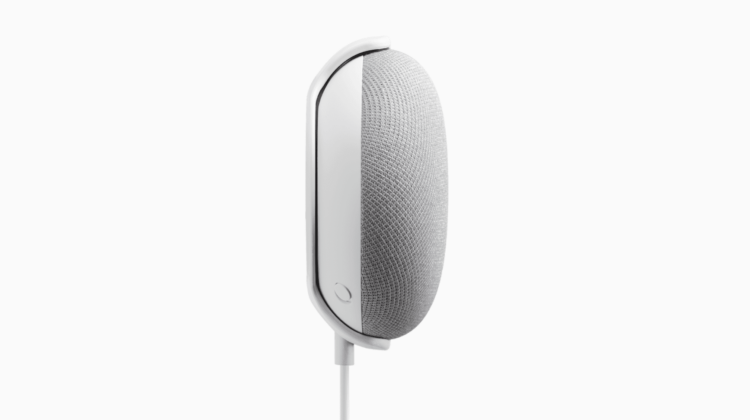
Google must have had me in mind this week as they launched another Made for Google accessory. This one comes from Incipio and it’s a simple wall mount for the Google Home Mini that lets you put it anywhere you like. (Within reach of a plug, of course)
Being a Made for Google product, you can be sure the wall mount will fit your device and work as intended and for $15, it will be worth the money. It still has some drawbacks in my opinion. First, you have to mount it to the wall meaning putting some kind of screw holes that will have to be repaired if you ever relocate it.
Second, the Google Home Mini hangs from the bracket and you’re still stuck with the power cord dangling depending on how far you mount it from the power source. Still, it’s $15 and I’m sure it will work perfectly for many users.
Google Home Mini Mount From Incipio
Thankfully, for those of you like me, there are some alternatives out there that offer some different, if not better options.
A quick look around the web will present you with a number of mounting solutions for your Mini but the one that gets my money is the Mini Back Pack from Dot Genie. The company makes a number of brackets for devices like Google Wifi, Echo Dot and now the Home Mini.
Unlike the wall mounting bracket from Incipio, the Mini Back Pack lets you mount the Mini directly to the wall outlet while hiding the cords. This is the perfect solution if you want the Mini to be up and out of the way and it makes moving the device from room to room a cinch.
The best part? The Mini Back Pack is also only $15 and you can grab them on Amazon in black or white. Check out the link below for details.
For more mounting solutions for your Google Home and Wifi devices, check out the link below.

