

• Skip to main content
  • Skip to primary sidebar
  • Deals
  • Features
  • Guides
  • Chromebooks
  • Videos
  • Podcast
  • More +
    • Reviews
    • Unboxing
    • Upcoming Devices
    • Chromebook Plus
    • Chrome
    • ChromeOS
    • Chrome OS Flex
  • Search
  • Sign Up
  • Log In
Chrome Unboxed – The Latest Chrome OS News

Chrome Unboxed - The Latest Chrome OS News

A Space for All Things Chrome, Google, and More!

  • Deals
  • Features
  • Guides
  • Chromebooks
  • Videos
  • Podcast
  • More +
    • Reviews
    • Unboxing
    • Upcoming Devices
    • Chromebook Plus
    • Chrome
    • ChromeOS
    • Chrome OS Flex
  • Search
  • Sign Up
  • Log In

Google Home Goes Gourmet

April 26, 2017 By Gabriel Brangers View Comments

Support our independent tech coverage. Chrome Unboxed is written by real people, for real people—not search algorithms. Join Chrome Unboxed Plus for just $2 a month to get an ad-free experience, access to our private Discord, and more. Learn more about membership here.
START FREE TRIAL (MONTHLY)START FREE TRIAL (ANNUAL)
I’m a foodie, for life. With over two decades under my belt in the restaurant scene, few things bring me the joy of making a meal for me and my family. Whether it’s a fancy five courser for the holidays or tailgate munchies for the big game, I love to cook. Almost as much as I love to eat.

Xremove ads

My favorite thing to do is go in head first with a counter full of ingredients and just go wild with no roadmap and only my senses to guide me. Sometimes I win, sometimes we order pizza. A lot of times though I just need a recipe and some simple guidance to prepare a palatable dinner for my loved ones.


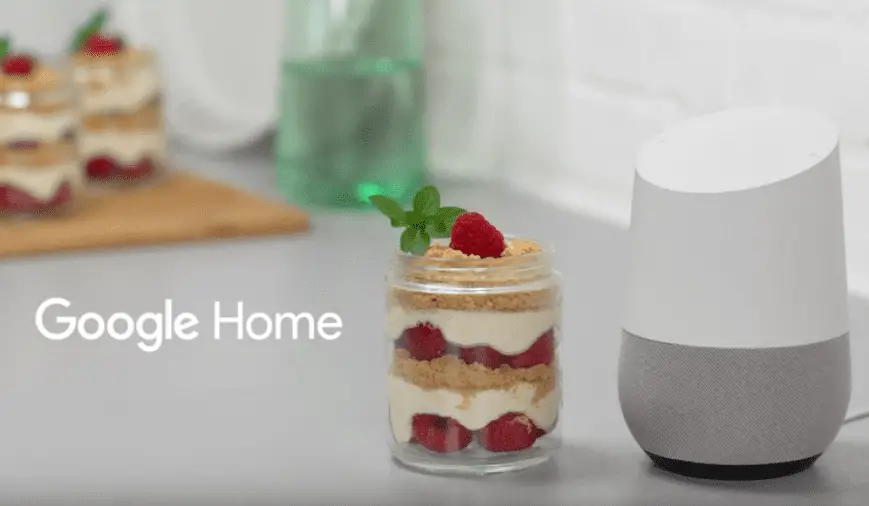
Google Home is looking to make that process a little simpler with the addition of “recipes on Google Home.” The feature, while quite simple, is a great way to make your favorite dish or try something new without the hassle of recipe cards or, if you’re like me, fumbling with your phone while you’re wrist deep in flour.

Featured Videos

Xremove ads

Here’s how it works.

  1. Via the Google Assistant or Google search on Android or iOS search a recipe. Find the one you want an click the “send to Google Home” button. At home or away your recipe is now save in your smart speaker.
  2. When you’re ready, say “OK Google, start cooking” or “OK Google, start recipe.”
  3. Gather your ingredients
  4. Start cooking. Just say, “OK Google, next step.” If you missed something just say  “OK Google, repeat” or “OK Google, what’s step two?”
  5. Complete and enjoy


Another great feature is that all the while you can enjoy your favorite kitchen playlist, set timers or get conversions for easier measuring. Check out “recipes on Google Home” in the video below.
https://youtu.be/GdVGynGWQ2Y

Pretty cool stuff, indeed. So, whether you’re a beginner or hang out with Julia Child, Google Home is here to help make your kitchen a happier place. The update will be rolling out over the next couple of weeks.

Xremove ads

Bon Appétit

Source: The Keyword

Xremove ads

Filed Under: All Stories, Apps, Google Assistant, News

About Gabriel Brangers

Lover of all things coffee. Foodie for life. Passionate drummer, hobby guitar player, Web designer and proud Army Veteran. I have come to drink coffee and tell the world of all things Chrome. "Whatever you do, Carpe the heck out of that Diem" - Roman poet, Horace. Slightly paraphrased.

Primary Sidebar

Xremove ads

Deals

The best Chromebook deals today

By Robby Payne
April 20, 2026

Deal Alert: the excellent Lenovo Chromebook Plus 2-in-1 returns to $429

By Robby Payne
April 20, 2026

Lenovo Legion Tab Gen 3 drops to $399, ahead of the much pricier Gen 5 release

By Joseph Humphrey
April 18, 2026

How to get 50% off YouTube Premium for a full year with Google One

By Robby Payne
April 16, 2026

The Pixel 10a just dropped to $449, but here’s why you should buy the Pixel 10 instead

By Joseph Humphrey
April 13, 2026

More Deals

Xremove ads

Reviews

Acer Chromebook Plus Spin 514 Review: Kompanio Ultra power in a convertible

By Robby Payne
December 24, 2025

My review after 6 weeks with the Lenovo Chromebook Plus 14 [VIDEO]

By Robby Payne
August 11, 2025

One week with the best small Android tablet you can buy, and I’m sold

By Robby Payne
May 9, 2025

Best Chromebooks of 2024 [VIDEO]

By Robby Payne
November 28, 2024

Samsung Galaxy Chromebook Plus Review: Samsung is back! [VIDEO]

By Robby Payne
October 28, 2024

More Reviews

Xremove ads

Guides

This Chromebook trackpad shortcut is definitely not new, but is blowing my mind

By Robby Payne
March 11, 2024

How to reduce broadcast delay on YouTube TV to stop live spoilers

By Robby Payne
December 8, 2023

Windows PC keyboard and Chromebook

How to use a Windows keyboard with a Chromebook

By Joseph Humphrey
December 8, 2023

How reset and revert your Chromebook to the previous version of Chrome OS

By Robby Payne
November 29, 2023

My Chromebook Plus features disappeared: here’s how I fixed it

By Robby Payne
November 24, 2023

More Guides

TWITTER · FACEBOOK · INSTAGRAM · YOUTUBE · EMAIL · ABOUT

Copyright © 2026 · Chrome Unboxed · Chrome is a registered trademark of Google Inc.
We are participants in various affiliate advertising programs designed to provide a means for us to earn fees by linking to affiliated sites.

PRIVACY POLICY
