

• Skip to main content
  • Skip to primary sidebar
  • Deals
  • Features
  • Guides
  • Chromebooks
  • Videos
  • Podcast
  • More +
    • Reviews
    • Unboxing
    • Upcoming Devices
    • Chromebook Plus
    • Chrome
    • ChromeOS
    • Chrome OS Flex
  • Search
  • Sign Up
  • Log In
Chrome Unboxed – The Latest Chrome OS News

Chrome Unboxed - The Latest Chrome OS News

A Space for All Things Chrome, Google, and More!

  • Deals
  • Features
  • Guides
  • Chromebooks
  • Videos
  • Podcast
  • More +
    • Reviews
    • Unboxing
    • Upcoming Devices
    • Chromebook Plus
    • Chrome
    • ChromeOS
    • Chrome OS Flex
  • Search
  • Sign Up
  • Log In

Gemini in Chrome expands to Asia-Pacific

April 21, 2026 By Robby Payne View Comments

Support our independent tech coverage. Chrome Unboxed is written by real people, for real people—not search algorithms. Join Chrome Unboxed Plus for just $2 a month to get an ad-free experience, access to our private Discord, and more. Learn more about membership here.
START FREE TRIAL (MONTHLY)START FREE TRIAL (ANNUAL)

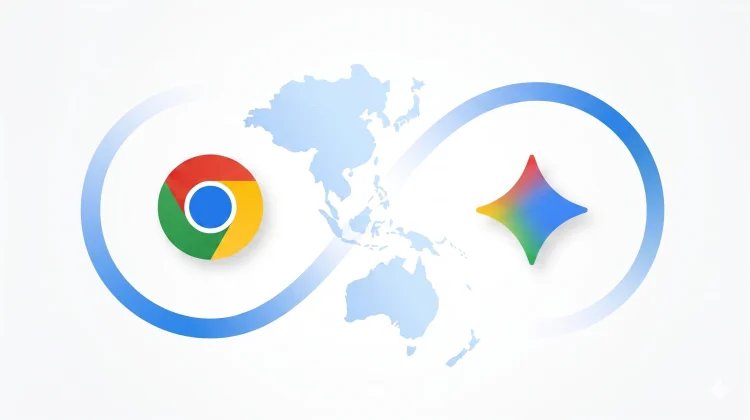
The way we interact with our browsers has recently undergone a massive shift. What used to be a simple window into the internet is rapidly becoming an active, AI-powered assistant. Today, Google announced that it is bringing its latest Chrome AI features to desktop and iOS users across the Asia-Pacific region.

Starting today, users in Australia, Indonesia, Japan, Philippines, Singapore, South Korea, and Vietnam can now access Gemini directly within the Chrome side panel to help manage their digital lives more efficiently.

Xremove ads

A browsing assistant that remembers

The standout feature in this expansion is Personal Intelligence. Unlike standard chatbots that treat every interaction as a fresh start, Gemini in Chrome can now remember the context of your past conversations. This allows for a much more tailored experience; if you are researching a trip over several days, Gemini retains the thread of your previous searches and comparisons, saving you from having to repeat your criteria every time you open a new tab.

Deep Google App Integration

Gemini in Chrome isn’t just looking at the webpage you have open; it’s connected to the rest of the Google ecosystem. Without leaving your current tab, you can now:

Featured Videos

Xremove ads
  • Summarize and Compare: Quickly digest long articles or compare specs across multiple open tabs.
  • Streamline Workflows: Draft emails in Gmail, schedule meetings in Calendar, or check location details in Maps based on the content you are currently reading.
  • Visual Editing: Transform images on the web using simple text prompts in the side panel.

Security and Control

As AI becomes more integrated into the browser, security is a natural concern. Google noted that these models are specifically trained to recognize threats like prompt injection. Additionally, the system includes built-in safeguards that require manual confirmation before Gemini can complete sensitive actions, ensuring you stay in control of your data.

This expansion follows the recent rollout to India, New Zealand, and Canada, signaling that Google is moving quickly to make Gemini in Chrome a global standard for the modern web.

SUBSCRIBE TO UPSTREAM

Get Chrome Unboxed delivered straight to your inbox

Upstream is our flagship, curated newsletter with the top stories, most click-worthy deals, giveaways, and trending articles from Chrome Unboxed sent directly to your inbox a few times a week. Join 31,000+ subscribers.

Xremove ads
SUBSCRIBE HERE!

Filed Under: AI, Chrome, Gemini, News

About Robby Payne

As the founder of Chrome Unboxed, Robby has been reviewing Chromebooks for over a decade. His passion for ChromeOS and the devices it runs on drives his relentless pursuit to find the best Chromebooks, best services, and best tips for those looking to adopt ChromeOS and those who've already made the switch.

Primary Sidebar

Xremove ads

Deals

The best Chromebook deals today

By Robby Payne
April 20, 2026

Deal Alert: the excellent Lenovo Chromebook Plus 2-in-1 returns to $429

By Robby Payne
April 20, 2026

Lenovo Legion Tab Gen 3 drops to $399, ahead of the much pricier Gen 5 release

By Joseph Humphrey
April 18, 2026

How to get 50% off YouTube Premium for a full year with Google One

By Robby Payne
April 16, 2026

The Pixel 10a just dropped to $449, but here’s why you should buy the Pixel 10 instead

By Joseph Humphrey
April 13, 2026

More Deals

Xremove ads

Reviews

Acer Chromebook Plus Spin 514 Review: Kompanio Ultra power in a convertible

By Robby Payne
December 24, 2025

My review after 6 weeks with the Lenovo Chromebook Plus 14 [VIDEO]

By Robby Payne
August 11, 2025

One week with the best small Android tablet you can buy, and I’m sold

By Robby Payne
May 9, 2025

Best Chromebooks of 2024 [VIDEO]

By Robby Payne
November 28, 2024

Samsung Galaxy Chromebook Plus Review: Samsung is back! [VIDEO]

By Robby Payne
October 28, 2024

More Reviews

Xremove ads

Guides

This Chromebook trackpad shortcut is definitely not new, but is blowing my mind

By Robby Payne
March 11, 2024

How to reduce broadcast delay on YouTube TV to stop live spoilers

By Robby Payne
December 8, 2023

Windows PC keyboard and Chromebook

How to use a Windows keyboard with a Chromebook

By Joseph Humphrey
December 8, 2023

How reset and revert your Chromebook to the previous version of Chrome OS

By Robby Payne
November 29, 2023

My Chromebook Plus features disappeared: here’s how I fixed it

By Robby Payne
November 24, 2023

More Guides

TWITTER · FACEBOOK · INSTAGRAM · YOUTUBE · EMAIL · ABOUT

Copyright © 2026 · Chrome Unboxed · Chrome is a registered trademark of Google Inc.
We are participants in various affiliate advertising programs designed to provide a means for us to earn fees by linking to affiliated sites.

PRIVACY POLICY