


Support our independent tech coverage. Chrome Unboxed is written by real people, for real people—not search algorithms. Join Chrome Unboxed Plus for just $2 a month to get an ad-free experience, access to our private Discord, and more. Learn more about membership here.
START FREE TRIAL (MONTHLY)START FREE TRIAL (ANNUAL)
Update June 6, 2023 at 2:32 PM EST: To clarify, Duet AI and Labs continues to roll out access to trusted testers, but this announcement by the company was meant to focus on a few new features that are being added based on user feedback.
Docs: (NEW) AI automatically inputs smart chips and variables for customizable details.
Gmail: (NEW) Contextual suggestions for email replies based on details from your previous thread & manually modify your original prompt directly in the AI toolbar.
Slides: (NEW) Create images from text, right within Google Slides.
Announced just this past month, Google’s answer to Microsoft 365 Copilot has been in development behind the scenes for quite some time. The ability to use generative AI in Docs, Sheets, Slides, Gmail and more to help springboard your ideas and make you more productive has been something users have been looking forward to ever since the competition started rolling out their own integrations.
Now, it seems that Google’s own ‘Duet AI’ is finally becoming available to more people. In a tweet today, Google Workspace revealed that these tools would now be usable for a subset of individuals who had previously signed up for the Workspace Labs beta. If you gain access, just look for the “Help me visualize” side panel which will let you create AI-generated images to spark creativity and innovation in your presentations. These are being powered by the company’s own ‘Imagen’ model.
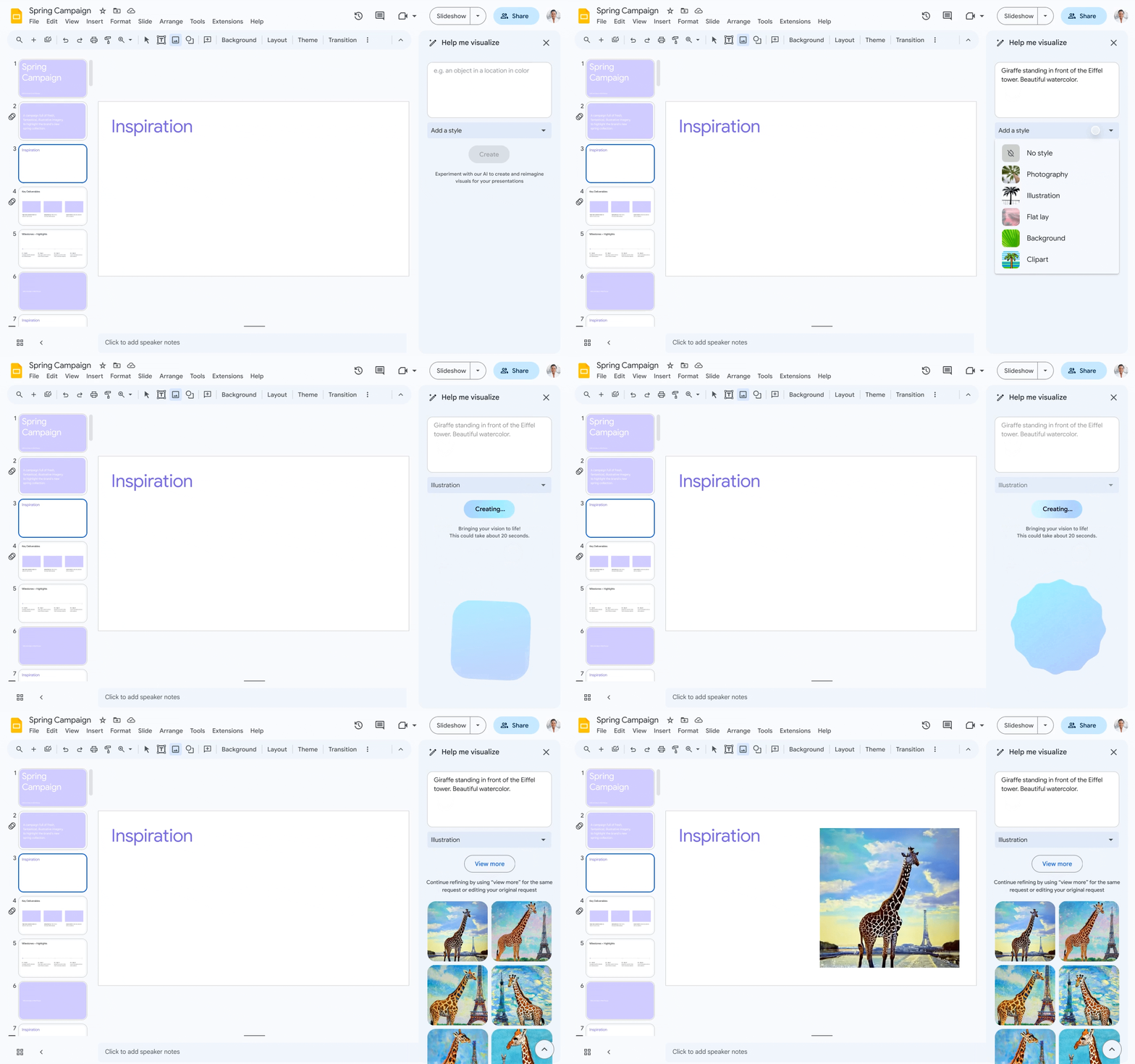
Additionally, while the tweet did focus on Slides, the previously announced “Help me write” AI text generator in Docs and Gmail are expanding their availability to more trusted Labs users, it seems. It will still be quite a while before all users have these features, as Google has stated it’s being very careful and methodical with the rollout as a part of its “Responsible AI” push.
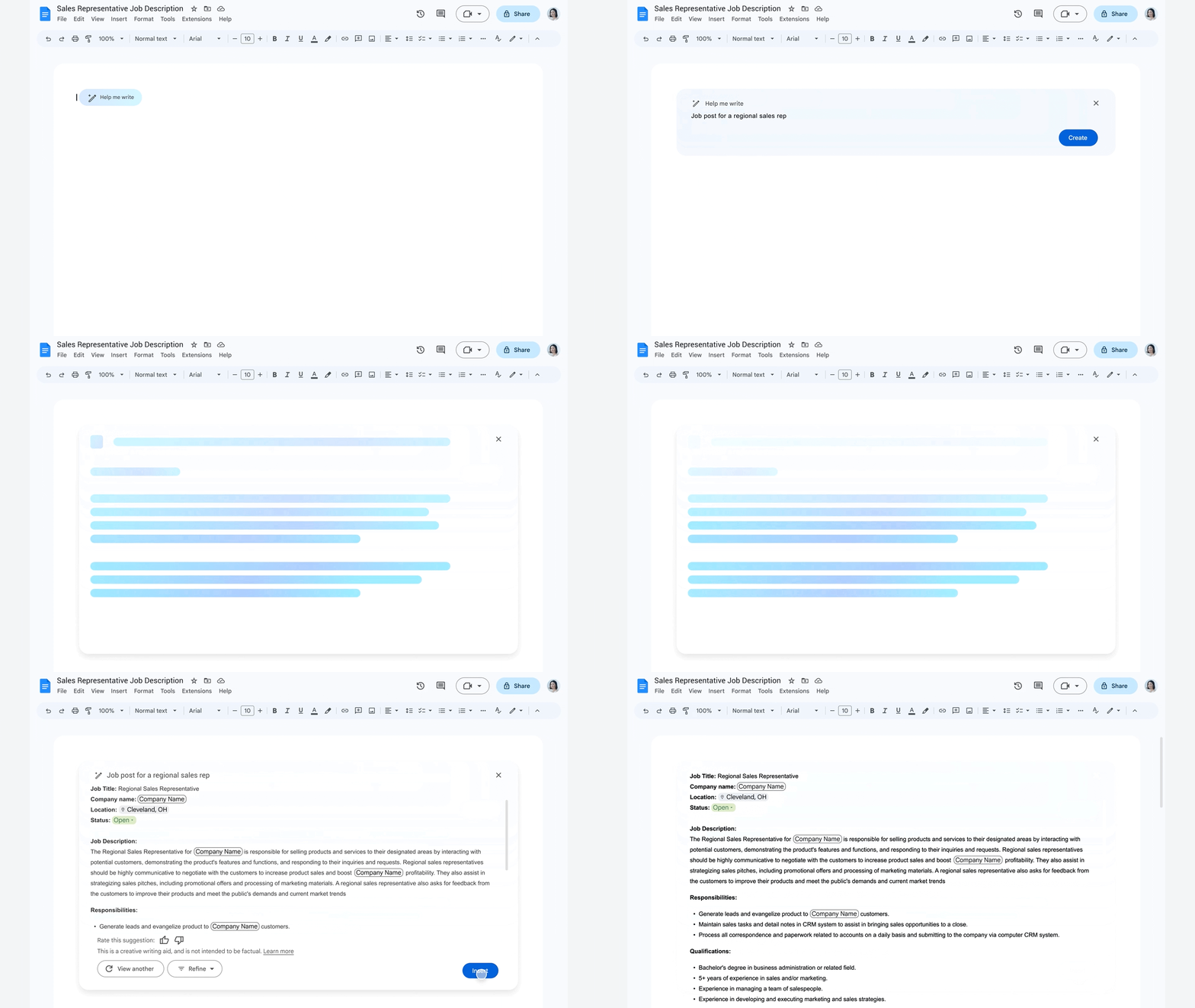
While I’m still uncertain about how trustworthy Google is with AI and if any of its claims regarding trustworthiness can be believed, I am glad to finally get my hands on some of these artificial intelligence tools to compare them with ChatGPT, Bing AI and others. As of right now though, I’m more interested in Docs getting variables and custom building blocks to take my game design documents and fiction writing series bible to the next level.
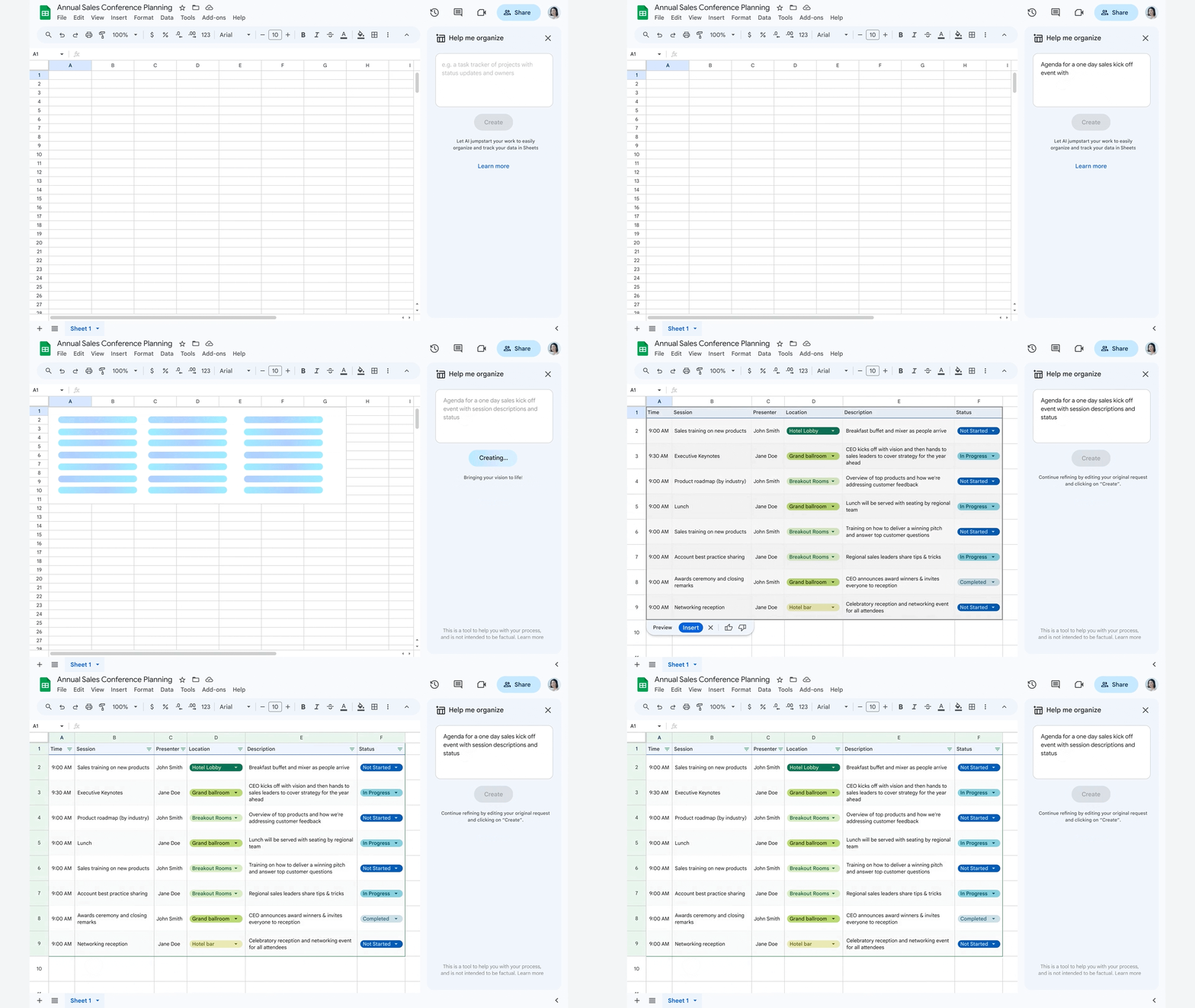
However, I’m definitely going to give the image generation in Sheets and Slides a shot. These things will no doubt be updated over time, and the landscape is moving quickly, so I’m sure we’re just seeing the infantile stages of what Google is planning. Let me know below if you’ve already gained access to Duet AI in Docs, Sheets, Slides, or Gmail and what you’re using it for. Also, let me know if it’s any good. I’ve been thoroughly unimpressed with Google’s offerings so far, but that’s primarily because they’ve been intentionally restricted for specific use cases so that they will be more “useful” for the layperson.
SUBSCRIBE TO UPSTREAM
Get Chrome Unboxed delivered straight to your inbox
Upstream is our flagship, curated newsletter with the top stories, most click-worthy deals, giveaways, and trending articles from Chrome Unboxed sent directly to your inbox a few times a week. Join 31,000+ subscribers.

