

Support our independent tech coverage. Chrome Unboxed is written by real people, for real people—not search algorithms. Join Chrome Unboxed Plus for just $2 a month to get an ad-free experience, access to our private Discord, and more. Learn more about membership here.
START FREE TRIAL (MONTHLY)START FREE TRIAL (ANNUAL)
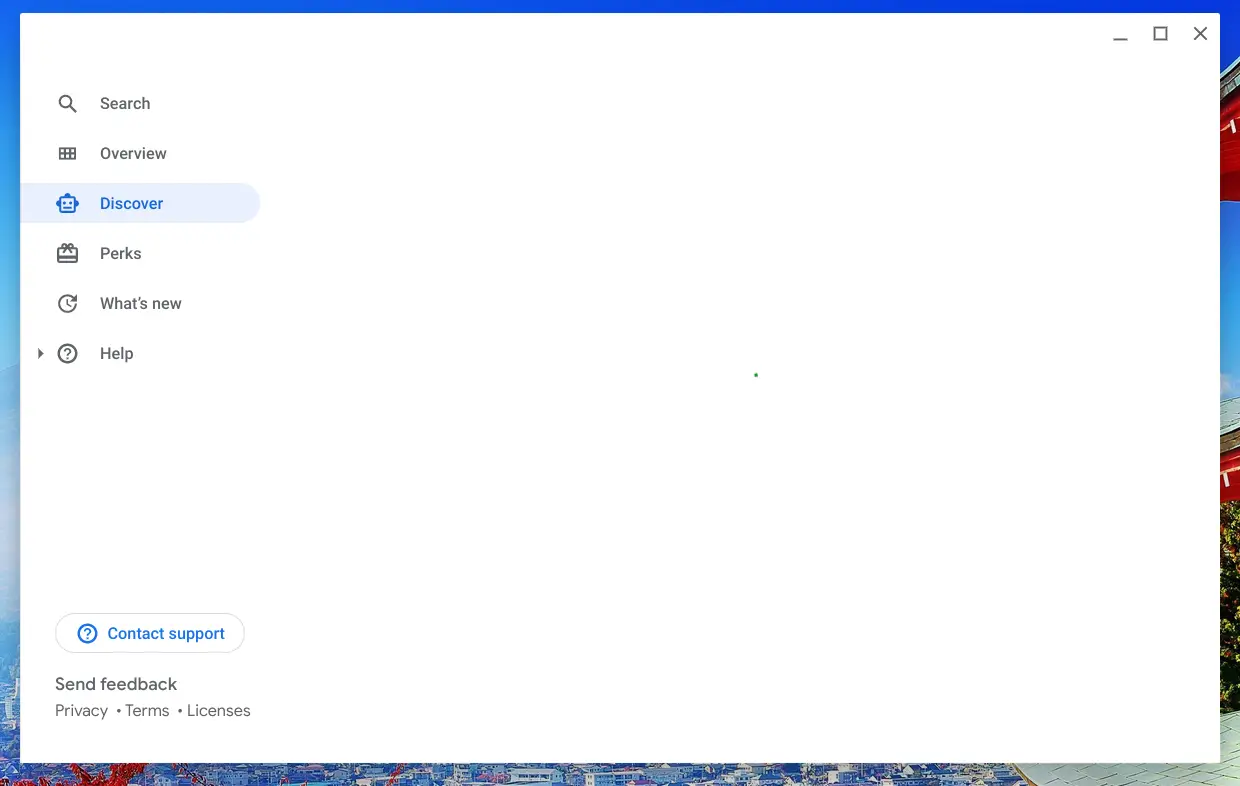
A new developer flag called ‘Help App Discover Tab’ is now available on Chrome OS Canary 92 and it adds an interesting new section into the Explore app on Chromebooks. Joining the Search, Overview, Perks, What’s New, and Help sections is a new robot head icon called ‘Discover’. Despite what you may be thinking, no – this is not meant to include news feed-style Google Discover cards into the app. Instead, I’ve stumbled upon code in the page source that indicates this area will be used to help children and perhaps families unlock and explore age-appropriate device capabilities and content.
Help App Discover Tab
Enables the Discover tab in the help app. Even if the feature is enabled, internal app logic might decide not to show the tab. – Chrome OS.
#help-app-discover-tab
In the page source, I found a segment titled ‘Kids Magazine’ (chrome-untrusted://help-app/kids_magazine/index.html). I’m guessing that this is just the backend name for the grid-style cards that will populate the Discover tab when the feature goes live. For now, though, clicking on the tab simply returns an infinite loading spinner and the index page just returns the Kids Magazine header. I believe that the content that will live here may be a combination of tips and tricks related to Family Link parental controls, Chromebook How-to basics, app and game suggestions, web app suggestions, and more.
Basically, it could be a mix of all types of content that branches out or links the child to other areas of the operating system where they’re allowed to go in an effort to help them get started when their parents buy the device from the store. Unfortunately, there’s currently zero evidence regarding what type of content will exist in the Discover tab, so for now it’s pure conjecture, but ‘Kids Magazine’ does give some hint at my theory being correct.
Until we learn more, there is a Chromium Repository commit that indicates Chrome OS may alert children of the feature out of the box in the notification area of their shelf. Below, you will see two commits – one for creating a Discover Tab notification only if the user is a child user, and the other shows that clicking this notification will, in fact, launch the Discover tab in the ‘help app’ – now known as Explore.
Implement notification controller for Help app.
– Add pref to keep track of Discover Tab notification last seen
– Add logic to show Discover Tab notification if feature enabled and user is a child user
– Added tests for the above
– Change login code to show a Help app notificationThe notification controller helps decide which notification to show. Previously, we only showed the Release Notes notification, but we now also have to consider the Discover Tab notification.
Bug: b/184227414
Create notification for the Help app discover tab.
– Added strings for notification title and message
– Clicking on notification launches chrome://help-app/discover.Logic to show the notification will be implemented in crrev.com/c/2831324.
Bug: b/184227414
I’m excited to see Google put more work into helping children and families getting the most out of its devices and services, and this new Discover tab holds untold potential. With Kid’s Space for tablets becoming a thing in recent history, the Family Tab on Nest displays launching, Chromecast with Google TV getting kids profiles, and Microsoft creating a kid-friendly version of the Edge browser (built on Chromium), I wouldn’t be surprised if we eventually see a fully kid-themed version of Chrome OS that mimics some of these offerings and automatically toggles on when a child signs into the device. When you realize that all of the groundwork has already been laid out over the past two years, it seems a lot more believable.
SUBSCRIBE TO UPSTREAM
Get Chrome Unboxed delivered straight to your inbox
Upstream is our flagship, curated newsletter with the top stories, most click-worthy deals, giveaways, and trending articles from Chrome Unboxed sent directly to your inbox a few times a week. Join 31,000+ subscribers.

It looks like the Discover tab was originally meant to be a separate Discover app that would work apart from the Explore app, but near the beginning of this month it was abandoned in favor of a tab built into Explore instead.

