
• Skip to main content
  • Skip to primary sidebar
  • Deals
  • Features
  • Guides
  • Chromebooks
  • Videos
  • Podcast
  • More +
    • Reviews
    • Unboxing
    • Upcoming Devices
    • Chromebook Plus
    • Chrome
    • ChromeOS
    • Chrome OS Flex
  • Search
  • Sign Up
  • Log In
Chrome Unboxed – The Latest Chrome OS News

Chrome Unboxed - The Latest Chrome OS News

A Space for All Things Chrome, Google, and More!

  • Deals
  • Features
  • Guides
  • Chromebooks
  • Videos
  • Podcast
  • More +
    • Reviews
    • Unboxing
    • Upcoming Devices
    • Chromebook Plus
    • Chrome
    • ChromeOS
    • Chrome OS Flex
  • Search
  • Sign Up
  • Log In

Chrome OS may receive a new two-tone window design with rounded corners

July 17, 2021 By Michael Perrigo View Comments

Hot off of the heels of Windows 11 with its shiny, new, rounded window corners, Chrome OS now seems to be testing a similar user experience. Over the past few weeks, I’ve encountered two separate instances where a new look appeared for my Chromebook’s windows which had not only rounded corners, but also an odd two-tone design. You can see in the image below – gone are the ugly, sharp corners. No, I don’t believe this was done in response to Windows 11, before you ask – Google has long since toyed with the idea of a softer visual design. All you have to do is look at the shelf to see what I mean.
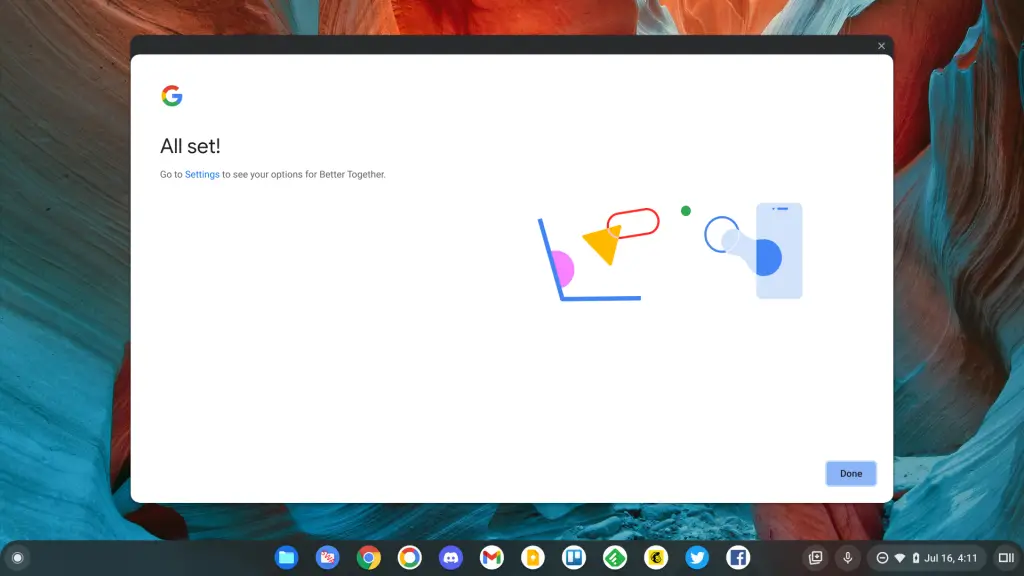
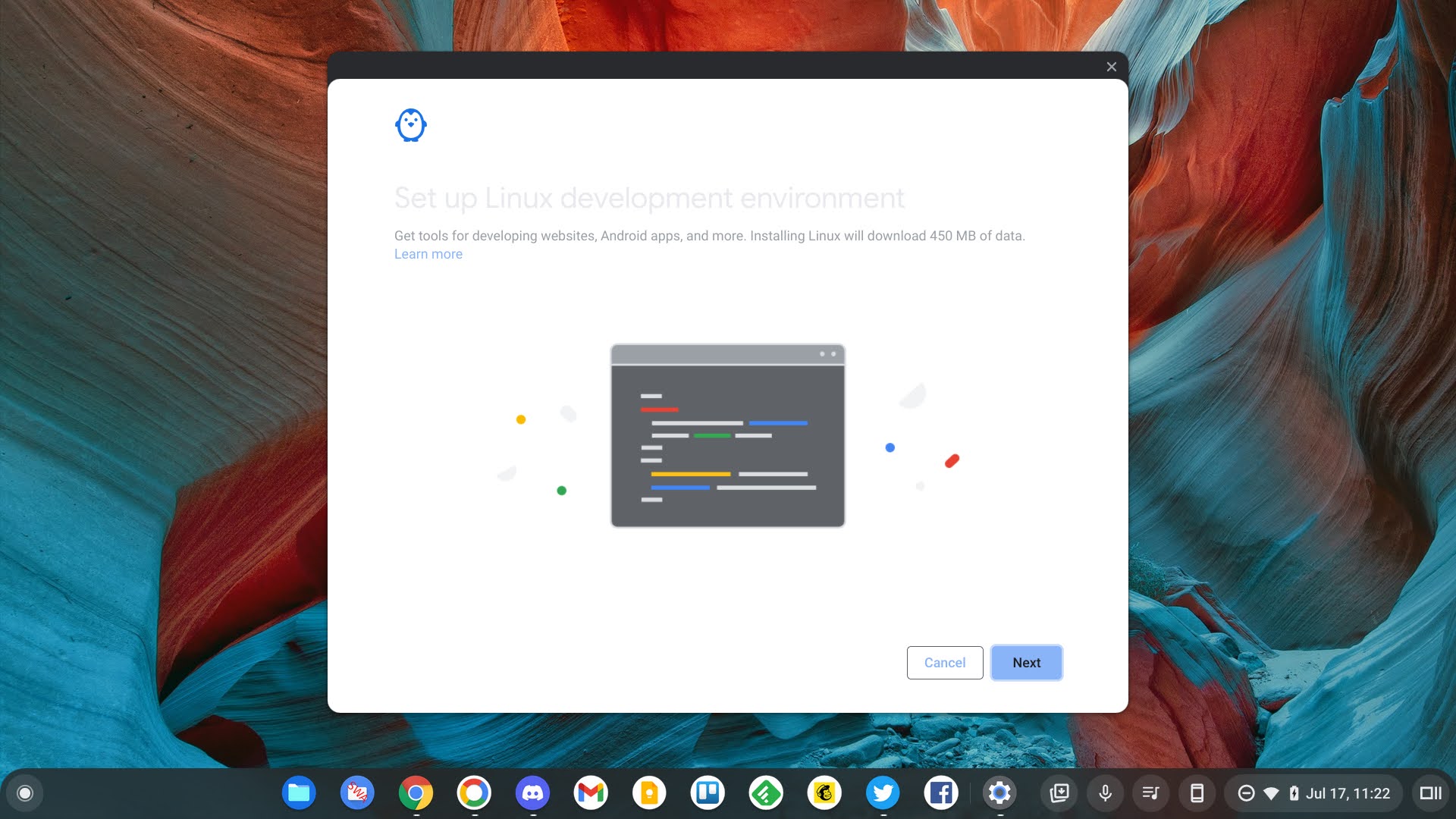
While setting up Crostini on my Pixelbook Go in Chrome OS Canary, and then again while enabling Phone Hub, the updated look and feel popped up for me. At first, I thought it was a visual glitch as it sports a new two-toned, layered look with white and dark grey, but then I noticed the rounded edges and got excited. So far, I’ve only encountered this on system integrated windows, not the Chrome browser itself or any Progressive web apps. It makes sense that it would appear on the former and not the latter, but if this is truly something the company is toying with releasing, I would hope for more of a unified, system-wide implementation.

Xremove ads

Another thought I had is that the layered, multi-color look of the windows could be a direct result of Dark Mode. If Google hopes to retain clarity for the user, then having a dark top bar with dark mode probably wouldn’t be best. Instead, they may be opting for a window that swaps colors when the OS mode is toggled. For example, if light mode is turned on, perhaps the top bar on windows will be dark while the windows are white. Similarly, if dark mode is toggled on for the OS, perhaps the windows will be dark, while the top bar turns white. I can see this being hard to stomach, but maybe it will look great – who knows. All I’ll say is that if this becomes the case, it does certainly take away from the idea of “dark mode”.

As with any and all Chrome OS Canary features, there’s no saying whether or not this will even launch before it’s killed off, but I feel confident that while it may be difficult for some to accept or adjust to, it does seem to put window management more in line with the rest of the operating system from a purely visual standpoint. For now, just know that Google has made the corners on windows in Chrome OS twice as round as Microsoft has made those of Windows 11, so if more round equates to more friendly, then it looks like Chrome OS will come out on top. All jokes aside, keep an eye out – I’ll let you know when and if I discover more occurrences or more evidence of this in the near future!

Featured Videos

Xremove ads

Join Chrome Unboxed Plus

Introducing Chrome Unboxed Plus – our revamped membership community. Join today at just $2 / month to get access to our private Discord, exclusive giveaways, AMAs, an ad-free website, ad-free podcast experience and more.

Plus Monthly

$2/mo. after 7-day free trial

Pay monthly to support our independent coverage and get access to exclusive benefits.

Xremove ads
Start free trial

Plus Annual

$20/yr. after 7-day free trial

Pay yearly to support our independent coverage and get access to exclusive benefits.

Start free trial

Our newsletters are also a great way to get connected. Subscribe here!

Click here to learn more and for membership FAQ

Xremove ads

Filed Under: ChromeOS, New & Upcoming Features, News, Updates

About Michael Perrigo

Known as "Google Mike" to his customers, Michael worked at Best Buy as a Chromebook Expert who dedicated his time to understanding the user experience from a regular Chromebook owner's perspective. Having spent nearly 20 years meeting you face-to-face, he strives to help you understand your technology through carefully crafted guides and coverage, relentlessly seeking out the spark in what's new and exciting about ChromeOS.

Primary Sidebar

Xremove ads

Deals

The best Chromebook deals today

By Robby Payne
December 26, 2025

The Acer Chromebook Plus Spin 514 hits an all-time low price of $499

By Robby Payne
December 23, 2025

Save $220 on the powerful, versatile Acer Chromebook Plus Spin 714

By Robby Payne
December 10, 2025

The Google Pixel 9a just hit its lowest price ever at $150 off

By Joseph Humphrey
December 8, 2025

At $349, this Lenovo Chromebook Plus is one of the best value laptops you can buy

By Joseph Humphrey
December 3, 2025

More Deals

Xremove ads

Reviews

Acer Chromebook Plus Spin 514 Review: Kompanio Ultra power in a convertible

By Robby Payne
December 24, 2025

My review after 6 weeks with the Lenovo Chromebook Plus 14 [VIDEO]

By Robby Payne
August 11, 2025

One week with the best small Android tablet you can buy, and I’m sold

By Robby Payne
May 9, 2025

Best Chromebooks of 2024 [VIDEO]

By Robby Payne
November 28, 2024

Samsung Galaxy Chromebook Plus Review: Samsung is back! [VIDEO]

By Robby Payne
October 28, 2024

More Reviews

Xremove ads

Guides

This Chromebook trackpad shortcut is definitely not new, but is blowing my mind

By Robby Payne
March 11, 2024

How to reduce broadcast delay on YouTube TV to stop live spoilers

By Robby Payne
December 8, 2023

Windows PC keyboard and Chromebook

How to use a Windows keyboard with a Chromebook

By Joseph Humphrey
December 8, 2023

How reset and revert your Chromebook to the previous version of Chrome OS

By Robby Payne
November 29, 2023

My Chromebook Plus features disappeared: here’s how I fixed it

By Robby Payne
November 24, 2023

More Guides

TWITTER · FACEBOOK · INSTAGRAM · YOUTUBE · EMAIL · ABOUT

Copyright © 2025 · Chrome Unboxed · Chrome is a registered trademark of Google Inc.
We are participants in various affiliate advertising programs designed to provide a means for us to earn fees by linking to affiliated sites.

PRIVACY POLICY
