
• Skip to main content
  • Skip to primary sidebar
  • Deals
  • Features
  • Guides
  • Chromebooks
  • Videos
  • Podcast
  • More +
    • Reviews
    • Unboxing
    • Upcoming Devices
    • Chromebook Plus
    • Chrome
    • ChromeOS
    • Chrome OS Flex
  • Search
  • Sign Up
  • Log In
Chrome Unboxed – The Latest Chrome OS News

Chrome Unboxed - The Latest Chrome OS News

A Space for All Things Chrome, Google, and More!

  • Deals
  • Features
  • Guides
  • Chromebooks
  • Videos
  • Podcast
  • More +
    • Reviews
    • Unboxing
    • Upcoming Devices
    • Chromebook Plus
    • Chrome
    • ChromeOS
    • Chrome OS Flex
  • Search
  • Sign Up
  • Log In

Chromebook Crosh terminal becomes a system web app with a slick, new icon

April 14, 2021 By Michael Perrigo View Comments

Support our independent tech coverage. Chrome Unboxed is written by real people, for real people—not search algorithms. Join Chrome Unboxed Plus for just $2 a month to get an ad-free experience, access to our private Discord, and more. Learn more about membership here.
START FREE TRIAL (MONTHLY)START FREE TRIAL (ANNUAL)

The Chrome OS crosh terminal, or Chrome OS shell, is a command shell environment for Google’s operating system that most resembles Windows CMD. It allows users to run several commands that directly communicate with the core of the OS. Since it’s quite extensive and not generally for the average user, I won’t exactly what it is in detail here. Beebom has a full list of 40 useful crosh terminal commands on its website if you’re interested in learning more, but several of the most common ones – like testing your device’s memory and battery or starting and stopping the Linux terminal by force – can now be done directly via an app or interface option in Chrome OS. Today, we’ll be discussing something more directly related to the app itself and not so much its operation.

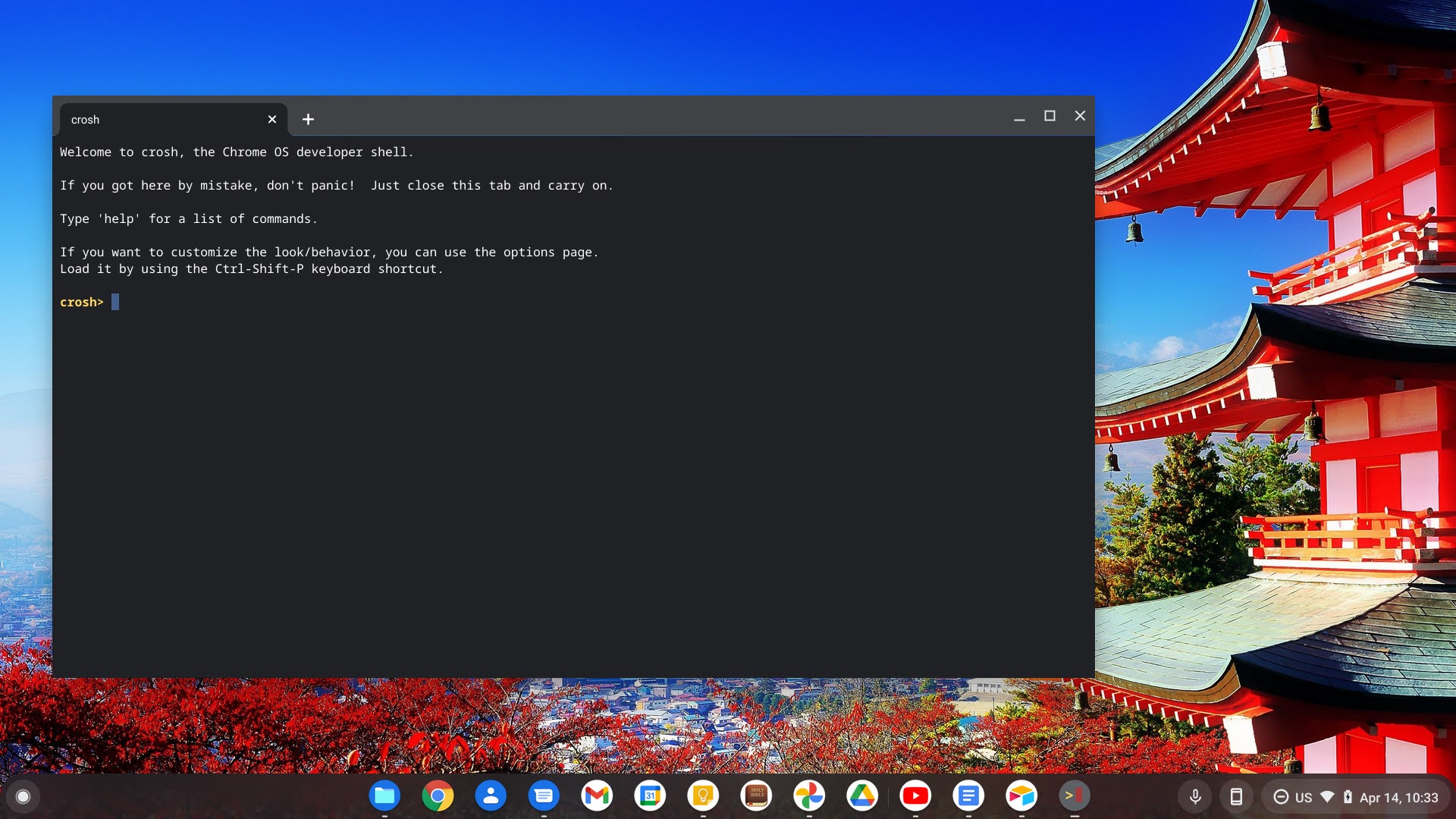
By enabling a new developer flag on Chrome OS Canary, the crosh terminal now joins other built-in apps in becoming SWAs – or system web apps. These special apps are basically progressive web apps that are able to operate as a part of the system and work offline. They don’t feel separate, per se, and there’s really no need to pull them up by typing in a website URL. Generally, the crosh terminal is pulled up by pressing “Ctrl + Alt + T”, and it appears as a Chrome tab in the web browser. With this new flag, it’s now opening in its own window as a part of Chrome OS – not the browser.
Xremove ads

Crosh System Web App
When enabled, crosh (Chrome OS Shell) will run as a tabbed System Web App rather than a normal browser tab. – Chrome OS

#crosh-swa

Additionally, the app’s iconography has been updated to match that of others that have recently taken on a more mature color scheme. While it may not be for everyone, and while I definitely don’t understand Google’s approach to color here, the icon looks a lot better than the basic black and white icon that it previously had. Because it’s so small in the screenshot above, I’ve recreated it in my art software and you can check it out below.
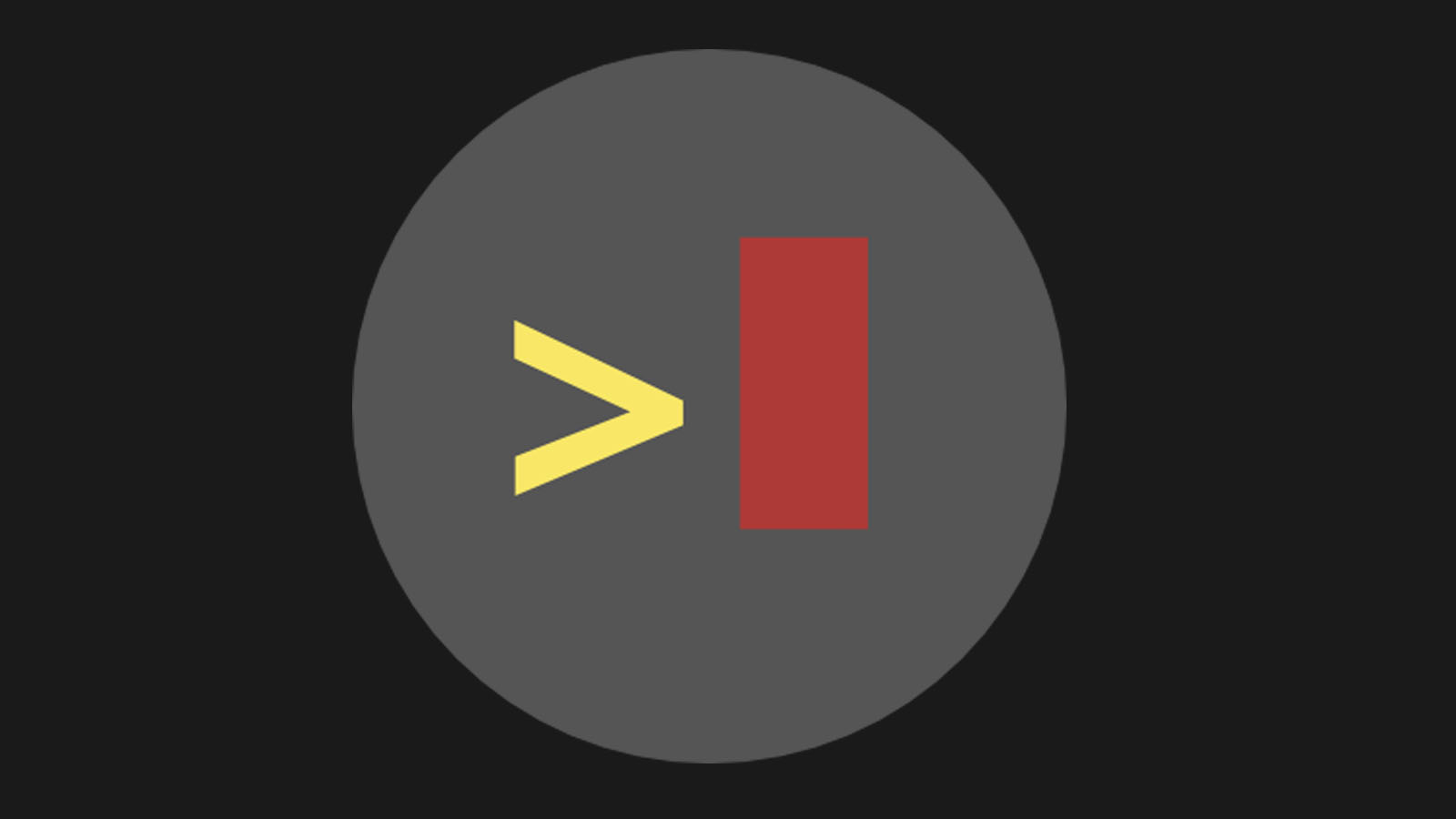
Most of the previously reworked icons have taken on a teal and dark grey color, so it’s interesting to see Google use yellow and red here. I’m definitely not a fan of it specifically, but I am a fan of how it better fits in with everything else in Chrome OS now. These new icons are meant to work with your Chromebook’s new light and dark themes, so as they roll out, they will look less jarring against a dark grey or white shelf or launcher background. What do you think about the crosh terminal becoming a system web application? What do you think of its new iconography? Let’s discuss in the comments. Is there another app that you’d like to see updated next?

Featured Videos

Xremove ads

SUBSCRIBE TO UPSTREAM

Get Chrome Unboxed delivered straight to your inbox

Upstream is our flagship, curated newsletter with the top stories, most click-worthy deals, giveaways, and trending articles from Chrome Unboxed sent directly to your inbox a few times a week. Join 31,000+ subscribers.

SUBSCRIBE HERE!

Filed Under: Apps, Chrome OS Tablet, ChromeOS, New & Upcoming Features, News

About Michael Perrigo

Known as "Google Mike" to his customers, Michael worked at Best Buy as a Chromebook Expert who dedicated his time to understanding the user experience from a regular Chromebook owner's perspective. Having spent nearly 20 years meeting you face-to-face, he strives to help you understand your technology through carefully crafted guides and coverage, relentlessly seeking out the spark in what's new and exciting about ChromeOS.

Primary Sidebar

Xremove ads

Deals

The Lenovo Chromebook Slim 3 is the one to get, starting at just $139 right now

By Robby Payne
March 6, 2026

The best Chromebook deals today

By Robby Payne
March 6, 2026

The fantastic $599 deal on the Samsung Galaxy Chromebook Plus has returned

By Robby Payne
February 25, 2026

There are some great Pixel 10a pre-order offers right now: Here are my 2 favorite deals

By Joseph Humphrey
February 25, 2026

Save up to 25% off the Gemini-powered Nest Cam Indoor

By Joseph Humphrey
February 19, 2026

More Deals

Xremove ads

Reviews

Acer Chromebook Plus Spin 514 Review: Kompanio Ultra power in a convertible

By Robby Payne
December 24, 2025

My review after 6 weeks with the Lenovo Chromebook Plus 14 [VIDEO]

By Robby Payne
August 11, 2025

One week with the best small Android tablet you can buy, and I’m sold

By Robby Payne
May 9, 2025

Best Chromebooks of 2024 [VIDEO]

By Robby Payne
November 28, 2024

Samsung Galaxy Chromebook Plus Review: Samsung is back! [VIDEO]

By Robby Payne
October 28, 2024

More Reviews

Xremove ads

Guides

This Chromebook trackpad shortcut is definitely not new, but is blowing my mind

By Robby Payne
March 11, 2024

How to reduce broadcast delay on YouTube TV to stop live spoilers

By Robby Payne
December 8, 2023

Windows PC keyboard and Chromebook

How to use a Windows keyboard with a Chromebook

By Joseph Humphrey
December 8, 2023

How reset and revert your Chromebook to the previous version of Chrome OS

By Robby Payne
November 29, 2023

My Chromebook Plus features disappeared: here’s how I fixed it

By Robby Payne
November 24, 2023

More Guides

TWITTER · FACEBOOK · INSTAGRAM · YOUTUBE · EMAIL · ABOUT

Copyright © 2026 · Chrome Unboxed · Chrome is a registered trademark of Google Inc.
We are participants in various affiliate advertising programs designed to provide a means for us to earn fees by linking to affiliated sites.

PRIVACY POLICY