
• Skip to main content
  • Skip to primary sidebar
  • Deals
  • Features
  • Guides
  • Chromebooks
  • Videos
  • Podcast
  • More +
    • Reviews
    • Unboxing
    • Upcoming Devices
    • Chromebook Plus
    • Chrome
    • ChromeOS
    • Chrome OS Flex
  • Search
  • Sign Up
  • Log In
Chrome Unboxed – The Latest Chrome OS News

Chrome Unboxed - The Latest Chrome OS News

A Space for All Things Chrome, Google, and More!

  • Deals
  • Features
  • Guides
  • Chromebooks
  • Videos
  • Podcast
  • More +
    • Reviews
    • Unboxing
    • Upcoming Devices
    • Chromebook Plus
    • Chrome
    • ChromeOS
    • Chrome OS Flex
  • Search
  • Sign Up
  • Log In

Chrome OS 54 Brings Quick Pin Unlock To Chromebooks

October 27, 2016 By Gabriel Brangers View Comments

Support our independent tech coverage. Chrome Unboxed is written by real people, for real people—not search algorithms. Join Chrome Unboxed Plus for just $2 a month to get an ad-free experience, access to our private Discord, and more. Learn more about membership here.
START FREE TRIAL (MONTHLY)START FREE TRIAL (ANNUAL)

screenshot-2016-10-27-at-8-29-30-pm

Yesterday the long awaited Chrome OS 54 made its way to the stable channel for most devices.  Amidst the excitement to see what was new and share my findings, I completely forgot to check the Chrome “flags” for any additional features. In my haste, I overlooked a very useful option that was being tested in the developer channel a couple months back.

Xremove ads

As one of our readers has pointed out, the “Quick Unlock(PIN)” option has been added to Chrome OS 54 and is available for use: with a little tinkering.


Still not a standard setting, the Quick Unlock feature requires the enabling of an experimental “flag.” With that being said, let’s get the disclaimers out of the way. Shall we?

Featured Videos

Xremove ads

WARNING These experimental features may change, break, or disappear at any time. We make absolutely no guarantees about what may happen if you turn one of these experiments on, and your browser may even spontaneously combust. Jokes aside, your browser may delete all your data, or your security and privacy could be compromised in unexpected ways. Any experiments you enable will be enabled for all users of this browser. Please proceed with caution.

The Chromium Team

Now that that’s out of the way, I can say I have never had any major issues with enabling flags in the stable channel. That’s not to say these features can’t cause issues. Hence the warning.

To activate this feature first open a new browser and type chrome://flags/#quick-unlock-pin and select enable. Then you will be prompted to restart for the changes to take effect.


One more step and you’re on your way.

Xremove ads

Next, open a new browser tab and type chrome://md-settings. You will now see the new material design settings menu. Most of the options are identical to the standard Chrome OS settings menu; with a few extras.

Right there in the second menu block you will see screen lock, pin or password.

screenshot-2016-10-27-at-6-20-19-pm

Xremove ads

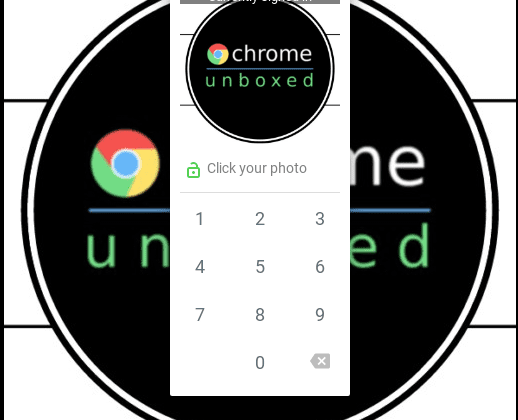
Click it and you will be prompted to enter your password for security verification. From there hit the “change pin” option and follow the steps therein. Once you’ve entered your PIN and confirmed it, you can close out that screen and you’re all set. Now, from the lock screen you will be able to access your Chromebook with a password, Quick Unlock or Smart Unlock(with your Android device).

screenshot-2016-10-27-at-7-18-48-pm

Again, this feature is still considered “experimental.” Even though it has been in testing for months, it is still not an “officially supported” option and is enabled at the users own risk. If you experience any issue with this feature don’t hesitate to submit a bug report. User participation in the development and improvement of Chrome OS is what makes this open-source ecosystem great.

Xremove ads

Filed Under: All Stories, Chromebooks, Chromebox, ChromeOS, News, Preview

About Gabriel Brangers

Lover of all things coffee. Foodie for life. Passionate drummer, hobby guitar player, Web designer and proud Army Veteran. I have come to drink coffee and tell the world of all things Chrome. "Whatever you do, Carpe the heck out of that Diem" - Roman poet, Horace. Slightly paraphrased.

Primary Sidebar

Xremove ads

Deals

Lenovo Legion Tab Gen 3 drops to $399, ahead of the much pricier Gen 5 release

By Joseph Humphrey
April 18, 2026

How to get 50% off YouTube Premium for a full year with Google One

By Robby Payne
April 16, 2026

The Pixel 10a just dropped to $449, but here’s why you should buy the Pixel 10 instead

By Joseph Humphrey
April 13, 2026

Save up to $200 on the two best Chromebooks on the market

By Robby Payne
April 13, 2026

The best Chromebook deals today

By Robby Payne
April 13, 2026

More Deals

Xremove ads

Reviews

Acer Chromebook Plus Spin 514 Review: Kompanio Ultra power in a convertible

By Robby Payne
December 24, 2025

My review after 6 weeks with the Lenovo Chromebook Plus 14 [VIDEO]

By Robby Payne
August 11, 2025

One week with the best small Android tablet you can buy, and I’m sold

By Robby Payne
May 9, 2025

Best Chromebooks of 2024 [VIDEO]

By Robby Payne
November 28, 2024

Samsung Galaxy Chromebook Plus Review: Samsung is back! [VIDEO]

By Robby Payne
October 28, 2024

More Reviews

Xremove ads

Guides

This Chromebook trackpad shortcut is definitely not new, but is blowing my mind

By Robby Payne
March 11, 2024

How to reduce broadcast delay on YouTube TV to stop live spoilers

By Robby Payne
December 8, 2023

Windows PC keyboard and Chromebook

How to use a Windows keyboard with a Chromebook

By Joseph Humphrey
December 8, 2023

How reset and revert your Chromebook to the previous version of Chrome OS

By Robby Payne
November 29, 2023

My Chromebook Plus features disappeared: here’s how I fixed it

By Robby Payne
November 24, 2023

More Guides

TWITTER · FACEBOOK · INSTAGRAM · YOUTUBE · EMAIL · ABOUT

Copyright © 2026 · Chrome Unboxed · Chrome is a registered trademark of Google Inc.
We are participants in various affiliate advertising programs designed to provide a means for us to earn fees by linking to affiliated sites.

PRIVACY POLICY