


Support our independent tech coverage. Chrome Unboxed is written by real people, for real people—not search algorithms. Join Chrome Unboxed Plus for just $2 a month to get an ad-free experience, access to our private Discord, and more. Learn more about membership here.
START FREE TRIAL (MONTHLY)START FREE TRIAL (ANNUAL)
Not long ago, we detailed something called Chrome Memories that had the potential to replace your browser’s History page, Google Activity, and more all in one fell swoop. It seemed that as it worked on this tool internally, Google was positioning it as a potential replacement or revamp of History at the very least. We saw a page with ‘Memories’ as its title and a ‘Search memories’ box as well as search suggestions, tab groups and bookmarks, and more.
Not long afterward, another tool called Assistant Memory popped up and was much more visually and functionally fleshed out. It featured a section that looked and acted like Google Collections but called them memories, had suggestion cards like those found in Assistant Snapshot and even had suggestion chips for ‘Read Later’, ‘Important’, and more.
All of this cumulatively pointed to a unified solution for Google Account holders to save and revisit web content. Google Collections, Reminders, Assistant, Reading List, History, account activity, and more would all finally be in one place. Honestly, this makes a ton of sense, and all signs show that this is in the cards for the future of Google services.
With that being said, you can start to see how the traditional History page in Chrome is antiquated, can’t you? One place for all of your website history in the browser simply no longer does justice to the multitude of ways that users access and make use of data. Therefore, it stands to reason that we are looking at a future solution that brings everything together in one cohesive package – Memories.
Be they from Chrome, Assistant, or elsewhere, this term – ‘Memories’ is becoming more widely used by the Search giant, likely in an effort to brand this very important task of recalling information in a more friendly and more relatable way in regards to both its human users and its desire to humanize AI and machine learning. Today, the Chrome developer flag known as ‘Memories’ from which all of our previous findings have spawned now reads with a new URL.
Memories
Enables chrome://history/journeys. – Mac, Windows, Linux, Chrome OS, Android
#memories
You’ll notice that enabling this and visiting the History page in Chrome now reveals a ‘Journeys’ tab on the left-hand sidebar. Instead of loading a separate page called Memories, visiting chrome://memories is now a dead end, and all of its contents are being poured into the new chrome://history/journeys page. While I’m no longer seeing the aforementioned Tab Groups and other cards, these ‘Journeys’ – previously referred to as ‘History Clusters’ internally, seem to be a new way of grouping your browser activity based on keywords or other related data.
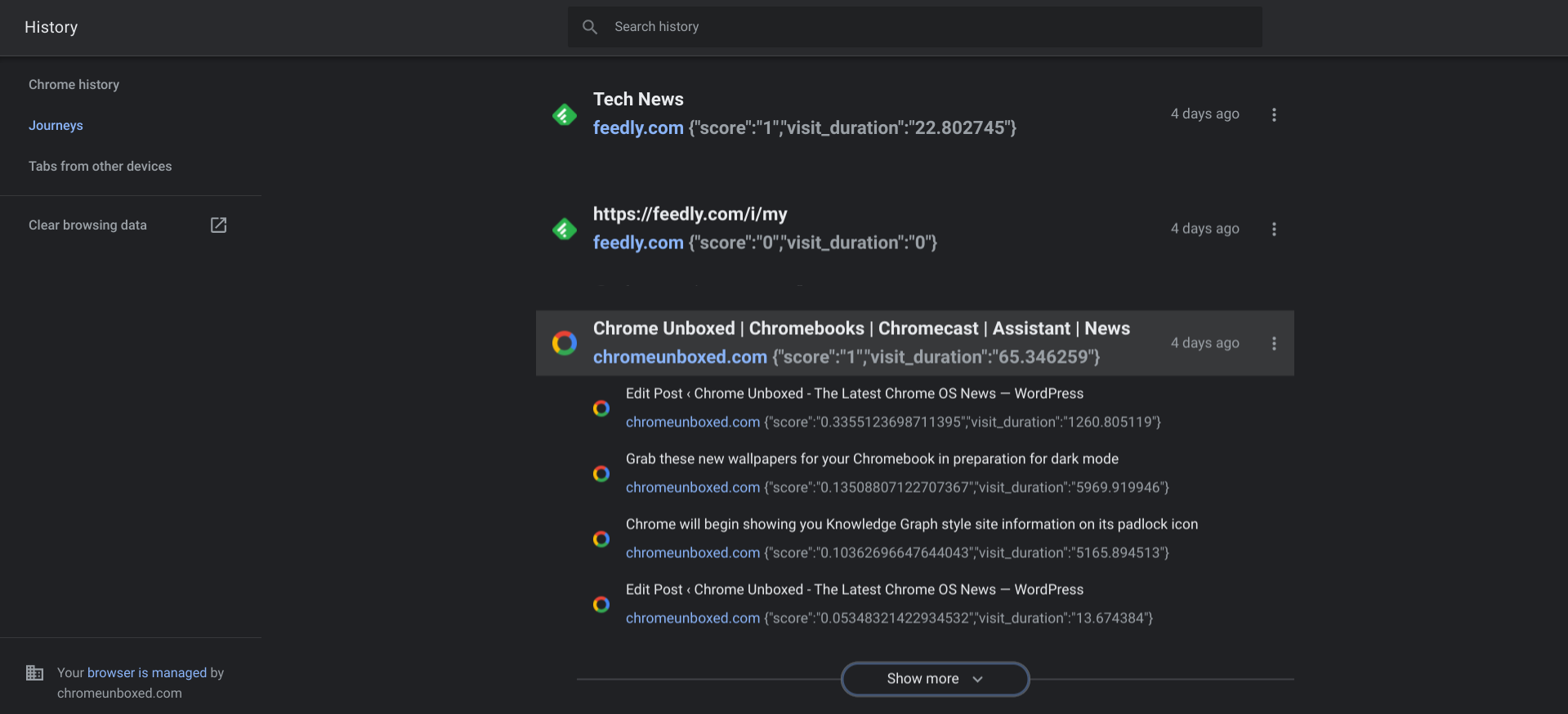
Check out my browser history for ‘Chrome Unboxed’ (I thought that would be fitting!). This is one small example of groupings where one item has several sub-items using smaller, indented text. In most other cases, the items were not from the same website, but rather from other sites with either the same or similar content. I’ve seen this type of grouping on Google News with its full coverage button, but never with personal data.
Needless to say, since many of the elements previously found on Chrome Memories are not present on this new History page, and other code is showing next to each item above like its score, the user’s visit duration, and more, it’s clear that we’re quite a ways off from a publicly available and unified solution that merges all of these new and exciting tools – Reading list, Collections, Assistant, and more – with the same types of user data found on the Google Activity page.
SUBSCRIBE TO UPSTREAM
Get Chrome Unboxed delivered straight to your inbox
Upstream is our flagship, curated newsletter with the top stories, most click-worthy deals, giveaways, and trending articles from Chrome Unboxed sent directly to your inbox a few times a week. Join 31,000+ subscribers.


