


Support our independent tech coverage. Chrome Unboxed is written by real people, for real people—not search algorithms. Join Chrome Unboxed Plus for just $2 a month to get an ad-free experience, access to our private Discord, and more. Learn more about membership here.
START FREE TRIAL (MONTHLY)START FREE TRIAL (ANNUAL)
Google first released the Android Auto app for Android phones two years ago, and since then, millions of users like myself who weren’t lucky enough to get the service built into our vehicles have used it as a form of makeshift head unit for long trips. By pairing the app with a nice phone mount and aside from it not being integrated into the dashboard natively, we had ourselves a “poor man’s” navigation system (aside from the fact that I already spent nearly a thousand bucks on my phone).
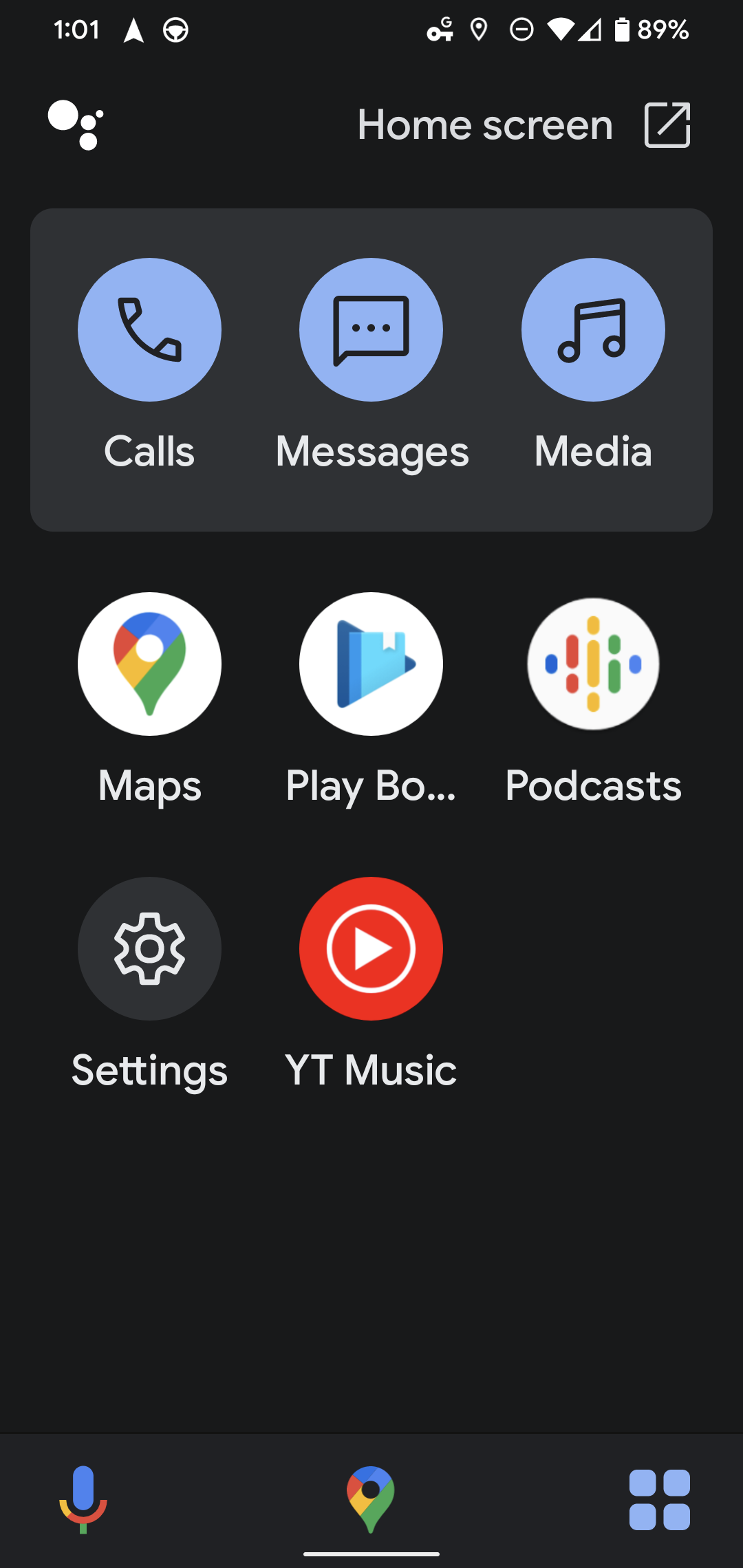
Not long ago, however, the company introduced something called Assistant Driving Mode – a sort of Android Auto interface that didn’t rely on the Android Auto app and appeared in a vertical format ( You know, so you could still plug your phone in and use it without a phone mount). Driving Mode features a simplified interface – pick a location, begin navigation and an app drawer appears on the bottom-right of your screen.
There you will find your calls, messages, media, and more all just a tap away. Nothing fancy – just app icons. In the bottom-middle, you can return to your navigation, and at the bottom-left, you can tap the microphone to Assistant for pretty much anything you need or activate it by voice without removing your hands from the wheel.
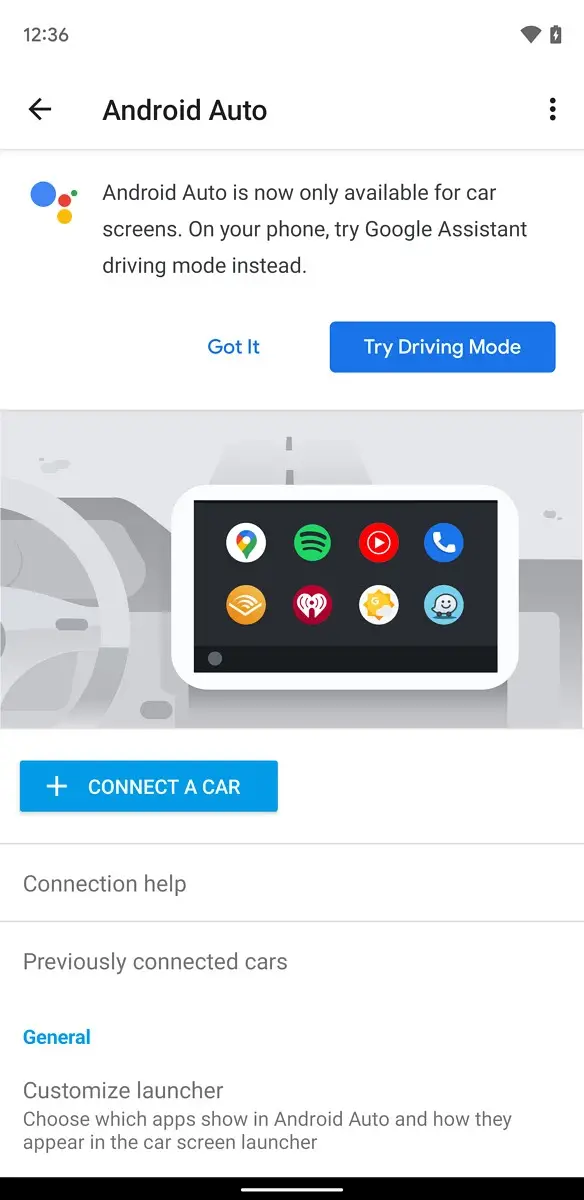
XDA Developers recently discovered that the native Android Auto app on Android phones is redirecting users to the new Driving Mode experience with a pop-up at the top of the screen, citing that the app is only available for car screens (see below). Honestly, with how natural the new Assistant experience is on handhelds, I’m not the least bit broken up about this transition. Android Auto’s interface was pretty dated and reflected that of a traditional in-dash display.
While there’s nothing wrong with that, I think Google has moved on from mimicking what people were comfortable with to mimicking what they are comfortable with now – their phones and the apps on them. There will undoubtedly be those who prefer the traditional experience for navigation, but ultimately, I think most users will be happy with the change. Would you agree with this sentiment, or am I missing something? How long until car manufacturers are forced to just embed an Android phone in a car as a display instead of doing things the old way?
I’m sure this all sounds ridiculous and naive, but I’m not someone who’s ever really used an in-vehicle GPS or HUD. This is primarily because my cars have all been too old to even have Bluetooth, let alone one of these displays, but also because I grew up directly into the evolution of Maps and navigation. I understand that Google Maps’ offline mode doesn’t always stand up against something like a Garmin for international users, but I think I hold my ground for the most part since most people I know travel locally at most and stay home at the least thanks to the pandemic.
If you still want to emulate the Android Auto experience on your phone in place of installing a head unit in your vehicle, you can always try out AutoMate by BitSpicer. It’s what I used prior to Google releasing its own app on phones (they sure do go back and forth quickly, don’t they?) and it’s always served me well.
SUBSCRIBE TO UPSTREAM
Get Chrome Unboxed delivered straight to your inbox
Upstream is our flagship, curated newsletter with the top stories, most click-worthy deals, giveaways, and trending articles from Chrome Unboxed sent directly to your inbox a few times a week. Join 31,000+ subscribers.


