

Support our independent tech coverage. Chrome Unboxed is written by real people, for real people—not search algorithms. Join Chrome Unboxed Plus for just $2 a month to get an ad-free experience, access to our private Discord, and more. Learn more about membership here.
START FREE TRIAL (MONTHLY)START FREE TRIAL (ANNUAL)
Android 13 entered its public Beta phase in April and has had its fair share of patches and bug fixes since then. The latest one was Beta 4.1 last month, which addressed some final fixes related to system crashing and connectivity issues.
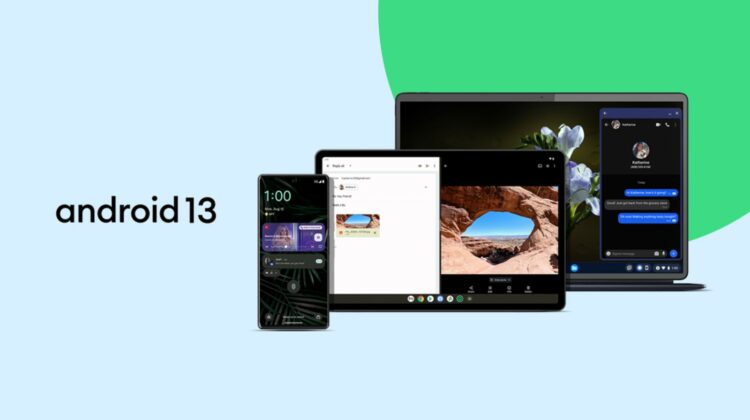
Today, Google has taken to its blog and social media to announce that starting today, Android 13 is rolling out to supported Pixel devices to be followed by Android devices by other brands later this year. The changelog for this official release is very long, as it not only bundles the delayed August security update but also all the Android 13 features that we have been hearing about for the past few months. Below are the build numbers for each Pixel device:
- Pixel 4 (XL): TP1A.220624.014
- Pixel 4a: TP1A.220624.014
- Pixel 4a (5G): TP1A.220624.014
- Pixel 5: TP1A.220624.014
- Pixel 5a (5G): TP1A.220624.014
- Pixel 6: TP1A.220624.021
- Pixel 6 Pro: TP1A.220624.021
- Pixel 6a: TP1A.220624.021.A1
The Android website does a great job of highlighting and summarizing the new features you can find on this latest version, and some of them are welcomed developments on the “Better Together” initiative. Below is a summary of everything you can expect in version 13:
- An updated Material You look that expands on the capability to match your app icons to your phone’s wallpaper theme and colors. Themed icons were launched with Android 12, but were only working for Google apps. Android 13 will open this to work for non-Google apps as long as the developer has provided a monochromatic app icon and made the necessary changes to their app to support adaptive icons.
- You will now be able to set different languages for different apps. This will be very helpful if you speak more than one language and you prefer to use one language for your phone’s system but another one for a specific app.
- An updated media player that spotlights the type of content you’re listening to. If listening to music, the spotlight will be on the album art and the playback bar will have a neat dancing animation through the song.
- Bedtime mode will include wallpaper dimming and a dark theme to help your eyes adjust to the dark
- Security features give the user control over which specific photos and videos they want to give an app access to, prevent unwanted access to the clipboard, and explicitly select which apps can send notifications, unlike before when this was allowed to all apps by default.
- Android phones and tablets will be able to take advantage of Spatial Audio on supported headphones that enable head tracking, like the Pixel Buds Pro, which are slated to get this functionality later this year. Additionally, Android 13 will now use Bluetooth Low Energy (LE) audio, a new standard that results in lower latency, allowing your headphone’s audio to be in better sync with the sound source. Also, great news for Pixel Buds Pro owners.
- Shared Clipboard: You’ll be able to copy content from your Android phone and paste it on your Android tablet, and vice-versa.
- Updated taskbar on Android tablets will allow for better multitasking in split-screen mode.
- Better palm rejection: Android tablets will register your palm and stylus as separate touches so as not to accidentally trigger input when you rest your hand on the screen.
- And finally, Chromebook users will now be able to stream messaging apps directly to their Chromebooks. This is something we have been waiting on for a while now, and I’m excited to see it in action.


The update is rolling out via OTA (over-the-air) on supported Pixel devices (Pixel 4, Pixel 4 XL, Pixel 4a, Pixel 4a 5G, Pixel 5, Pixel 5a, Pixel 6, Pixel 6 Pro, and Pixel 6a) and can be installed manually by going to Settings > System > System updates. Users already on Android 13 Beta 4.1 appear to be getting the update quicker as it arrives as a smaller file (35.17 MB). Those already in the Beta Program can choose to remain in it to continue testing future feature drops or opt-out to stop receiving future beta builds altogether.
SUBSCRIBE TO UPSTREAM
Get Chrome Unboxed delivered straight to your inbox
Upstream is our flagship, curated newsletter with the top stories, most click-worthy deals, giveaways, and trending articles from Chrome Unboxed sent directly to your inbox a few times a week. Join 31,000+ subscribers.
