


Support our independent tech coverage. Chrome Unboxed is written by real people, for real people—not search algorithms. Join Chrome Unboxed Plus for just $2 a month to get an ad-free experience, access to our private Discord, and more. Learn more about membership here.
START FREE TRIAL (MONTHLY)START FREE TRIAL (ANNUAL)
We recently covered a game emulation tool that ran Playstation 2 games entirely in the Chrome browser, and today, we’ve got yet another one for you. Today, we’ll be checking out something called Afterplay, and while it doesn’t run Playstation 2, it does have a slew of other platforms it can operate right in the browser. I first heard of Afterplay from one of my favorite YouTubers, Mr. Sujano, so props goes to him for this find initially! Let’s get started.
Alright, so Afterplay lets you play a variety of older game consoles with touch and gamepad support, and it even saves your game every 20 seconds so that you don’t lose any progress. It utilizes Web Assembly and Low Latency Streaming to bring this to life. The team behind the software apparently have servers of their own to make the experience fluid, but what emulation backends are running here, we’re just not sure. Here’s a list of the consoles you can play, including those that are yet to be implemented, but that are listed as “Coming soon”:

- FREE – Game Boy
- FREE – Game Boy Color
- FREE – Game Boy Advance
- FREE – Super Nintendo
- Cloud – Nintendo DS
- Cloud – Nintendo
- Cloud – Nintendo 64
- Cloud – Playstation
- Cloud – Playstation Portable (Coming soon)
- Cloud – Nintendo 3DS (Coming soon)
- Cloud – Gamecube (Coming soon)
- Cloud – Wii (Coming soon)
- Cloud – Xbox (Coming soon)
- Cloud – Dreamcast (Coming soon)
Keep in mind that those listed as “FREE” operate directly in your browser, and you’ll have to upload your own games from a local storage (which may take a moment each time depending on the file size), while those listed as “Cloud” operate via the Afterplay cloud servers (and also require you to upload your own games, of course) which costs $5 USD per month. It’s worth noting that most users interested in game emulation will be able to launch and use their own local emulator, so the paid aspect would only benefit those looking to play Xbox and maybe Wii games since those are heavier and more difficult to properly emulate, especially on lower end hardware.
If you have a Chromebook, this looks like it could be a really great solution, provided you have your legally-owned ROMs and ISOs stored on an external hard drive or solid state drive and access them via plug and play.
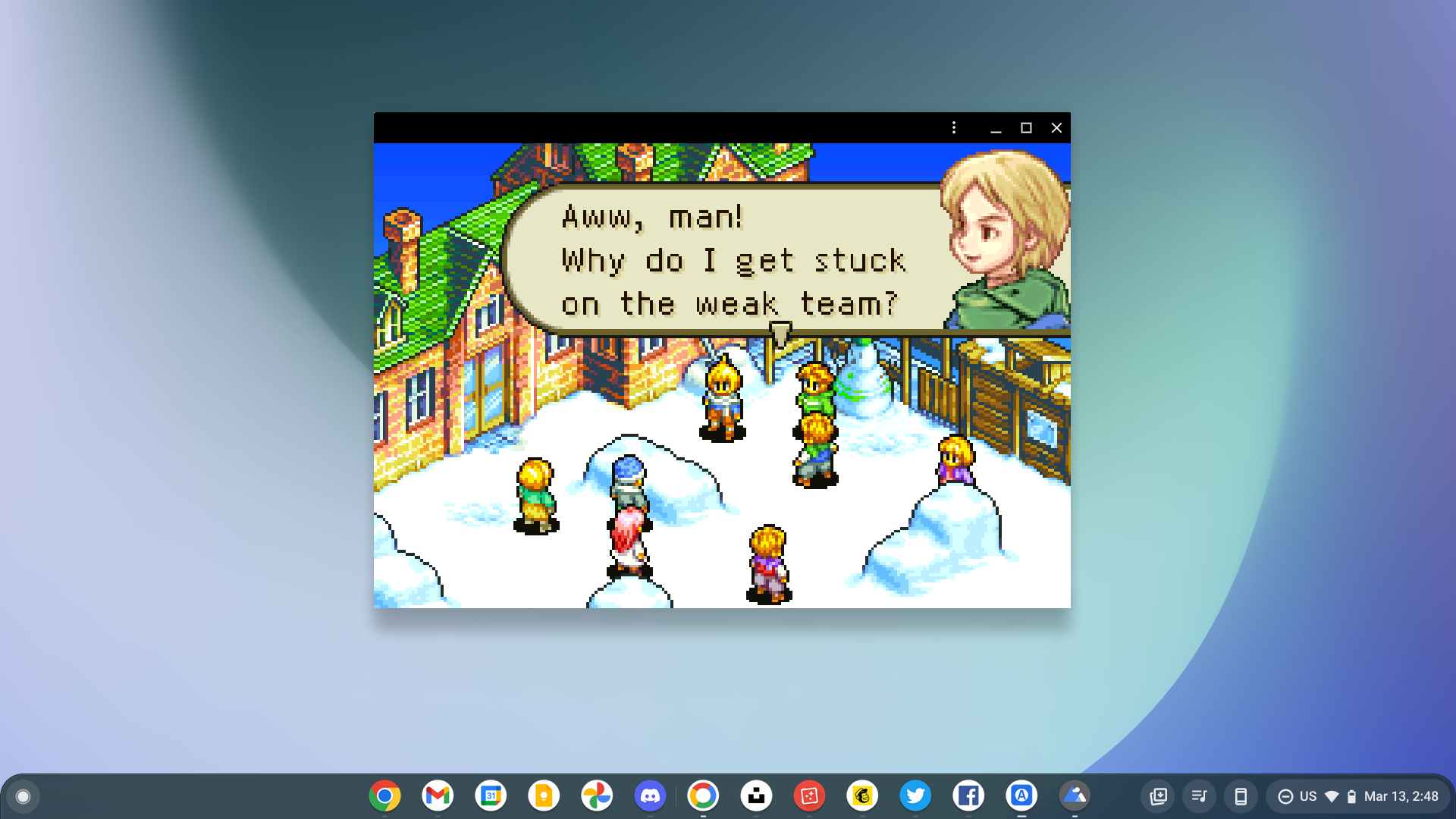
If you want to take advantage of the cloud save feature for your save games – and yes, you can pick up where you left off on mobile after playing on your Chromebook – you’ll need to sign up for an account once you visit the website.
Mr. Sujano and his fabulous beard agree with me – Afterplay is a pretty great experience so far, even though it seems to be relatively new. The touch controls look well laid out (aside from the invisible left virtual analog stick) and playback is smooth for a browser! This is by far one of the best web-based emulation stations you can get to date, and the fact that we keep seeing these pop up is just plain exciting, especially for those of us with Chromebooks.
SUBSCRIBE TO UPSTREAM
Get Chrome Unboxed delivered straight to your inbox
Upstream is our flagship, curated newsletter with the top stories, most click-worthy deals, giveaways, and trending articles from Chrome Unboxed sent directly to your inbox a few times a week. Join 31,000+ subscribers.

