

• Skip to main content
  • Skip to primary sidebar
  • Deals
  • Features
  • Guides
  • Chromebooks
  • Videos
  • Podcast
  • More +
    • Reviews
    • Unboxing
    • Upcoming Devices
    • Chromebook Plus
    • Chrome
    • ChromeOS
    • Chrome OS Flex
  • Search
  • Sign Up
  • Log In
Chrome Unboxed – The Latest Chrome OS News

Chrome Unboxed - The Latest Chrome OS News

A Space for All Things Chrome, Google, and More!

  • Deals
  • Features
  • Guides
  • Chromebooks
  • Videos
  • Podcast
  • More +
    • Reviews
    • Unboxing
    • Upcoming Devices
    • Chromebook Plus
    • Chrome
    • ChromeOS
    • Chrome OS Flex
  • Search
  • Sign Up
  • Log In

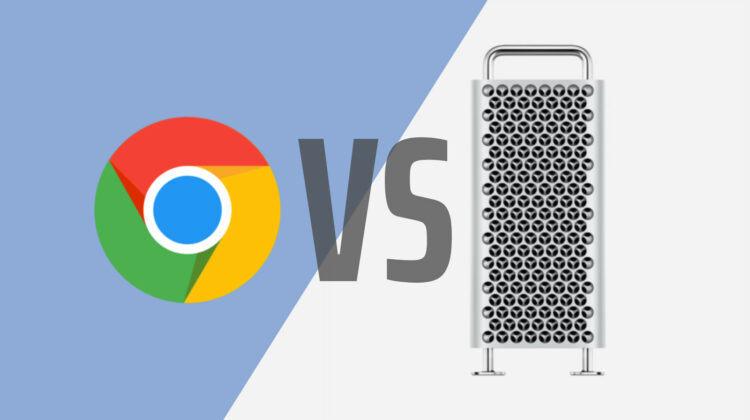
TLD pits 1.5 TB of RAM in the 2019 Mac Pro against Google Chrome. Who will win?

February 10, 2020 By Gabriel Brangers View Comments

Support our independent tech coverage. Chrome Unboxed is written by real people, for real people—not search algorithms. Join Chrome Unboxed Plus for just $2 a month to get an ad-free experience, access to our private Discord, and more. Learn more about membership here.
START FREE TRIAL (MONTHLY)START FREE TRIAL (ANNUAL)

Well, the Acadamy Awards have come and gone. Once the water cooler talks about who wore it best and who deserved the Oscar more comes to a close, you might be on the hunt for something to distract you this Monday morning. You’re in luck! YouTube great Jonathan Morrison, a.k.a. TLD has done us all a favor by upgrading his 2019 Mac Pro to a whopping 1.5 TB of RAM to pit it against Chrome in the ultimate battle to see who bows out.

First, the hardware. Jonathan is using his 2019 Mac Pro that’s equipped with the top-tier 28-core Intel Xeon W processor, 32GB AMD Radeon Pro Vega II graphics and has upgraded to 1.5 TB of RAM thanks to the folks over at OWC. It’s about as beasty of a machine as you will find anywhere which makes it the perfect testbed for Chrome which is historically known to be a RAM sucking resource hog. On the software side, Mr. Morrison has a couple of applications running in the background but the focus here is just how many Chrome tabs will it take before a meltdown ensues.

Xremove ads

The video is roughly eight and a half minutes long and it’s worth watching every minute. Towards the end, Jonathon hands over the reins to musician and composer Khari Mateen to let him give the Mac Pro a go at unhindered creation and it’s a beautiful thing. The first six minutes, however, are is a wonderfully nail-biting tribute to cliffhangers and suspense thrillers. Jonathan uses macOS’ built-in Automator to create a script that opens 1,000 actual websites out of the gate and from there, the fun continues. Check it out.

1.5 TB RAM Mac Pro vs. Google Chrome

If you don’t have the patience or fortitude to watch all of the anxiety-inducing build-ups, you can scrub to the 4m 50s mark to view the climax of this drama. After opening a mind-numbing 6,000 Chrome tabs, the RAM usage on the Mac gets dangerously close to maxing out. Then, Jonathan attempts to kill a single instance of Chrome that isn’t loading. Force killing it crashes Chrome entirely and the Mac’s frees up 1.4 TB of RAM immediately. Attempting to restore the 5,999 closed tabs is a complete failure as Chrome concedes to the massive computing power of this Frankenstein desktop.

Featured Videos

Xremove ads

Anyway, this was a fun experiment and a great Monday morning distraction. Big shout out to Jonathan Morrison for taking the time to answer the question we didn’t even know we had. If you are running 6,000 Chrome tabs, you now know the minimum amount of RAM you’ll need and while you’re at it, you may need to seek assistance in managing your tab hoarding obsession.

Filed Under: Accessories, Chrome

About Gabriel Brangers

Lover of all things coffee. Foodie for life. Passionate drummer, hobby guitar player, Web designer and proud Army Veteran. I have come to drink coffee and tell the world of all things Chrome. "Whatever you do, Carpe the heck out of that Diem" - Roman poet, Horace. Slightly paraphrased.

Primary Sidebar

Googlebook

MediaTek unveils Dimensity CX C10 Max: 3nm, 55 TOPS NPU, and built for future Googlebooks

By Robby Payne
September 21, 2026

Googlebook is here, and we went hands-on with the new software in NYC [VIDEO]

By Robby Payne
September 21, 2026

We went hands-on with all 5 new Googlebook laptops: here is our first look [Video]

By Robby Payne
September 21, 2026

The ASUS Googlebook 14 is official: 2.18 pounds, 3K OLED, and Panther Lake power

By Robby Payne
September 21, 2026

The HP Googlebook 14 is official: Snapdragon X Elite power, 3K OLED, and 19-hour battery

By Robby Payne
September 21, 2026

More Googlebook

Xremove ads

Deals

The best Chromebook deals today

By Robby Payne
September 2, 2026

The best Chromebook ever made is $350 off at Best Buy right now

By Robby Payne
August 21, 2026

The excellent, powerful Acer Chromebook Plus Spin 514 is $150 off right now

By Robby Payne
August 12, 2026

Acer’s new Chromebook 315 is wildly affordable and points to the real future of Chromebooks

By Robby Payne
August 11, 2026

You can score the massively upgraded ASUS CX54 Chromebook Plus for just $599 right now

By Joseph Humphrey
July 28, 2026

More Deals

Xremove ads

Reviews

Acer Chromebook Plus Spin 514 Review: the best convertible you can buy [VIDEO]

By Robby Payne
July 1, 2026

Lenovo Chromebook Plus 2-in-1 Review: pretty great in a vacuum

By Robby Payne
April 23, 2026

My review after 6 weeks with the Lenovo Chromebook Plus 14 [VIDEO]

By Robby Payne
August 11, 2025

One week with the best small Android tablet you can buy, and I’m sold

By Robby Payne
May 9, 2025

Best Chromebooks of 2024 [VIDEO]

By Robby Payne
November 28, 2024

More Reviews

Xremove ads

TWITTER · FACEBOOK · INSTAGRAM · YOUTUBE · EMAIL · ABOUT

Copyright © 2026 · Chrome Unboxed · Chrome is a registered trademark of Google Inc.
We are participants in various affiliate advertising programs designed to provide a means for us to earn fees by linking to affiliated sites.

PRIVACY POLICY