

Support our independent tech coverage. Chrome Unboxed is written by real people, for real people—not search algorithms. Join Chrome Unboxed Plus for just $2 a month to get an ad-free experience, access to our private Discord, and more. Learn more about membership here.
START FREE TRIAL (MONTHLY)START FREE TRIAL (ANNUAL)
Android TV and other Google TV devices using version 2.15.006 of the Youtube app are beginning to receive a brand new user interface for playlists. First discovered by 9to5Google, the new UI is clean and professional, and has one major difference from the previous iteration that once populated the space. Instead of autoplaying all of the videos in the chosen playlist, the user will now be brought to a playlist overview with a few options they can select from before watching.
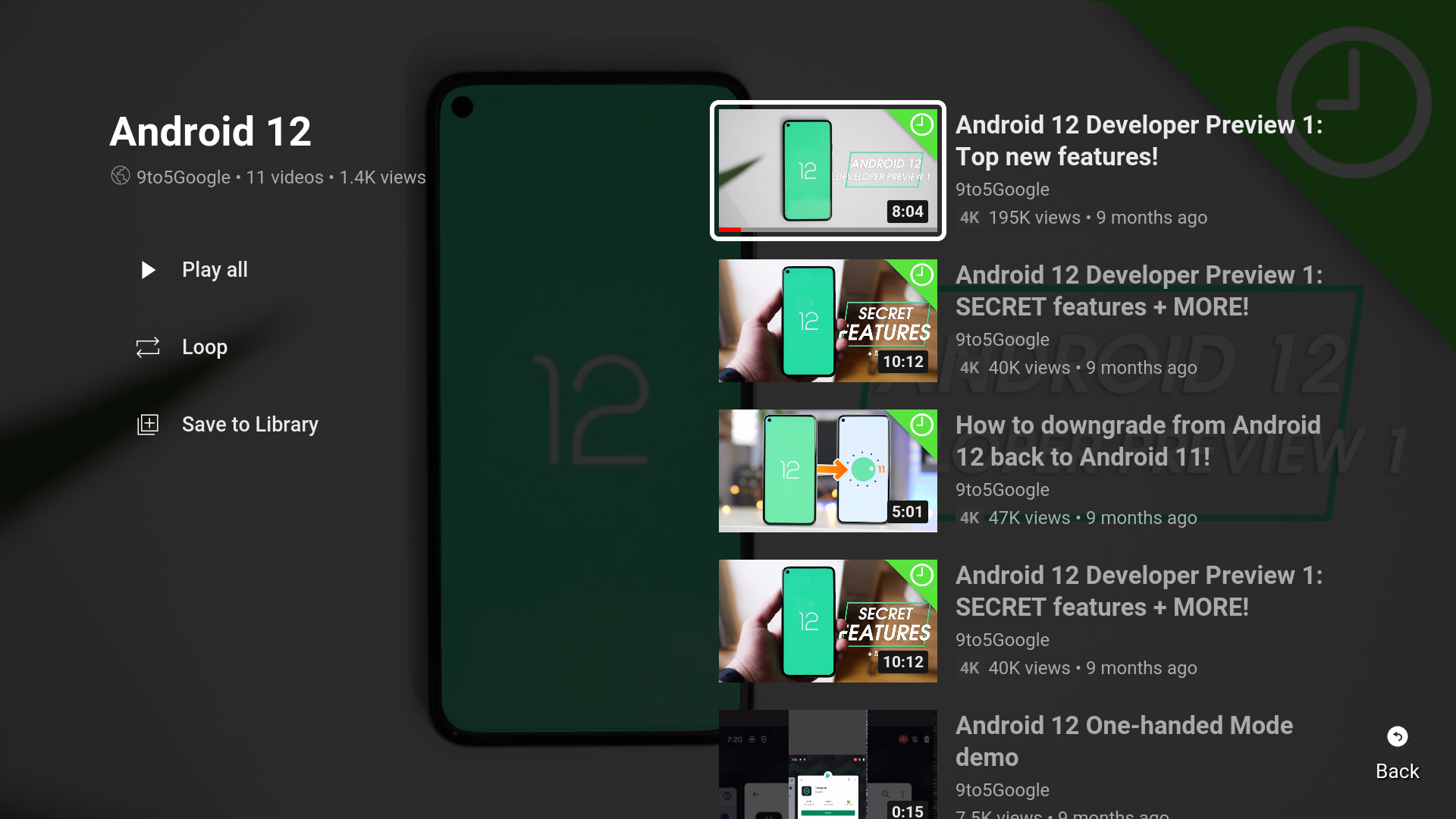
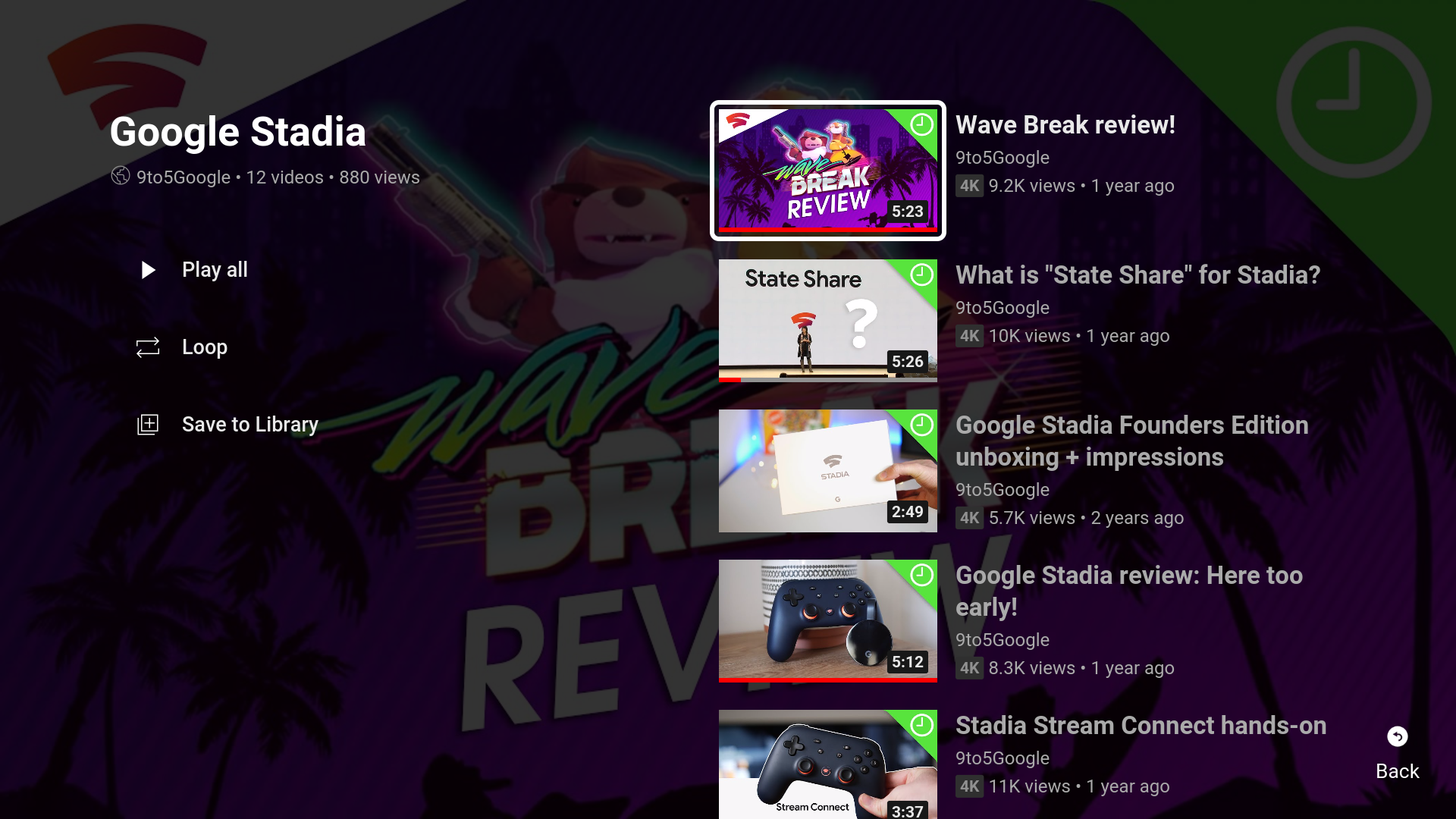
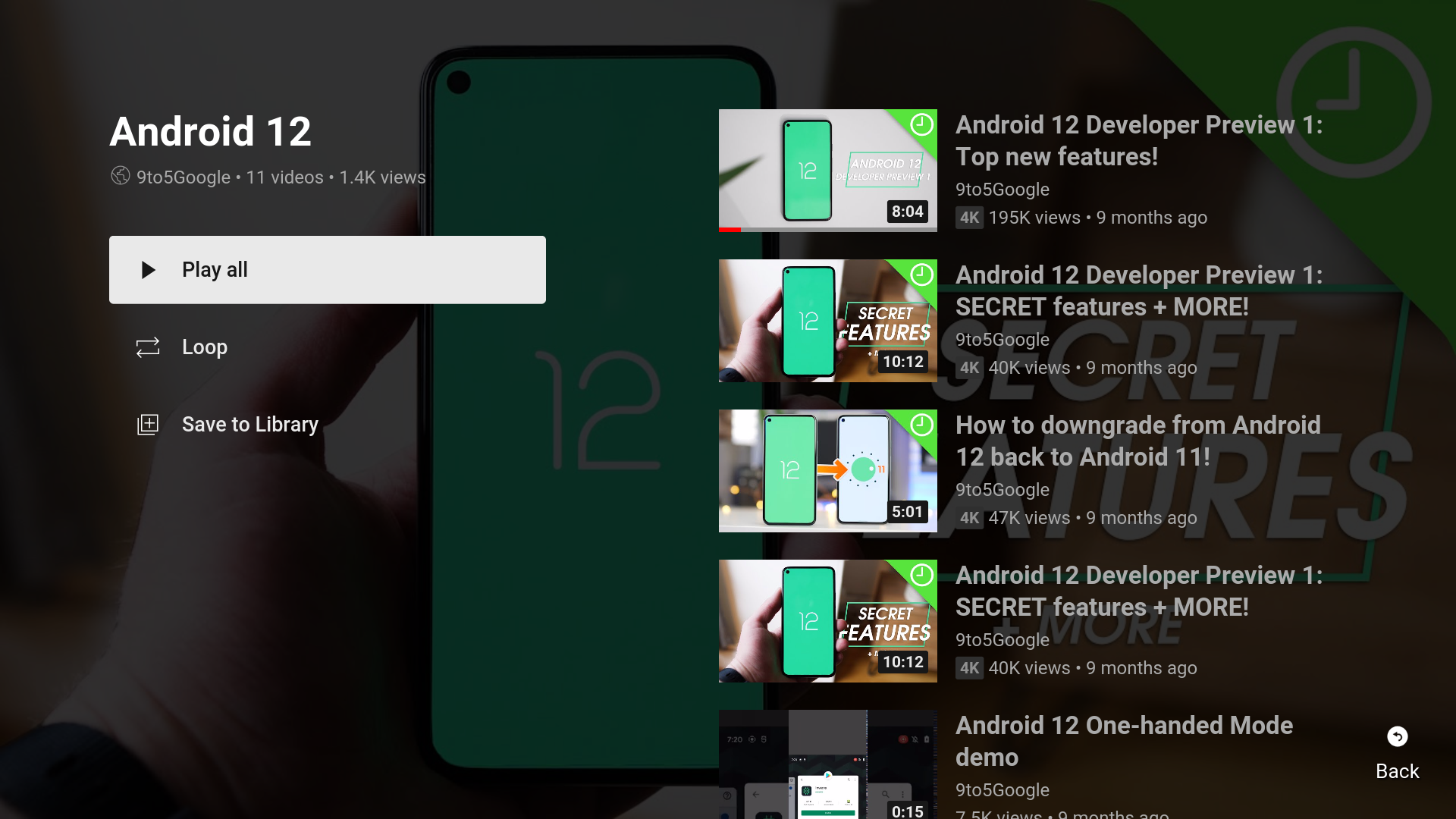
A “Play all” button appears at the top-left just under the playlist name, uploader, video count, and views section, followed by a “Loop” button. Then, a “Save to Library” option is present just below that. Clicking this will, of course, save the entire set of videos to your personal Youtube account library.
On the right side, a vertical wall of videos with their usual information and a small back button on the bottom-right of the screen complete our tour. Anyone who takes advantage of playlists on the web will recognize this format, as it’s virtually identical to what you’ll see on the standard Youtube experience. This “lean back” design is cleaner though, and I hope the web app takes a few notes.
It’s worth noting that there is sadly no “shuffle” button present in the new interface, so if you’re trying to throw something random on the TV from a saved playlist just as background noise, you’ll have to opt for just playing everything in list order.
Because Google has stated how important the living room is to its conquest, it’s poured a ton of effort into polishing the watching experience on your TV, so it’s not surprising to see updates like this coming so quickly. There’s much more to come for Youtube, and the company’s other services, including a potential Google Podcasts merger with the video streaming platform, so keep an eye out and we’ll report anything new that we come across!
SUBSCRIBE TO UPSTREAM
Get Chrome Unboxed delivered straight to your inbox
Upstream is our flagship, curated newsletter with the top stories, most click-worthy deals, giveaways, and trending articles from Chrome Unboxed sent directly to your inbox a few times a week. Join 31,000+ subscribers.

