

Support our independent tech coverage. Chrome Unboxed is written by real people, for real people—not search algorithms. Join Chrome Unboxed Plus for just $2 a month to get an ad-free experience, access to our private Discord, and more. Learn more about membership here.
START FREE TRIAL (MONTHLY)START FREE TRIAL (ANNUAL)
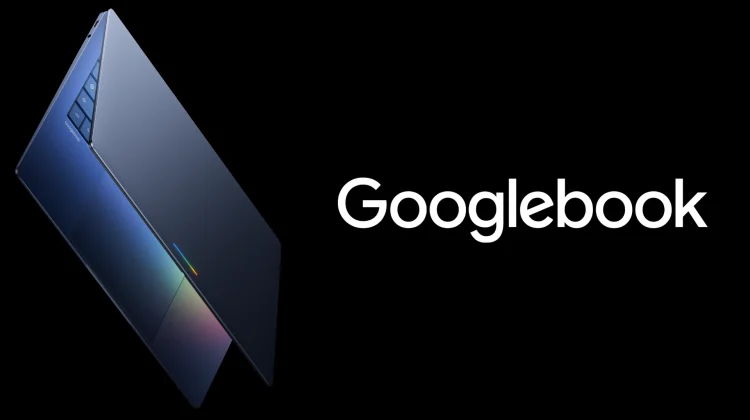
It’s no secret that that we’re pretty excited for the arrival of Googlebook later this fall. And while I do have a healthy dose of hesitation regarding the desktop experience on Google’s new laptops, I’m really excited by the potential that these devices will ship with later this year thanks to the full-blown Android tech stack under the hood versus the legacy ChromeOS Linux underpinnings.
And the more I’ve thought about it, one of the biggest benefits of this architecture change could affect the traditional 2-in-1 convertible form factor more than anything else – potentially giving us the convertible 2-in-1 experience I’ve always hoped for.
The clunky reality of ChromeOS tablet mode
For years, hardware manufacturers have been shipping convertible Chromebooks with 360-degree hinges. Some are thin and light, some are way too large, and some have perfectly nailed the feel of both laptop and tablet. There’s no doubt that the promise has always been alluring: use it as a buttoned-up laptop at your desk, and flip the keyboard around to read a digital comic, watch a movie, or browse the web on the couch without needing to find a home for the keyboard portion.
But if I’m being completely honest, ChromeOS tablet mode has always been incredibly clunky to use. Because the operating system’s underlying plumbing was built around a traditional desktop mouse and keyboard environment, the touchscreen gestures, navigation animations, and UI scaling have always felt like a bit of an afterthought taped onto a desktop layout.
With stuttering animations, virtual keyboard quirks, and a UI that looks half-baked and is wildly unuseful, ChromeOS has never really been able to take advantage of even the best convertible hardware. With that sort of scenario, it’s no wonder I’ve stopped using the tablet-oriented modes on Chromebook convertibles pretty much altogether. But Googlebook could completely rewrite that narrative.
Bringing the Pixel Tablet experience to convertibles
By putting Android at the core, a Googlebook convertible isn’t trying to adapt a desktop-first OS to a touch-first one. When you fold that keyboard back, a Googlebook will be able to seamlessly transition into a true, native tablet interface that should inherit the exact same fluid precision, gesture navigation, and UI that Google has delivered quite well on devices like the Pixel Tablet.
In this sort of scenario, the prospect of a premium, ultra-thin convertible becomes highly compelling. Imagine flipping over your Googlebook convertible and instead of the compromised ChromeOS tablet mode, you get the same smooth system UI, animations, multitasking gestures, and Android app optimization you’d expect in a high-end Android tablet. Sounds pretty sweet, right?
Finally nailing both sides of the coin
To be fair, this hasn’t been a Google-only problem. For over a decade, laptop makers have tried and failed to deliver a true hybrid device. Windows convertibles are fantastic productivity tools that turn into unoptimized headaches the second you try to use them as tablets. And Apple has never even bothered to include a touchscreen in a Macbook, let alone attempt to build a 2-in-1 laptop.
By utilizing a native Android foundation, Googlebook will be uniquely positioned to become the first platform to truly nail both sides of the coin. You’ll have a polished, desktop-class workspace with the keyboard deployed, and a premium tablet UI and experience the moment you fold it away.
We already know that premium manufacturers are lining up various form factors for the big launch event later this fall, and I am willing to bet we will see a couple of highly refined convertibles in that initial wave. For the first time in a very long time, I am genuinely excited to flip a laptop screen completely backward and be delighted by the tablet experience. Googlebook is poised to deliver, but we have to wait and see if Google can stick the landing.
SUBSCRIBE TO UPSTREAM
Get Chrome Unboxed delivered straight to your inbox
Upstream is our flagship, curated newsletter with the top stories, most click-worthy deals, giveaways, and trending articles from Chrome Unboxed sent directly to your inbox a few times a week. Join 31,000+ subscribers.

