

Support our independent tech coverage. Chrome Unboxed is written by real people, for real people—not search algorithms. Join Chrome Unboxed Plus for just $2 a month to get an ad-free experience, access to our private Discord, and more. Learn more about membership here.
START FREE TRIAL (MONTHLY)START FREE TRIAL (ANNUAL)
Wacom is the world’s number one producer of pen tablets and pen display solutions. As far as graphics tablets go, Wacom is easily the most commonly known household name in this particular space and the company became the first maker to launch a pen tablet that carries the “Works with Chromebook” badging. The One by Wacom was announced in late January and offers a budget-friendly solution for users wanting to add a dedicated drawing pad to their Chromebook without using an onscreen stylus. Wacom was followed by XP Pen – another massive player in this space – who announced that a variety of their Pen Tablets now fully support use on Chrome OS.
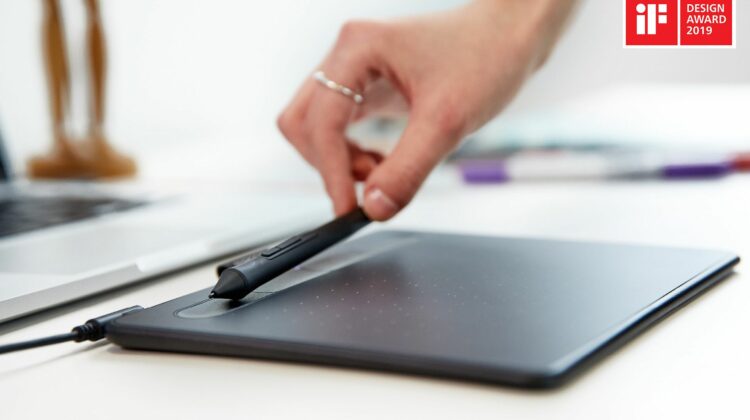
Not to be outshined, Wacom is back with another addition to the Works with Chromebook line. This morning, the company announced that its existing Intuos Creative Pen Tablet is now officially Chrome OS compatible. The Wacom Intuos Graphics Drawing Tablet is a 7.9″ x 6.3″ device that connects via USB-A to the host computer and works with the included EMR pen that features 4,096 levels of pressure sensitivity. The Intuos should work with any Chrome OS device that is up to date even those without touch displays. This means that any Chromebook can be transformed into a graphic design tool or palette for aspiring artists and creators.
While this is only the second device from Wacom to receive the Works with Chromebook seal of approval, it appears that the company has taken notice of Chrome OS and is working to bring more of their products to the platform.
Chromebook has been attracting attention among education sectors and by those seeking new solutions for working from home. Wacom is currently working on expanding Chromebook compatibility to include further Wacom devices and bring its intuitive and natural pen technology to a fast-growing number of Chromebook users.
Faik Karaoglu, Executive Vice President of Wacom’s Branded Business
The Intuos Creative Pen Tablet is available now for $79.95 from the Wacom e-store and other select retailers including BH Photo, Walmart, Best Buy. The tablet comes with the EMR pen, USB cable, and a software bundle that includes a 2-year license for Clip Studio Paint Pro and a 90-day trial for Corel Painter Essentials 7 & Corel AfterShot Pro 3. (Device registration required to receive software packages.) The really good news here is that Wacom likely won’t have to do much to add more tablets to the Works with Chromebook program. As we’ve seen with numerous devices, many peripherals “just work” when you plug them up to a Chromebook. Wacom needs only to test and certify current models and we could eventually see high-end graphics tablets like the Wacom One on the list.
The Intuos Creative Pen Tablet will also work with your Mac, PC, and select Android devices so you can use them across ecosystems. This model does feature Wacom’s programable Express Keys but that feature does not currently work with Chrome OS. You’ll need to head to a different OS to use those options. If your Chromebook only has USB-C ports, you’ll need to pick up a USB-C to USB-A adapter like this one to connect the Wacom Intuos. You can find the Wacom Intuos at the retailer of your choice below.
Wacom Intuos at BH PhotoWacom Intuos at WalmartWacom Intuos from Wacom
SUBSCRIBE TO UPSTREAM
Get Chrome Unboxed delivered straight to your inbox
Upstream is our flagship, curated newsletter with the top stories, most click-worthy deals, giveaways, and trending articles from Chrome Unboxed sent directly to your inbox a few times a week. Join 31,000+ subscribers.
Source: PR Newswire

