

Support our independent tech coverage. Chrome Unboxed is written by real people, for real people—not search algorithms. Join Chrome Unboxed Plus for just $2 a month to get an ad-free experience, access to our private Discord, and more. Learn more about membership here.
START FREE TRIAL (MONTHLY)START FREE TRIAL (ANNUAL)
I’m a child of the 80s and I cut my proverbial computing teeth on devices that ran DOS and COBOL but my first real-world experiences on a PC were with good ole’ Windows 3.0. It wasn’t long before Microsoft introduced Windows 3.1 and with it, a little game called Minesweeper. Some of you may have absolutely no idea what I’m talking about and that’s totally okay. I’m about to learn you a thing or two.
For my generation, Minesweeper was a staple of the Windows operating system. Whether you were goofing off in the classroom or killing time at the office, Minesweeper was the go-to for millions. That said, I will give credit where credit is due. While Microsoft may have popularized the minesweeping time-waster, the game and concept itself has been around since the 60s and has been written and ported to many an operating system.
So? What’s Minesweeper?
For those tracking with me, you can skip ahead a bit now that the history lesson is over. For the uninitiated, here’s a quick rundown of how Minesweeper works.
The gist is that you start with an empty field (its size and number of mines determined by difficulty setting) and have to uncover squares one at a time. Underneath each is either a space, a number, or a mine. The numbers tell you how many mines are in the adjacent boxes, the mines kill you dead. To win, you have to clear the field without touching a mine.
TechRadar
Simple. Right? For some, yes. However, the Microsoft version varies a bit from other builds of the game in the fact that there are often spots on the grid that are totally random. The numbers assist you in making logical decisions on where a mine might be but when you have a 50/50 shot, it is exactly that. Random. Many a game of Minesweeper has been ruined by a single, unfortunate guess that went awry. Anyway, you get the gist.
Like Solitaire, Mahjong and others, Minesweeper has become synonymous with killing time on a Windows PC. What about playing Minesweeper on a Chromebook? Sadly, you can’t install a Windows executable program on Chrome OS but that’s okay. We live in a wonderful time where web apps are king and Chromebooks can run Linux apps. Therefore, I’m here to share with you three ways that you can enjoy the classic Minesweeper experience on your Chromebook EVEN WHEN YOU’RE OFFLINE!
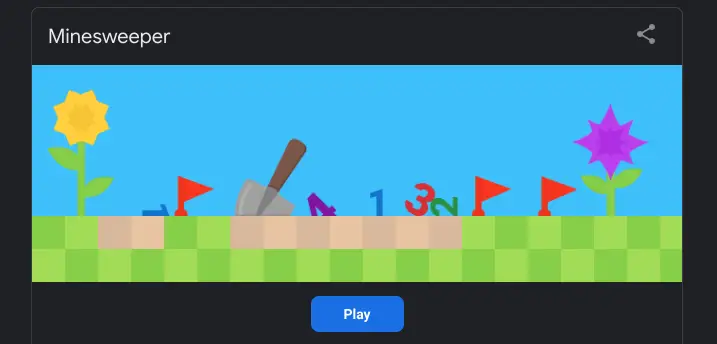
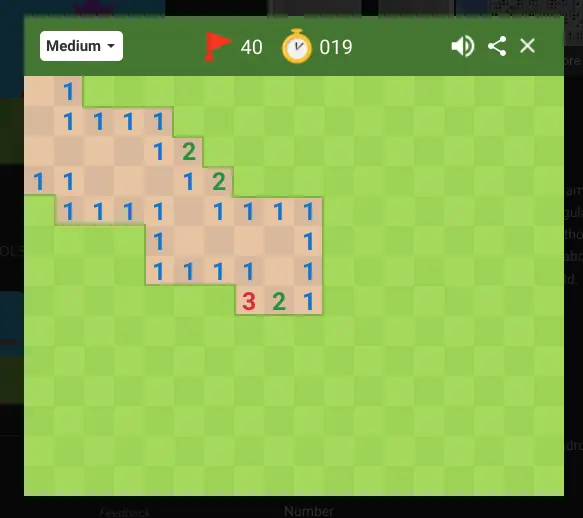
The first and most Google-y way to play Minesweeper is to simply Google the word Minesweeper. You’ll be greeted with a search result that will give you a pop-out, web-based version of the game which you can set to easy, medium, or hard depending on how much you want to be tortured. Alternatively, you can access Google’s version directly at this link. Below those search results, you’ll find plenty of online options where you can get your fill of Minesweeper in various shapes and sizes. Enjoy
What if you’re offline?
That’s a great question. After all, Chromebooks are assumed to be nothing more than a portal to the web, right? Don’t get me started on that one. Seriously. Anyway, moving on. Chromebooks have come a long way in ten short years and thanks to Android and Linux applications, your Chrome OS device is capable of handling a plethora of tasks without an internet connection.
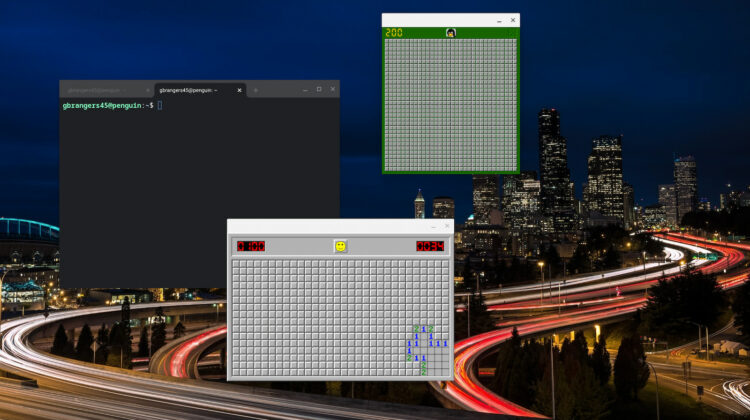
If you’re down with using Linux applications on your Chromebook, there’s a variety of easy-to-install packages that will get you a classic Minesweeper experience with needed the internet to play. The first of which will get you a very Windows-like UI with a single 30×16 grid that you can play over and over again. It’s called xdemineur and it is readily available in Debian 11 which happens to be the flavor of Linux that comes with most modern Chrome OS devices.
Before you begin, you’ll need to make sure your device is set up and ready to use Linux applications. To do so, check out this Command Line article on getting started with Linux on Chrome OS. All finished? Great. Let’s move on. To install xdemineur, just open up the Terminal app from your Chrome OS app launcher and paste the following command. To paste, simply right-click anywhere in the terminal after you have copied the code. Once it’s finished, you should find xdemineur in your app launcher. You can also launch it from the terminal by typing xdemineur and hitting enter. Easy, peasy.
sudo apt install xdemineurIf you’re looking for an entire suite of classic desktop PC games, Ace of Penguins is where it’s at. Not only will you get Minesweeper and classics like Freecell and Taipei, but you’ll also get 12 games in total and they’re designed to look and feel at home in Linux with Tux the Penguin as the logo. Other than that, these games are pretty much clones of the Windows versions we know and love. You can install the entire suite of games by opening your Terminal app and running the command below. You will find all twelve apps in your Chrome OS app launcher in the Linux apps folder.
sudo apt install ace-of-penguins
Bonus method
For all of you young ‘uns, don’t think that I forgot about the Google Play Store. If you prefer using Android applications or you simply want something from this century, there is a bevy of Minesweeper-style apps in the Play Store. You can find classic versions that look and play like the original or you can go all out and download some new takes on the classic like 3D Minesweeper from kittoworks. You can find a big list of Minesweeper Android applications at the link below.
SUBSCRIBE TO UPSTREAM
Get Chrome Unboxed delivered straight to your inbox
Upstream is our flagship, curated newsletter with the top stories, most click-worthy deals, giveaways, and trending articles from Chrome Unboxed sent directly to your inbox a few times a week. Join 31,000+ subscribers.

