


Support our independent tech coverage. Chrome Unboxed is written by real people, for real people—not search algorithms. Join Chrome Unboxed Plus for just $2 a month to get an ad-free experience, access to our private Discord, and more. Learn more about membership here.
START FREE TRIAL (MONTHLY)START FREE TRIAL (ANNUAL)
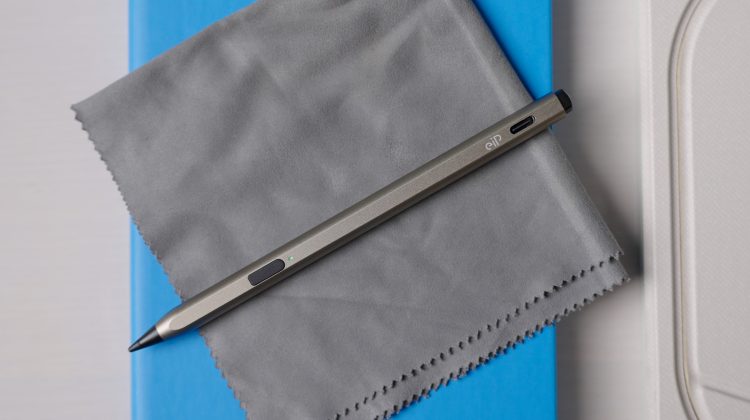
The promise of the USI standard has always been compelling: one universal stylus that works across a multitude of Chromebooks and tablets without any pairing required. While the technology itself delivers on that universal promise, the hardware execution has often felt more functional than exceptional. Now, a new stylus from EIP is looking to change that. Their new USI 2.0 Pro stylus delivers a more refined, premium experience, not just with its striking titanium-gold design, but also by adding thoughtful features designed to enhance day-to-day usability for professionals, students, and creatives.
A solution to battery drain: A power button
One of the most common frustrations with many always-on USI pens is their tendency to drain the battery when the pen is accidentally activated in a bag. EIP’s new stylus solves this with a simple but effective feature: a power button. A quick press turns it on, while holding the power and tail buttons for three seconds turns it completely off, giving the user precise control over its power state.
This dedicated switch, combined with an automatic sleep mode after 10 minutes of inactivity, helps the stylus achieve an impressive 100 hours of active use. When it’s time for a recharge, its USB-C port can deliver a full charge in just 60 minutes.
A genuinely premium look and feel
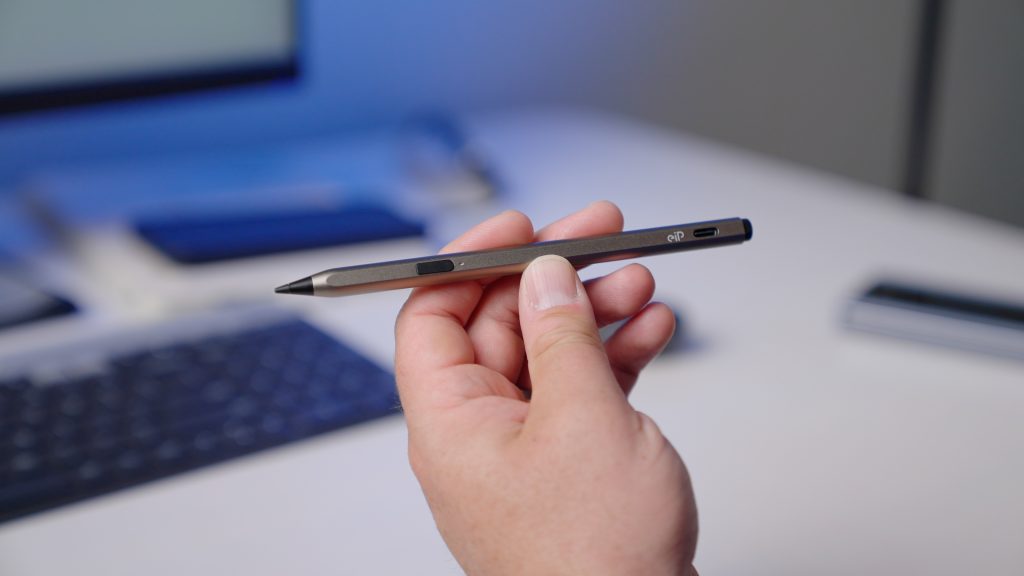
From the moment you see it, this stylus looks and feels different from many standard-issue pens. It’s encased in a D-shaped aluminum body with a unique titanium-gold brushed finish. The design is not just for looks; the flat edge of the “D” shape is a key ergonomic feature that improves grip and, critically, stops the pen from rolling off a desk or table.
High-precision writing and smart shortcuts
The writing experience is designed to be top-notch, with 4096 levels of pressure sensitivity, enhanced palm rejection, and a cone-shaped nib that provides a stable, responsive feel similar to a real pen.
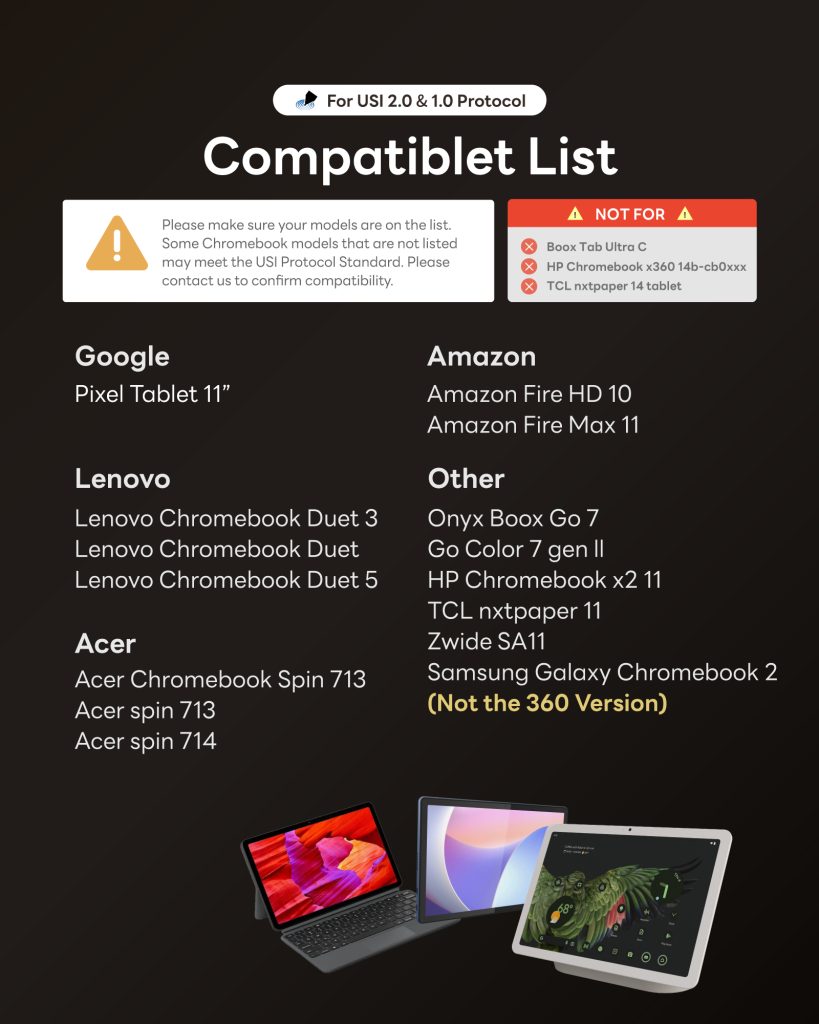

The stylus goes a step further by including smart shortcuts. The tail of the pen functions as an eraser in popular note-taking apps like Squid, OneNote, Google Keep, and Sketchbook. On the Pixel Tablet, the power button can even act as a lasso tool in Squid, making it easy to select and move content. While USI protocol limitations mean shortcut functionality can vary by device and app, this built-in support is a welcome addition for power users.
The simplicity of USI 2.0
True to the core promise of the USI standard, this stylus requires no Bluetooth pairing. Simply press the power button, and it’s ready to write on any compatible USI 2.0 Chromebook or tablet.
By addressing common user pain points with smart, practical solutions like a power button and an ergonomic, no-roll design, EIP’s new stylus stands out as a thoughtful and refined option in the USI 2.0 market. The EIP USI 2.0 Pro is available for purchase right now on Amazon.
Sponsored content: This content is sponsored. We promote paid ads when they fall in line with the content that our readers have come to expect. The promotions allow us to grow and continue to provide more unique and original content for you, our awesome readers. Chrome Unboxed may receive affiliate commissions when you click a link and make a purchase. This will not affect the price you pay for a product or service.
SUBSCRIBE TO UPSTREAM
Get Chrome Unboxed delivered straight to your inbox
Upstream is our flagship, curated newsletter with the top stories, most click-worthy deals, giveaways, and trending articles from Chrome Unboxed sent directly to your inbox a few times a week. Join 31,000+ subscribers.

