

Support our independent tech coverage. Chrome Unboxed is written by real people, for real people—not search algorithms. Join Chrome Unboxed Plus for just $2 a month to get an ad-free experience, access to our private Discord, and more. Learn more about membership here.
START FREE TRIAL (MONTHLY)START FREE TRIAL (ANNUAL)
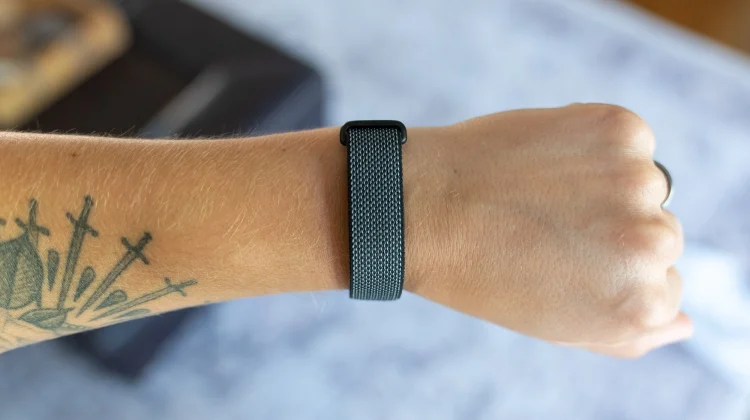
After a few nights of adjusting the strap and getting used to having a wearable on my wrist in bed, the Fitbit Air has finally won me over. I’ve never been able to comfortably sleep with a full smartwatch on, but the incredibly lightweight design of Google’s new tracker makes it easy to forget it is even there.
I’ve been wearing the Fitbit Air for a little over a week now, and while the daily Readiness score in the Google Health app has already been a helpful metric, I’ve found one specific feature that is making a huge difference in my daily workflow: Smart Wake.
Waking up at the right time
As someone who has historically struggled to get out of bed when the alarm goes off, Smart Awake has been a fantastic addition to my routine. Instead of jarring you awake at an exact minute, the feature monitors your sleep stages and gently vibrates to wake you up during your most optimal, lightest sleep window leading up to your set alarm time.
I’ve noticed I am getting up much easier and avoiding those heavy mornings where you feel like you just need to crawl right back under the covers. If you find the default haptic feedback isn’t quite enough to rouse you, you can easily dive into the device preferences in the app and bump the vibration level up to high to find what works best for you.
Since it relies entirely on a silent haptic motor, you also don’t have to worry about a blaring audio alarm disturbing your partner or sleeping kids if you have an early start. Plus, to actually dismiss the alarm, you have to give the device a firm double tap. I’ve found that performing that simple, intentional gesture actually helps kickstart my brain and get me moving.
Setting up your alarms without a screen
Because the Fitbit Air is completely screenless, you manage all of these alarm settings directly from your connected Android or iOS device. Just open up the new Google Health app, head over to the Connections menu in the top left, tap on your device, then you’ll see an ‘Alarms’ button above the settings.
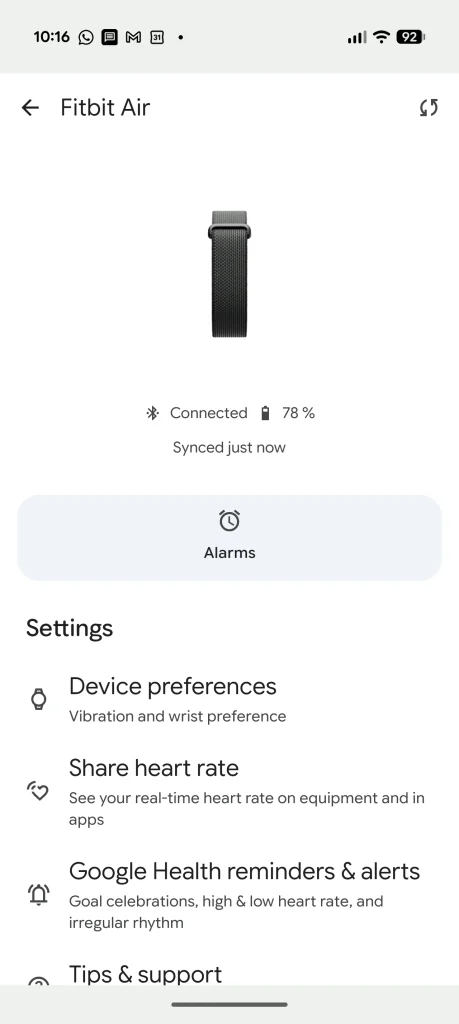
When you add a new alarm here, you’ll see the toggle to enable Smart Wake. The way it works is pretty clever: it gives the tracker a 30-minute window before your scheduled time to find a lighter sleep pattern. If you happen to be in a deep sleep for that entire window, it will just default to vibrating at your exact set time so you are never late.
One important thing to point out for Android users is that the Fitbit Air’s alarms are entirely separate from your phone’s default Clock app. Because there is no screen, it isn’t immediately obvious that the tracker even supports silent alarms until you dig into the Google Health app. But once you do, you can build out custom schedules for different days of the week, or even set up multiple silent daytime reminders if you need a gentle nudge without your phone buzzing.
Distraction-free recovery
It is also worth noting that this alarm is the only type of vibration or notification you will ever get on the Fitbit Air. There are no text alerts, phone call vibrations, or app pings.
For me, this design choice is perfect. It allows me to wear the device in the evenings for accurate sleep tracking and recovery metrics without introducing another screen or digital distraction into my routine. It’s incredibly helpful when I am trying to unplug and be present with my kid in the evenings. If you’ve been looking for a dedicated sleep tracker that stays entirely out of the way until it is time to wake up, the Fitbit Air is definitely worth checking out!
SUBSCRIBE TO UPSTREAM
Get Chrome Unboxed delivered straight to your inbox
Upstream is our flagship, curated newsletter with the top stories, most click-worthy deals, giveaways, and trending articles from Chrome Unboxed sent directly to your inbox a few times a week. Join 31,000+ subscribers.

