

Support our independent tech coverage. Chrome Unboxed is written by real people, for real people—not search algorithms. Join Chrome Unboxed Plus for just $2 a month to get an ad-free experience, access to our private Discord, and more. Learn more about membership here.
START FREE TRIAL (MONTHLY)START FREE TRIAL (ANNUAL)
Last month, we wrapped up the first-ever Chrome Unboxed EDU Week and the feedback from the community was overwhelming. As we have grown, it has become our bigger goal to expand our content to offer up content and resources for the ever-expanding list of Google-related products and services and EDU Week was just the beginning. In the coming months, you can look forward to more useful content from our Command Line series that focuses on using Linux on your Chromebook and we’re about to take the wraps off an all-new Q&A series that will be geared specifically towards answering questions from you, the Chrome OS user. Stay tuned. More on that tomorrow.
Anyway, back to the education stuff. With the debut of EDU week, it was our goal to create continuing content to assist teachers, students, parents, and admins in making the most out of Chrome OS and Google products in the classroom. As part of EDU Week, we featured a list of innovative educators that are some of the best in business when it comes to leveraging the Google Classroom as well as helping other educators do the same.
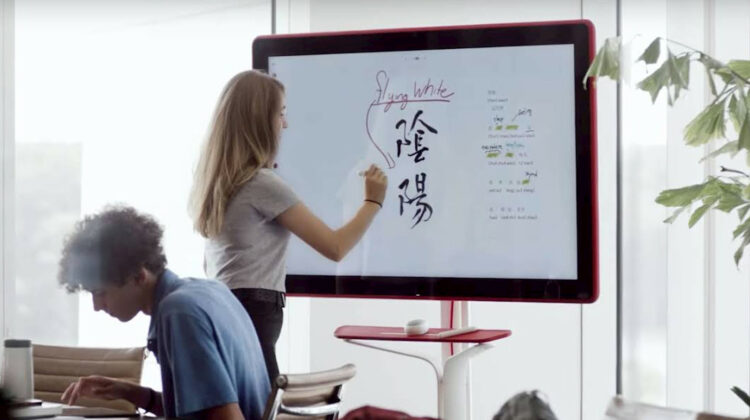
One of the distinguished names on that list, Kimberly Mattina, has teamed up with Alice Keeler and created the ultimate tool for using Google’s Jamboard in the classroom. Aptly named “Teaching with Jamboard,” the new book is the second from the dynamic duo of EDU and it focuses exclusively on how to use Jamboard as the ultimate classroom collaboration tool. I had the honor to chat with Kimberly for a couple of minutes and asked if there was anything she’d like to share about their new book. Her answer was simple yet profound.
Jamboard is a collaboration tool, not a presentation tool
Kimberly Mattina
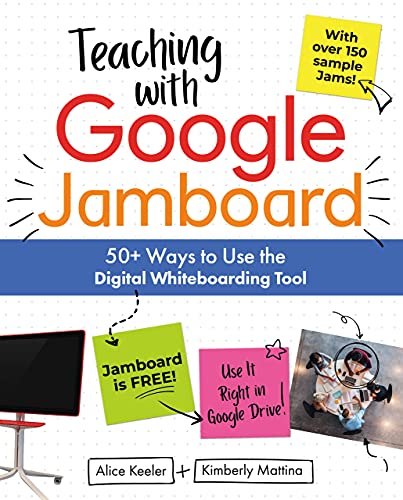
If you’re using your Jamboard or the Jamboard app simply as a display tool, you’re missing out on 90% of what the platform can do. Alice and Kimberly co-authored this new book to show you just how powerful Jamboard really is when you leverage the power of interactive collaboration whether in the classroom or working remotely. Teaching with Jamboard contains 90+ ideas for using Jamboard and each one includes an example of the tips in action. Here are a few pillars of Teaching with Jamboard by Alice Keeler and Kimberly Mattina.
- Supporting the 4Cs of education
- Depth of knowledge and critical thinking skills
- Mastering the basics
- App smashing
- Diving in deep with content
- Remote learning
- Take advantage of Jamboard’s built-in Google Meet integration
- How to go even further with the Jamboard Kiosk
Teaching with Jamboard is available in digital format for Kindle and as a paperback version. Both of which can be picked up at Amazon and you can find them over at The Chrome Shop at the link below. Are you teaching with Jamboard? We’d love to hear some of the unique ways that teachers are using the digital whiteboard/collaboration platform. Drop a comment below or better yet, hit us up on Twitter and share your ingenuity.

