

Support our independent tech coverage. Chrome Unboxed is written by real people, for real people—not search algorithms. Join Chrome Unboxed Plus for just $2 a month to get an ad-free experience, access to our private Discord, and more. Learn more about membership here.
START FREE TRIAL (MONTHLY)START FREE TRIAL (ANNUAL)
In the event that you didn’t already know it, Steam games are coming to a Chromebook near you. After following the story for quite some time, we finally got official news from Google back in March that a very limited, very early roll-out of Steam on ChromeOS was actually happening. We tested it all out on video not long after, and now we’re in the part of the development process where we’re just waiting for the Beta to arrive along with wider Chromebook support.
As we wait, there are things we can do in the meantime that can help us imagine what running Steam games on a Chromebook will look like once this entire effort is closer to the finish line. With the Steam container on Chromebooks running Arch Linux and leveraging Valve’s amazing Proton compatibility layer (this is what lets Steam run Windows games on Linux machines), it becomes pretty easy to establish a baseline of expectations with something like the Steam Deck: Valve’s new handheld gaming console.
After all, the Steam Deck runs the same Arch Linux distribution and takes advantage of Proton just like the Steam container on Chromebooks, so the similarities are pretty clear cut. While there aren’t clear benchmarks on the custom AMD APU inside the Steam Deck, it is thought to be roughly compatible to an AMD Zen 2 CPU with an 8-core RDNA 2 GPU. In plain language, that means it is decently powerful, but not a monster. Put against a dedicated gaming rig and this device doesn’t really hold a candle to it.
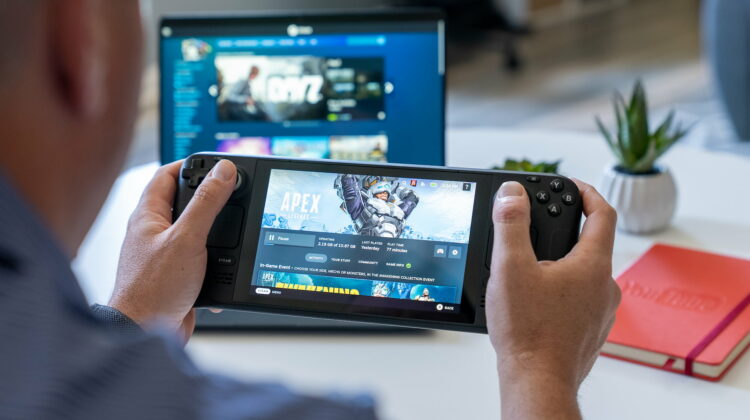
But that’s actually good news for Chromebook users looking forward to Steam gaming on their devices. Why? Because this proves you don’t need a massive gaming setup to enjoy some serious games. As you can see in the video above, games like APEX Legends run extremely well and though the Steam Deck is only outputting 1280×800 resolution, literally everything else in the graphic settings is cranked up to the max. If we can expect this sort of performance from Steam on Linux with the Proton compatibility layer in a device like the Steam Deck, we should be in for some solid gaming on higher-end Chromebooks.
In case you missed it, we already uncovered a gaming Chromebook in the works with a dedicated Nvidia GPU, so gaming-focused Chromebooks are surely on the way. Even without the GPU upgrade in the device we just mentioned, the 12th-gen Alder Lake Chromebooks we’re expecting will be able to chew through some decently-heavy games without issue. Between the processor power and the integrated Iris Xe GPU, 12th-gen Core i5 and Core i7 Chromebooks should be quite solid at handling your favorite games once Steam on ChromeOS arrives.
But we’re still in Alpha for now, so this is only a taste of what’s to come. There are still many hurdles for the ChromeOS team to overcome, but the way the Steam Deck handles gaming makes me very hopeful that the future of gaming on Chromebooks is very bright, indeed. Combined with Android games and the multiple cloud gaming options out there like Stadia, Luna, GeForce NOW and XBOX Cloud, I can see 2023 being the year that Chromebooks begin a real move into the casual and serious gamer space. All the options you could want are just on the horizon, so stay tuned.
SUBSCRIBE TO UPSTREAM
Get Chrome Unboxed delivered straight to your inbox
Upstream is our flagship, curated newsletter with the top stories, most click-worthy deals, giveaways, and trending articles from Chrome Unboxed sent directly to your inbox a few times a week. Join 31,000+ subscribers.

