

Support our independent tech coverage. Chrome Unboxed is written by real people, for real people—not search algorithms. Join Chrome Unboxed Plus for just $2 a month to get an ad-free experience, access to our private Discord, and more. Learn more about membership here.
START FREE TRIAL (MONTHLY)START FREE TRIAL (ANNUAL)
We’ve talked about Stadia’s rocky start out of the gate quite a few times before, so I won’t spend much time rehashing all that. As long as you know that Stadia arrived at launch day without all the cool features Google promised that set it apart from more traditional consoles, you’re kind of up to speed. Things like live capture, stream connect, buddy passes, Google Assistant and player achievements were all missing a month ago when Stadia was unveiled to the world.
In the time since that day, Google has made up for many of the shortcomings and I applaud them for that effort. Sure, the whole thing should be labeled as Beta until all the features are sorted and Stadia Base – the free 1080p version of Stadia – rolls out, but that’s really neither here nor there. What we do have is a platform that does what it is supposed to do at its core and is getting the additional features we were hoping for in pretty short order.
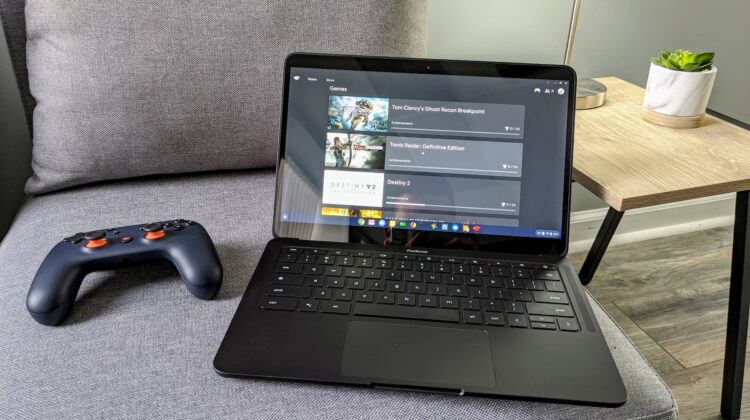
Today adds yet another feature that we can all check off our lists of things missing at launch: personal game achievements. These little digital trophies are part of gaming across all platforms, and Stadia shouldn’t be without them either. The best part is Google has been recording these stats and mile markers from the get-go. They’ve only now given players a way to see and interact with them.
The achievements are set by the game developers, so each title will come with a different and unique set of goals for players to accomplish. Now that we have an interface to view them with, Stadia players can see all they’ve done and can still do since the launch of the service. It is very easy to navigate to and all you need to do is hop on the web version or Chromecast version of Stadia to take a look. Open your friends tab from any screen, click on your avatar (or a friend’s) and then on ‘achievements’ to see the list of things that have been accomplished.

The achievements are sorted by game and after you click into a title, you can then sort by ‘ordered’ or ‘unlocked’ and get a sense of what you’ve already done thus far and what you still need to do. There aren’t any real benefits to gaining these milestones apart from bragging rights, but it is still cool to see them included in the Stadia interface. As there are more and more players added to the Stadia player base, these achievements will likely serve as a sort of badge of honor for those who’ve been around longer.
All this is yet another example of Google quickly adding in the features they promised Stadia would leverage as a platform. We’ve already witnessed the first game to take advantage of Stream Connect with Ghost Recon Breakpoint, giving Stadia players the unique ability to see multiple real-time screens at the exact same time during multiplayer rounds. 4K streaming and state share will help further redefine what is possible with online game streaming, and I’m very hopeful it is all in place by the time Stadia Base launches in February. At this current pace, I have little doubt it will be.
SUBSCRIBE TO UPSTREAM
Get Chrome Unboxed delivered straight to your inbox
Upstream is our flagship, curated newsletter with the top stories, most click-worthy deals, giveaways, and trending articles from Chrome Unboxed sent directly to your inbox a few times a week. Join 31,000+ subscribers.
SOURCE: 9to5 Google

