

Support our independent tech coverage. Chrome Unboxed is written by real people, for real people—not search algorithms. Join Chrome Unboxed Plus for just $2 a month to get an ad-free experience, access to our private Discord, and more. Learn more about membership here.
START FREE TRIAL (MONTHLY)START FREE TRIAL (ANNUAL)
We barely had time to process the first real look at Samsung’s upcoming Galaxy Glasses before the company just accidentally leaked out some more information. Right after testing unit images surfaced online, a routine software update has now popped up and seems to confirm that the launch of these Android XR wearables is right around the corner.
As first spotted by SamMobile, Samsung recently pushed an update (version 11.1.23.4) to the Nearby Device Scanning app—a system-level tool built into One UI on Galaxy phones and tablets. While these updates are usually pretty boring, the changelog for this specific version explicitly mentions adding support for “Glasses.”
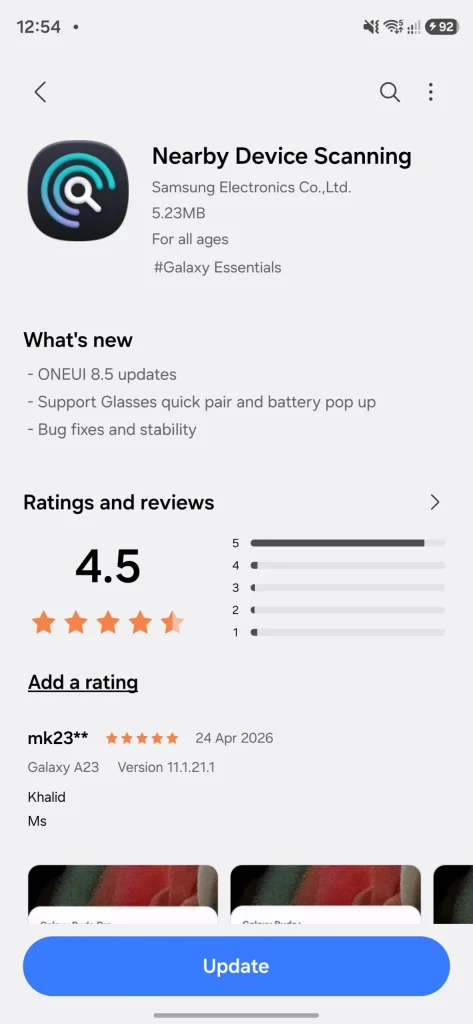
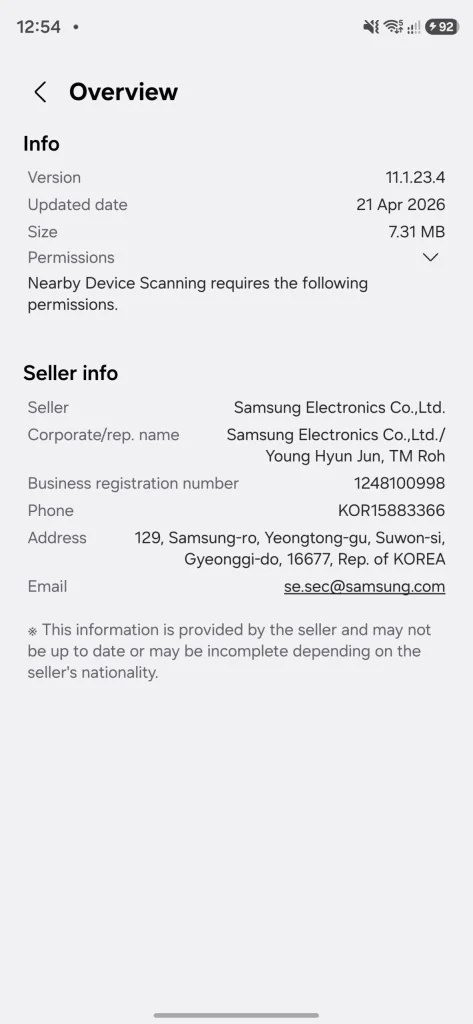
According to the update notes, the app will support Quick Pair functionality for the upcoming smart glasses, offering a seamless connection process and a way to quickly display battery charge levels right on your phone screen—exactly like how the ecosystem currently handles Galaxy Buds and Galaxy Watches. This update essentially confirms that the Galaxy Glasses are a real, near-term product that Samsung is actively preparing its software ecosystem to support.
A quick refresher on what to expect
If you missed the leak earlier this week, here is a quick rundown of what we are expecting from Samsung’s first entry into the smart glasses space. Codenamed “Jinju,” these glasses look nearly identical to Meta’s wildly popular Ray-Ban Wayfarer frames. They are expected to be powered by the Qualcomm Snapdragon AR1 processor and feature a 12MP Sony IMX681 camera, bone-conduction speakers, and a 155mAh battery.
Most importantly, they will be running on the new Android XR platform with Google’s Gemini AI baked right in. This means you’ll be able to use the onboard microphones and cameras to ask Gemini questions about your surroundings, seamlessly translate text, or get hands-free walking directions via Google Maps.
This initial model will not feature a built-in display, which is expected to keep the price competitive—rumors currently point to a $379 to $499 price tag. Samsung is reportedly saving the micro-LED displays for a more premium model slated for 2027.
When will we see them?
Between the leaked hardware images and this backend software update, it feels like Samsung is gearing up for an imminent reveal. It is highly likely we could see the Galaxy Glasses officially unveiled—or at least heavily teased—at Google I/O next month as the flagship hardware for the Android XR platform. If not, Samsung’s Summer Galaxy Unpacked event in July is the next logical stage.
Are you excited to see what Samsung and Google can do with Android XR, or are you still skeptical of the smart glasses trend? Let me know in the comments below!
SUBSCRIBE TO UPSTREAM
Get Chrome Unboxed delivered straight to your inbox
Upstream is our flagship, curated newsletter with the top stories, most click-worthy deals, giveaways, and trending articles from Chrome Unboxed sent directly to your inbox a few times a week. Join 31,000+ subscribers.

