


Support our independent tech coverage. Chrome Unboxed is written by real people, for real people—not search algorithms. Join Chrome Unboxed Plus for just $2 a month to get an ad-free experience, access to our private Discord, and more. Learn more about membership here.
START FREE TRIAL (MONTHLY)START FREE TRIAL (ANNUAL)
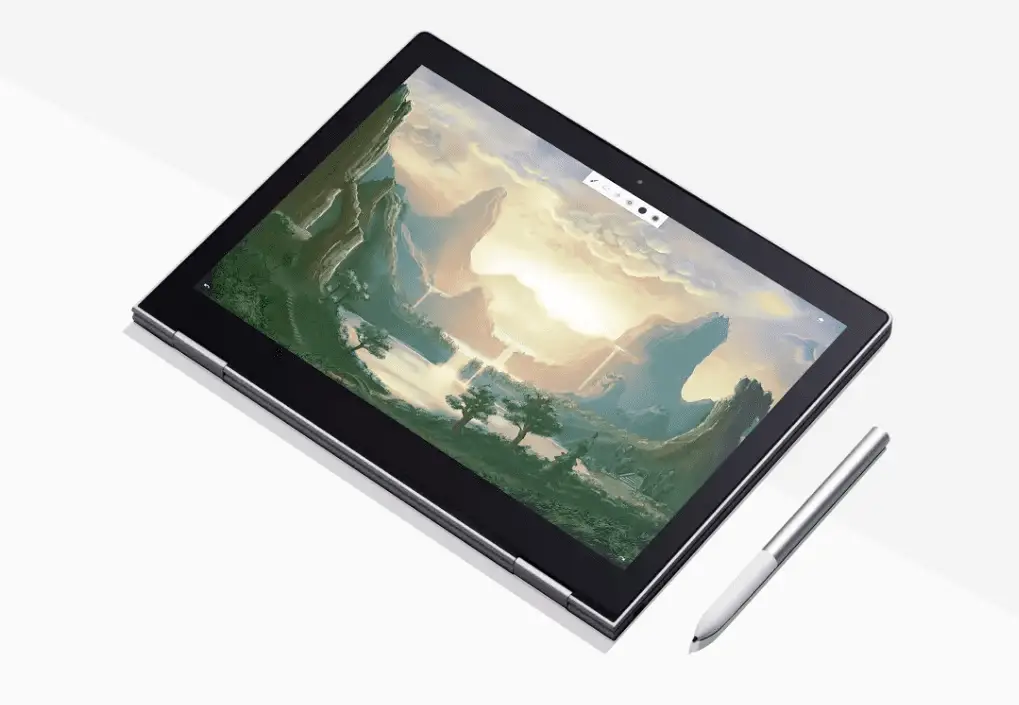 The Google PixelBook is now a real thing and in just a few short weeks the #madebygoogle Chromebook will be gracing the homes of countless users. As with any high-end computing device, warranty and device protection is a concern for many and rightfully so.
Having returned from the Google event in San Francisco less than 24 hours ago, it is no surprise that we are already seeing a multitude of comments and emails in regards to Google’s history with product support for the previous Pixel Chromebooks and what these coverages will look like for the PixelBook.
If you have checked out the Google Store, you have likely seen the optional “Preferred Care” plan that Google is offering for the PixelBook and you may have gasped a little to yourself at the $249 price tag it carries.
So, we will go ahead and address those concerns and try to help you decide as to whether or not the Preferred Care Plan is worth the money. Keep in mind, there is no simple answer. I only propose to offer up as much factual information as I can in the hopes that you, the consumer, can make your purchasing decision an educated one.
Preferred Care
Okay, before we get into alternatives, pricing structure and pros/cons, let’s look at exactly what the PixelBook Preferred Care is and what you get for $249.
- Worry-free protection for your laptop for 2 years, which includes an additional year of coverage for mechanical breakdown and up to 2 claims for accidental damage.
- Priority access to specially trained agents whenever you call. Available every day, 24/7.
- Unlimited expert sessions to learn tips that help you make the most of your device & apps. Also available 24/7 on select topics.
So, what does all of this mean?
Well, I can confirm that Google will have a dedicated support team for the PixelBook. Priority access to this team 24/7 is a major plus if the PixelBook can break into the consumer market. For those of us familiar with the Chrome OS ecosystem, we mostly know where to go and who to ask for answers about our devices but general consumers have a different expectation when it comes to customer support.
Live, 24-hour support for a computer is a huge selling point and that one feature alone will likely be a major plus in selling the Preferred Care plan. The device protection is a huge factor as well. We live in an age where we want our products to be protected and we want the peace of mind that any unforeseen accidents will be easily rectified.
The cost, however, is questionable. $249, in my opinion, doesn’t seem too steep for two years of expert help and two replacement claims but the devil’s in the details.
Each claim comes with a $99 deductible. If you are unfortunate enough to have two claims in the two year coverage period, you will have paid a total of $447 for the replacement of your device.
Worth it?
I really can’t answer that. You know better than me your history with electronics and at the end of the day, accidents happen.
Which leads me to my next point.
If you aren’t the type of person to utilize general product support, how-tos and things of that nature, is there a better option? To that, I would say a resounding YES.
First, let me back up for a second. The Preferred Care Plan isn’t handled by Google directly. It is underwritten and provided by Assurant. If you have ever purchased protection for your mobile device this name may sound familiar.
Assurant also happens to be one of the biggest protection plan providers available directly in conjunction with Amazon purchases. They offer individual device coverage as well as inclusive plans that provide accidental damage protection for multiple devices up to a specified dollar amount.
As you may know, the PixelBook is already available for pre-order from the Google Store, Amazon, Best Buy and a couple of other retailers. Like any other electronic device on Amazon, the PixelBook qualifies for Assurant’s two or three-year accident protection plan.
Assurant’s direct plan comes with now Chromebook specific support and only one incident claim but it has some major monetary advantages. Namely zero deductible, free two-way shipping and a significantly lower cost.
The Assurant plans range from $59 to $92 depending on the length of coverage and which device you choose. If simple, effective protection is all you are looking for, this would be my choice hands down. However, as I stated earlier, for the countless consumers that want to have product support available at a moments notice is a huge deal. Apple Care for a MacBook Pro runs around $269 and I feel $249 for the PixelBook’s Preferred Care Plan is reasonable enough.
That leaves us with one, very important question.
Out of warranty repairs
This is where things get a bit dicey. As Robby shared, the need for great PixelBook support is not only of major importance, it is a must for Google. The previous Pixel Chromebooks were the subject of countless scathing consumer reports when out of warranty devices failed to have an outlet for which to seek repairs.
Google did not implement any sort of repair program and replacements were only for devices that failed under warranty. So, what about the PixelBook? Surely, if this is to be a true consumer product, there will be some way to pay for warranties outside of the coverage period?
Sadly, it does not look like that will happen.
Ben Miller, one of our loyal readers, has already contacted PixelBook support to inquire about repairs for the device after the warranty has expired. Here is an excerpt from that discussion.
Ben Miller: My question is about potential Pixelbook repairs. I know the Pixelbook will have a warranty. But I’d like to know, if anything went wrong with the Pixelbook OUT of warranty, will Google be offering a repair service?
Rep: I’d like to inform you that, in order to repair it out of warranty, you need to have a device protection plan as it’ll help you to fix any hardware or software issues you face in future.
Right now, we are unable to provide only paid service without the device protection plan.
So, there you have it. Outside of the original warranty or and extended service plan, you are on your own. With that being said, if protection is all you want, I would cover this bad boy for as long as I could and that is three years from Assurant. If you are new to Chrome OS and want the advantages of full support, go with Google.
Hope this helps.
See Ben’s full chat here.

