


Support our independent tech coverage. Chrome Unboxed is written by real people, for real people—not search algorithms. Join Chrome Unboxed Plus for just $2 a month to get an ad-free experience, access to our private Discord, and more. Learn more about membership here.
START FREE TRIAL (MONTHLY)START FREE TRIAL (ANNUAL)
 It’s been a busy month already for the Chromium and Chromium OS developers and that means more work for the team here at Chrome Unboxed. We couldn’t be more excited.
As Chrome and Chrome OS continue to evolve in form as well as function, I’m prompted to start a new series to sort of “roundup” all that’s new each week and this will be the first entry of the weekly series. Check back every Sunday to see what’s new as we recap “This week in Chrome.”
Okay, we have a lot of ground to cover so let’s get started.
Emojis

As Chrome for desktop becomes more touch-friendly, the desire to have quick access to those wonderful little emotional icons is only natural. Emojis have become an integral part of communication through texting and social media but finding them on the fly can be a hassle regardless of your operating system.
For Chrome on Mac, the keyboard shortcut Cmd+Ctrl+Space will spin up the Emoji menu. On Chrome OS, the process requires calling up the onscreen keyboard and honestly, it’s more hassle than it’s worth.
Thanks to 9to5Google’s Abner Li, we’ve learned that Chrome will soon make it a lot easier to share your ????, ???? and ????. Soon, you will be able to right-click in an editable text area and be presented with an Emoji shortcut menu.
Currently, the feature is only available on Chrome for Mac and can be found behind a flag in the Canary build for MacOS.
Emoji Context Menu
Enables the Emoji picker item in context menus for editable text areas. – Mac, Windows, Linux, Chrome OS
chrome://flags/#enable-emoji-context-menu
As seen in the flag description, the Emoji picker will eventually find its way to Linux, Windows and Chrome OS. I received a Canary update on my Acer Chromebook this morning and found the flag had been added. Unfortunately, enabling it has no effect at this point.
Touchable Chrome
Once deemed “touchable Chrome,” Chrome’s new UI layout will vary depending on the device you are using. Right now, the flag is in the Beta channel of Chrome OS but the latest update to the Canary channel has enabled it by default on my Chromebook.
UI Layout for the browser’s top chrome
Toggles between 1) Normal – for clamshell devices, 2) Hybrid (previously touch) – middle point for devices with a touch screen, 3) Touchable – new unified interface for touch and convertibles (Chrome OS) and 4) Material Design refresh. – Mac, Windows, Linux, Chrome OS
chrome://flags/#top-chrome-md
For non-touchscreen users, you probably won’t see any real difference as this feature makes its way to the Stable channel. However, if you’re using a touch display, convertible or happen to of snagged the first Chrome OS tablet on the market, Chrome’s UI elements have been rehashed to make touch navigation a little simpler.
These changes will apply to Mac, Linux and Windows versions of Chrome as well. You can see in the comparison image below the rounded omnibox and exaggerated “new tab” button as well as taller tabs for easier touch access.

According to XDA Developer, these UI changes precede what is to be a makeover for Material Design dubbed MD2 expected to arrive somewhere around Chrome’s 10th anniversary in early September.
Tablet Launcher
The latest tweak to the Chrome OS launcher was uncovered by the team over at XDA and while it’s a minor adjustment, it’s one that makes the UI more well-rounded and gives the user an experience they expect when using a tablet.
Add home launcher feature flag
Home launcher is a feature to show fullscreen launcher in tablet mode.
And home button will minimize all windows instead of opening/closing
the launcher.
Currently, pressing the search key or touching the Home button on a touchscreen brings up an app launcher that covers roughly 40% of your screen real estate. Swipe up or two-finger swipe the trackpad and you get a full-screen launcher.
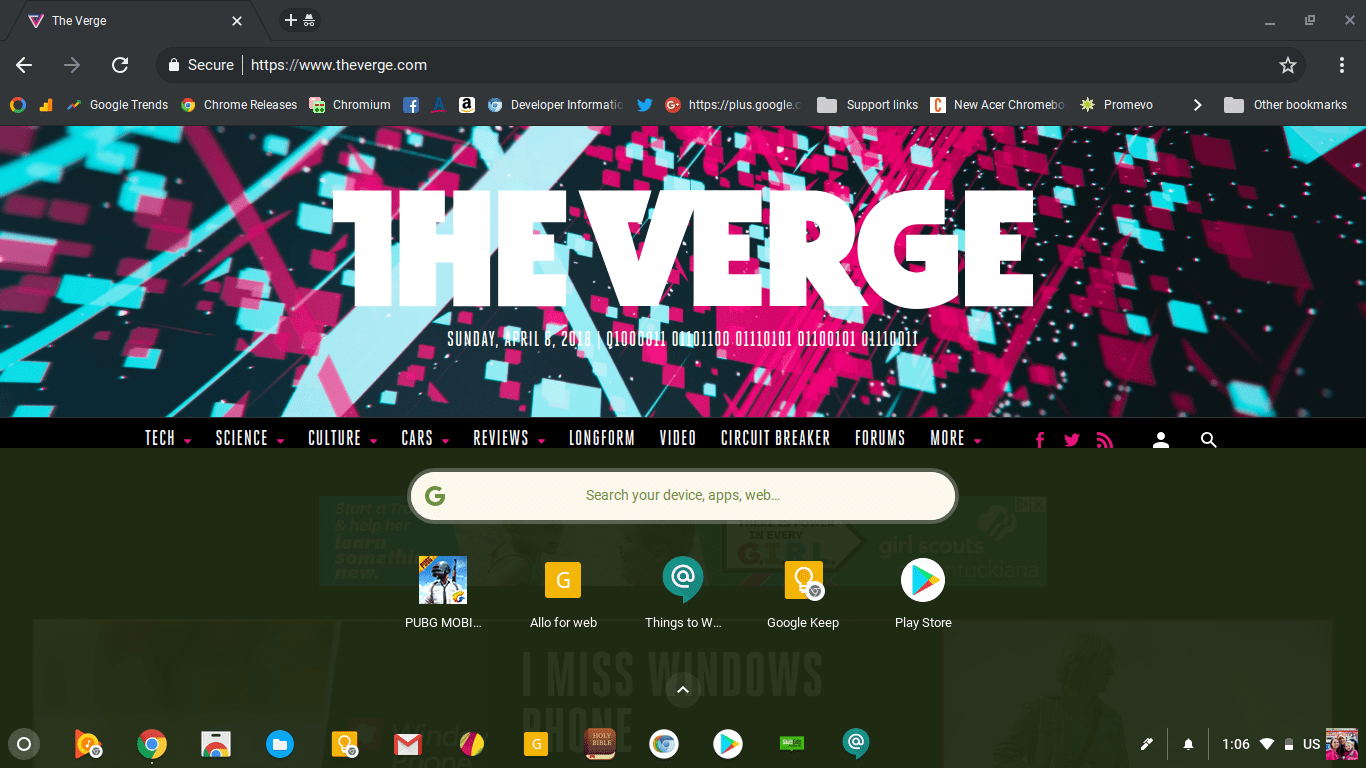
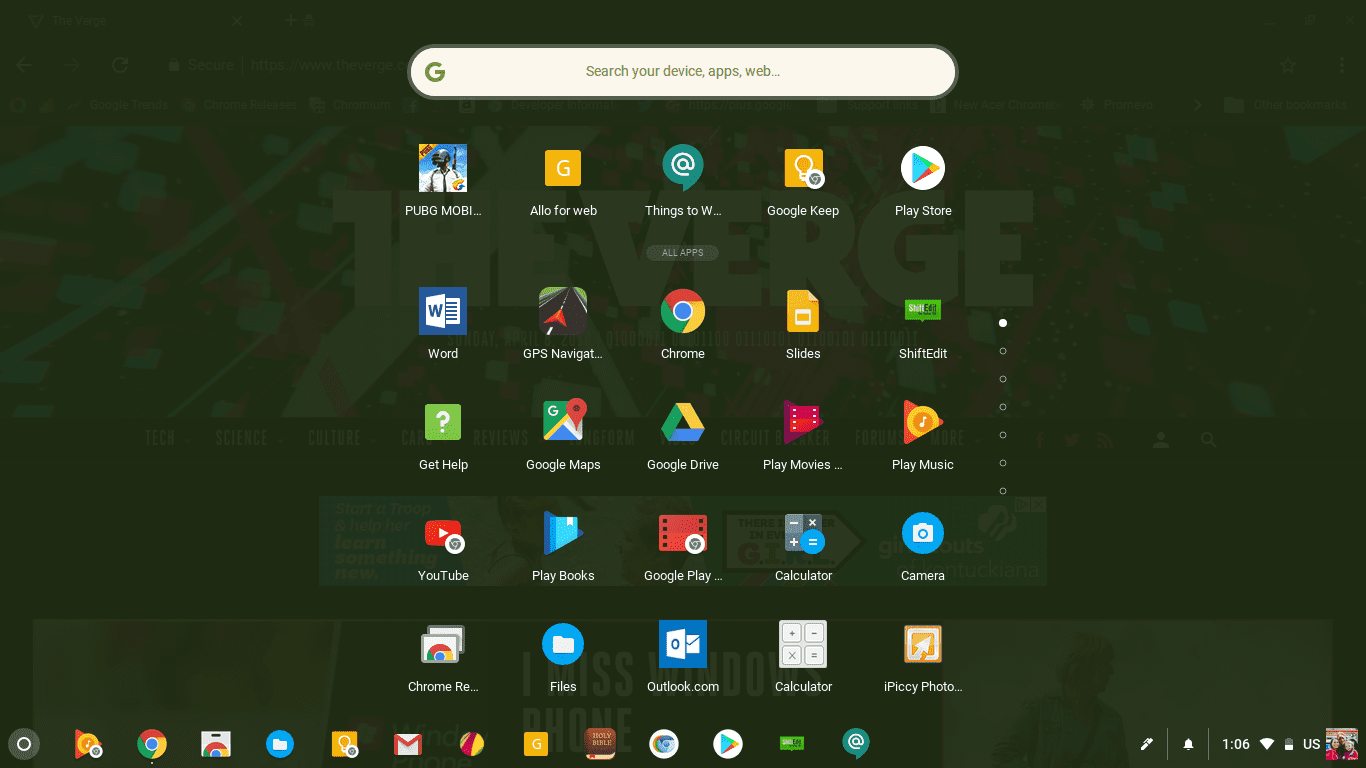
Soon, if you’re in tablet mode or using a Chrome OS tablet, pressing the Home button will bring up the full launcher by default. This falls more in line with what we’re used to when using a phone or other mobile device.
Little things that make a big difference.
Settings UI
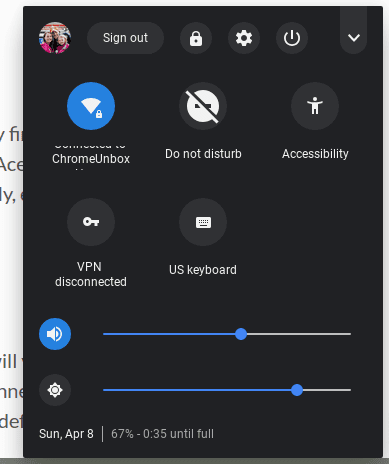
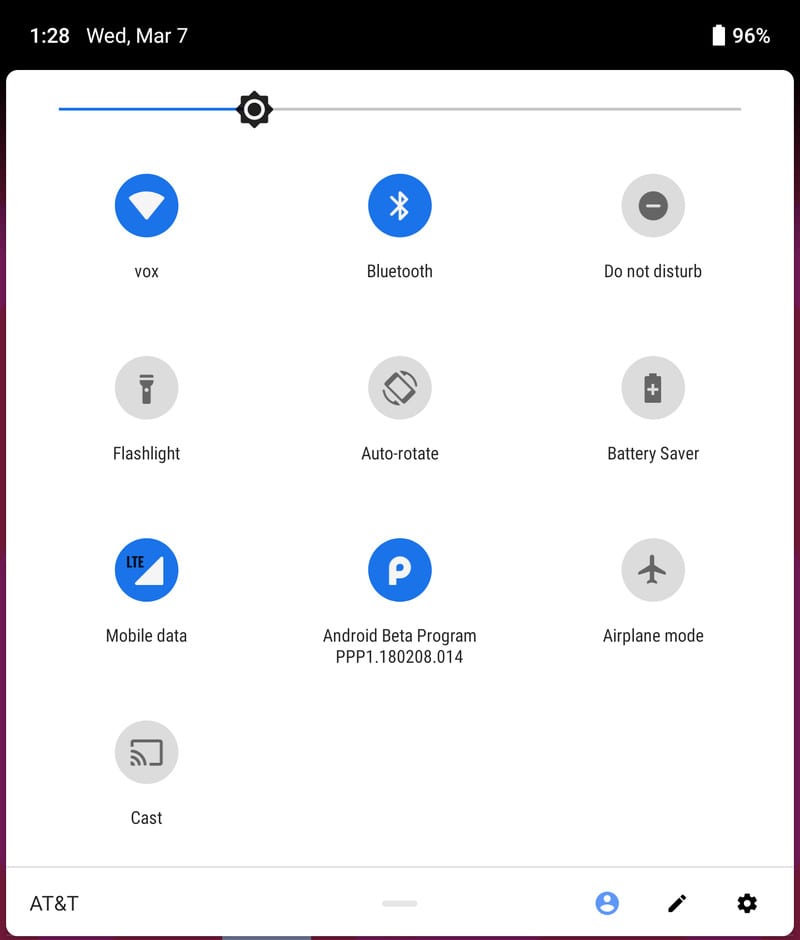
We covered this one earlier in the week. Under the new System tray UI, the menu for Chrome OS takes on a darkened theme and share a lot of similarities with the upcoming Android P.
Check Out Chrome Unboxed’s Top Picks On Amazon
4K Chromebooks
There’s more exciting news coming down the pipeline this week for Chrome OS users but the recent discovery of a 4K Chromebook in development has caught the eye of just about every tech outlet in the world.
‘Atlas’ will probably be months in the making but sometime in the near future we will see a Chrome OS machine with a 4K display and if I’m right, it will be detachable which makes it even more intriguing.
We’re tracking ‘Atlas’ in the hopes of stumbling upon some more details and if we’re lucky, a manufacturer to attach to it. At this point, (and we’ll discuss this more in-depth this week) Robby and I both have a gut feeling that Google may have a hand or two on this device.
New Pixel C anyone?
Wow, that’s a lot of exciting stuff for our first segment of “This week in Chrome.” Stay tuned tomorrow. We have some really exciting news to share and we can’t wait to hear your thoughts. Subscribe below and stay in the know about all things Chrome.
Chrome Unboxed is proudly hosted on WP Engine and built with love using the Genesis Framework from Studio Press.

