• Skip to main content
  • Skip to primary sidebar
  • Deals
  • Features
  • Guides
  • Chromebooks
  • Videos
  • Podcast
  • More +
    • Reviews
    • Unboxing
    • Upcoming Devices
    • Chromebook Plus
    • Chrome
    • ChromeOS
    • Chrome OS Flex
  • Search
  • Sign Up
  • Log In
Chrome Unboxed – The Latest Chrome OS News

Chrome Unboxed - The Latest Chrome OS News

A Space for All Things Chrome, Google, and More!

  • Deals
  • Features
  • Guides
  • Chromebooks
  • Videos
  • Podcast
  • More +
    • Reviews
    • Unboxing
    • Upcoming Devices
    • Chromebook Plus
    • Chrome
    • ChromeOS
    • Chrome OS Flex
  • Search
  • Sign Up
  • Log In

“Terminal” App Brings Crostini And Linux Apps One Step Closer To Chrome OS

April 26, 2018 By Gabriel Brangers View Comments

Developers continue to bring together bits and pieces of the still mysterious Project Crostini and this week we see more detail of what the end-user could see whenever the new feature is made available. Yesterday, Robby shared a sneak-peek as some new UI elements that will bring a Material Design feel to the container tech as well as evidence that Crostini will have access to the Files App on Chromebooks.

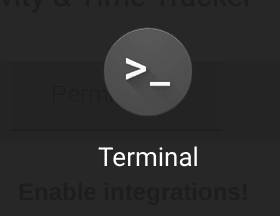
In addition to these updates, the Developer channel has recently added a shortcut to the Terminal app we reported on back in late February. This “application” appears to launch what will be the user interface for Crostini.
Xremove ads

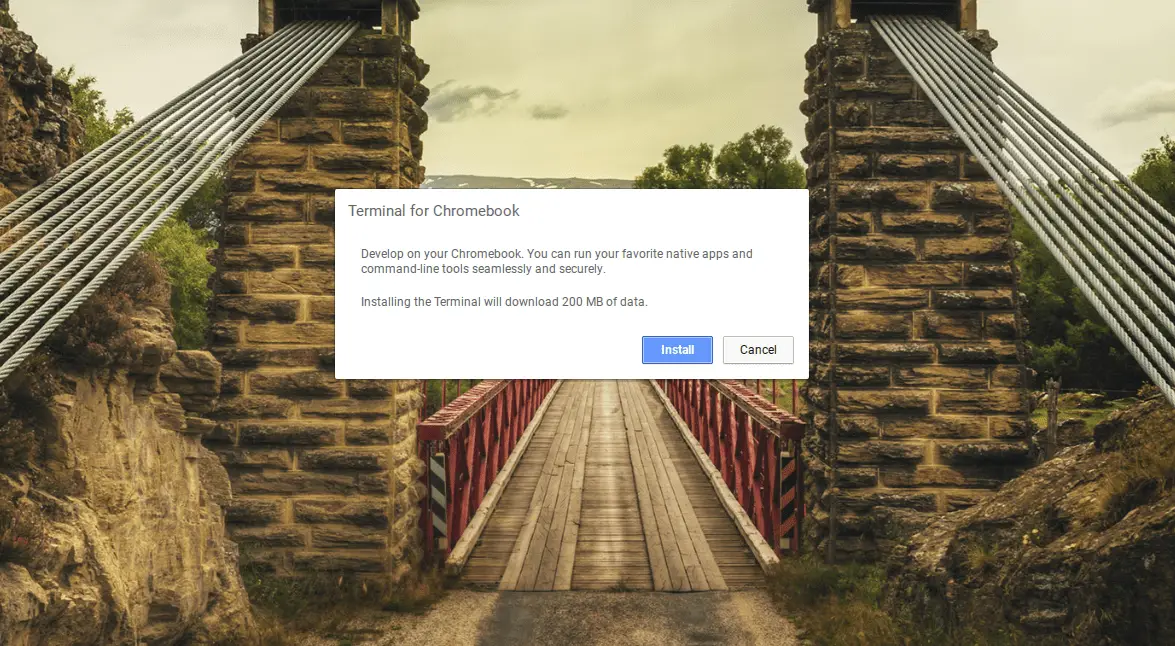
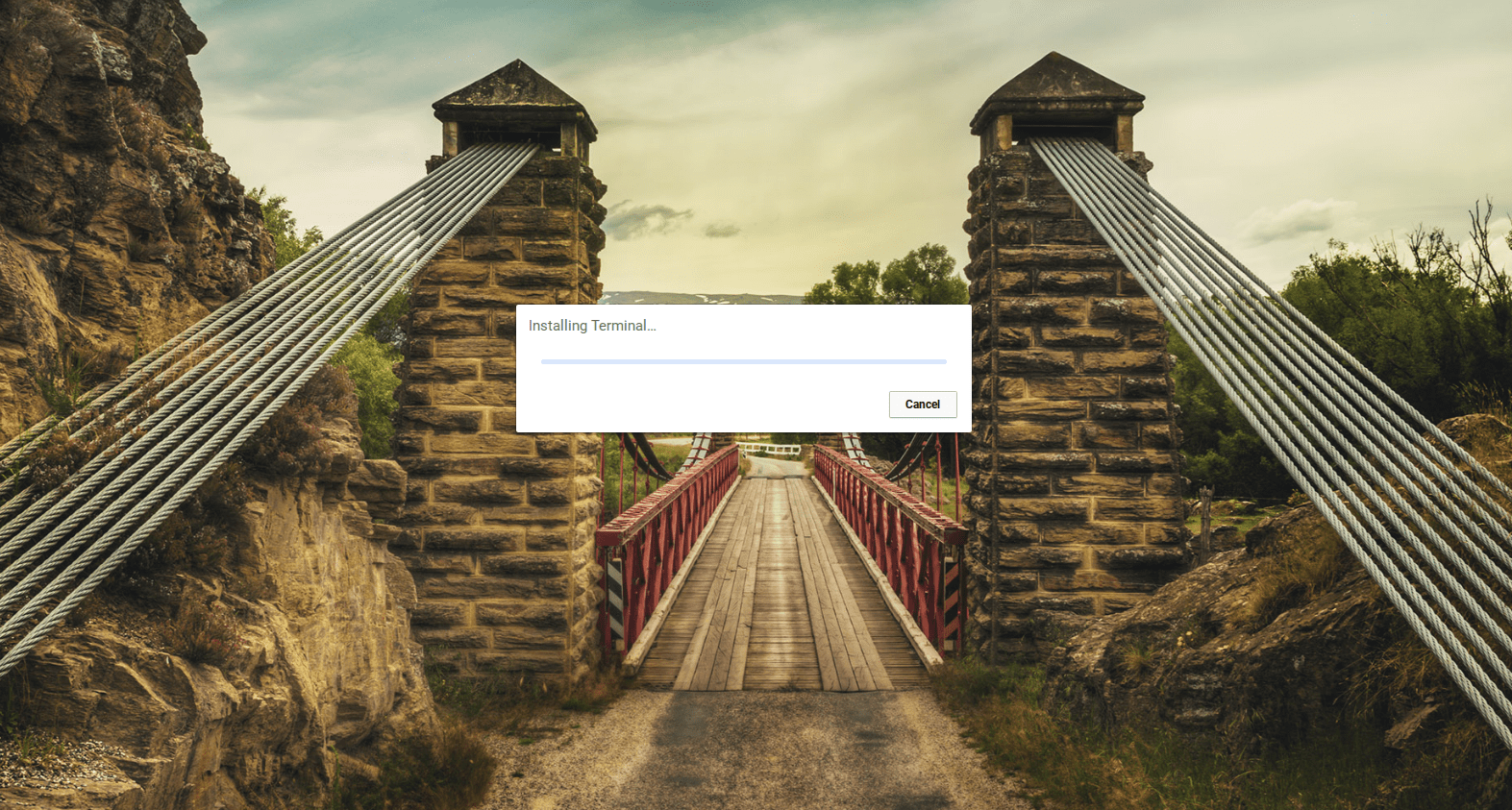
Clicking the shortcut brings up the Terminal installer and you can even go through the process of activating this feature that has been gaining a lot of buzz in the tech world as of late.
Featured Videos

Xremove ads

As you can see in the images above, the installation process is actually working but fails to complete because developers have yet to flip the switch is the VM “manager” for the Crostini project.

As developers continue to polish Crostini and add more front-facing elements, I am beginning to change my thoughts on the target of this new function. While it will definitely be of great benefit to developers, I am starting to agree with Robby that Crostini may be evolving into consumer-focused applications. We have a lot more to share about Crostini and expect to see even more advances in the coming days. Stay tuned and follow along as this could be the biggest evolution in the history of Chrome OS.

Check Out Chrome Unboxed’s Top Picks On Amazon

Xremove ads

Filed Under: Chromebooks, ChromeOS, News, Preview

About Gabriel Brangers

Lover of all things coffee. Foodie for life. Passionate drummer, hobby guitar player, Web designer and proud Army Veteran. I have come to drink coffee and tell the world of all things Chrome. "Whatever you do, Carpe the heck out of that Diem" - Roman poet, Horace. Slightly paraphrased.

Primary Sidebar

Xremove ads

Deals

The Acer Chromebook Plus Spin 514 hits an all-time low price of $499

By Robby Payne
December 23, 2025

The best Chromebook deals today

By Robby Payne
December 22, 2025

Save $220 on the powerful, versatile Acer Chromebook Plus Spin 714

By Robby Payne
December 10, 2025

The Google Pixel 9a just hit its lowest price ever at $150 off

By Joseph Humphrey
December 8, 2025

At $349, this Lenovo Chromebook Plus is one of the best value laptops you can buy

By Joseph Humphrey
December 3, 2025

More Deals

Xremove ads

Reviews

Acer Chromebook Plus Spin 514 Review: Kompanio Ultra power in a convertible

By Robby Payne
December 24, 2025

My review after 6 weeks with the Lenovo Chromebook Plus 14 [VIDEO]

By Robby Payne
August 11, 2025

One week with the best small Android tablet you can buy, and I’m sold

By Robby Payne
May 9, 2025

Best Chromebooks of 2024 [VIDEO]

By Robby Payne
November 28, 2024

Samsung Galaxy Chromebook Plus Review: Samsung is back! [VIDEO]

By Robby Payne
October 28, 2024

More Reviews

Xremove ads

Guides

This Chromebook trackpad shortcut is definitely not new, but is blowing my mind

By Robby Payne
March 11, 2024

How to reduce broadcast delay on YouTube TV to stop live spoilers

By Robby Payne
December 8, 2023

Windows PC keyboard and Chromebook

How to use a Windows keyboard with a Chromebook

By Joseph Humphrey
December 8, 2023

How reset and revert your Chromebook to the previous version of Chrome OS

By Robby Payne
November 29, 2023

My Chromebook Plus features disappeared: here’s how I fixed it

By Robby Payne
November 24, 2023

More Guides

TWITTER · FACEBOOK · INSTAGRAM · YOUTUBE · EMAIL · ABOUT

Copyright © 2025 · Chrome Unboxed · Chrome is a registered trademark of Google Inc.
We are participants in various affiliate advertising programs designed to provide a means for us to earn fees by linking to affiliated sites.

PRIVACY POLICY