

Support our independent tech coverage. Chrome Unboxed is written by real people, for real people—not search algorithms. Join Chrome Unboxed Plus for just $2 a month to get an ad-free experience, access to our private Discord, and more. Learn more about membership here.
START FREE TRIAL (MONTHLY)START FREE TRIAL (ANNUAL)
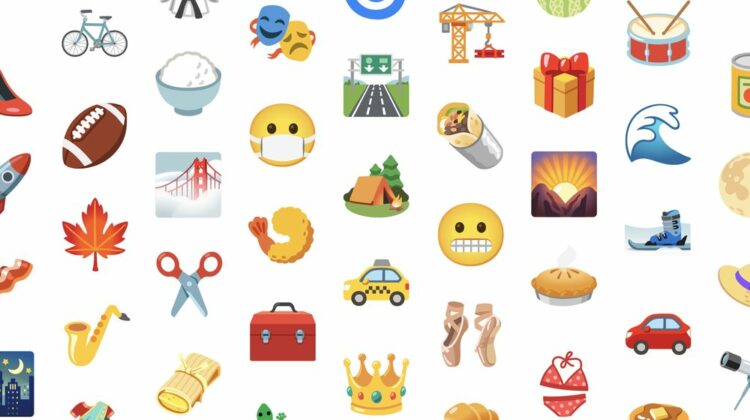
Later this month, Google will be releasing a shiny, new emoji picker for Chromebook users in alignment with its release on Android 12, Gmail, and Youtube. Many very well-known emoji are also being updated to be more inclusive and diverse in light of World Emoji Day. There are currently over 3,521 emoji to choose from, and Google is doing a sweep over many of them to make them more globally relevant.
A prime example of emoji that have become culturally outdated or at least exclusive is the pie – instead of simply pulling up a standard American pumpkin pie (or sweet potato pie if you have better taste – okay, just teasing) it will now be updated to be a covered pie with slits to release all of that delicious aroma. With this, you can imagine it as apple, blueberry, strawberry, or even cherry. It doesn’t even have to be a dessert – you can pretend it’s a chicken pot pie too! As they say, when your pie wears more, it leaves more to the imagination (whoever ‘they’ are).

Another example is the bikini emoji – it’s always kind of been one design, but with the update, Google hopes to include what appear to be different body shapes (again, for inclusion). Additionally, the facemask emoji, which originated in Japan as wearing masks has been a thing since before COVID-19, is now going to rid itself of the sad eyes, and gain a set of open, blinking eyes that are less morbid and depressed. The change is meant to reflect a mask being a sign of kindness and awareness instead since it’s now become a global phenomenon.

The primary update seems to be that many of these emoji will now animate when you send them. Since they’ve become an accepted and integrated part of our society, emoji have retained a limited amount of communicative power. Animations should assist with getting the point across. While certainly a less needed animation, scissors will now perform a cutting motion (yay?).
Lastly, many outdated and ugly emoji, like those of food, are being modified to have a more cooked or shiny, and fried appearance (so long as I can still choose grilled chicken over fried, I’m happy!), several others will change their appearance based on dark or light mode being enabled on a device, and more. You can see in the image below that when you send this camping emoji with dark mode toggled on, stars will appear in the sky surrounding it while sending it regularly will exclude them. This, in my opinion, is one of the coolest changes!

We don’t yet know what the new emoji picker for Chromebooks will look or feel like, but recently, Google created a system emoji picker developer flag which suggests emoji to you on a bar that pops up where your cursor is typing once it detects the beginning of a relevant Unicode emoji. It’s a clever way to allow users to pick these without having to open a dedicated or separate keyboard full of emoji, but I hope its new picker will take this a step further.
SUBSCRIBE TO UPSTREAM
Get Chrome Unboxed delivered straight to your inbox
Upstream is our flagship, curated newsletter with the top stories, most click-worthy deals, giveaways, and trending articles from Chrome Unboxed sent directly to your inbox a few times a week. Join 31,000+ subscribers.


