

Support our independent tech coverage. Chrome Unboxed is written by real people, for real people—not search algorithms. Join Chrome Unboxed Plus for just $2 a month to get an ad-free experience, access to our private Discord, and more. Learn more about membership here.
START FREE TRIAL (MONTHLY)START FREE TRIAL (ANNUAL)
Last week, Lenovo debuted a handful of products leading into the annual MWC event that kicked off today. Among the devices were two new Tiger Lake Chromebooks but that wasn’t the only thing Lenovo had up its sleeve. For whatever reason, some of Lenovo’s products were held under NDA until the start of MWC, and among those devices is the second iteration of my favorite smart display and it isn’t the full-featured hub like the 7″ Assistant-enabled display from Lenovo. No, this is the second-generation Smart Clock from Lenovo and it is exactly the device that I have been longing for.
Since its launch, the original 4″ Smart Clock from Lenovo has graced my nightstand and it is the perfect companion for a smart home bedroom. You get all the handy tools that come along with an Assistant-enabled device in a small form factor with a display that makes it the perfect alarm clock. A recent software update has even given the Smart Clock a nifty nightlight feature that helps you navigate a dark room without breaking your neck. My only issue with the first-gen Smart Clock – which really isn’t the clock’s fault – is that I have been looking for a wireless charging option for my nightstand. The problem here is that adding a wireless charging pad means one more device to take up space. That sounds petty but it’s just one more thing to crowd my bedside table.
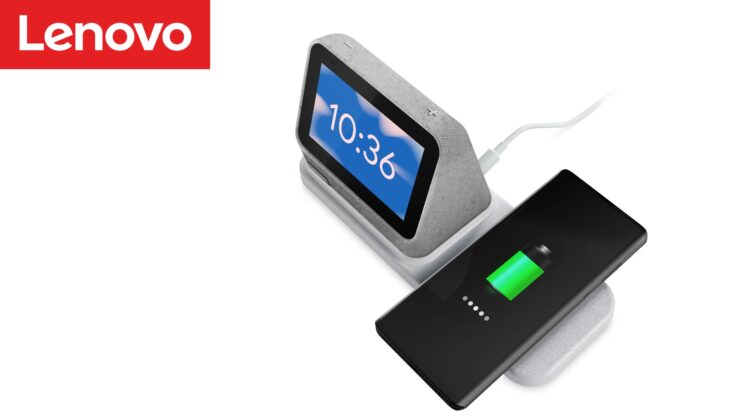
Lenovo’s latest smart display comes in the form of another 4″ Smart Clock but this one comes equipped with a removable wireless charging base that attaches to the clock via Pogo pins. The wireless charger supports up to 10W wireless charging for your mobile phone or other accessories such as headphones or perhaps even an Apple Watch. If you’re like me and you have a smartwatch or two, you can keep it charged with the USB-A port found on the back of the wireless charging base. This iteration of the Smart Clock integrates the nightlight into the base between the dock and the smart display. According to Lenovo, “The light is just bright enough to illuminate your way without waking your partner.” Here’s a closer look at the specs for the all-new Lenovo Smart Clock 2.
Lenovo Smart Clock 2
- Processor : MediaTek MT8167S
- Operating System : Google Assistant
- Speaker : 1.5″ 3W Front-Firing Speakers
- Microphone : 1 x Farfield Microphone Array
- RAM + ROM : RAM 1 GB + Flash 8 GB
- WLAN : 802.11 b/g/n, 2.4 GHz
- Bluetooth® : Bluetooth® 4.2
- Display : 4″ LCD IPS
- Weight : Starting at 298 g (0.66 lbs)
- Exterior Materials : Soft Touch Fabric
- Mute : Microphone Mute Toggle
- Touch : Touchscreen
- Buttons : Volume +/-
- Sensor : L-Sensor, G-Sensor
- Expandability : Docking Capable with Pogo Pin
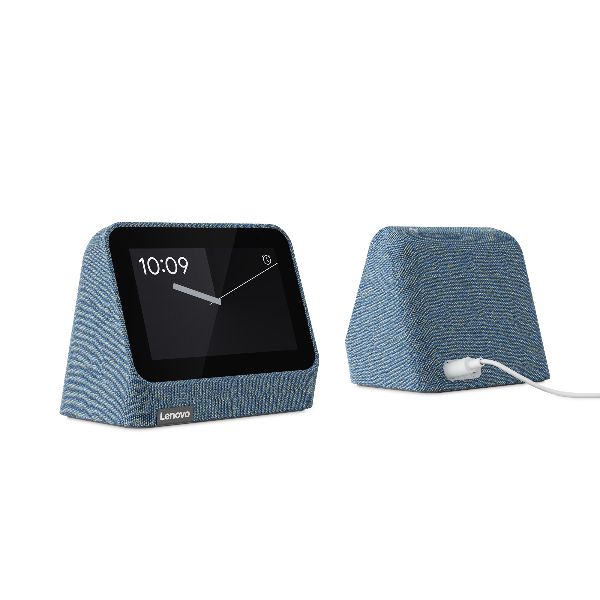


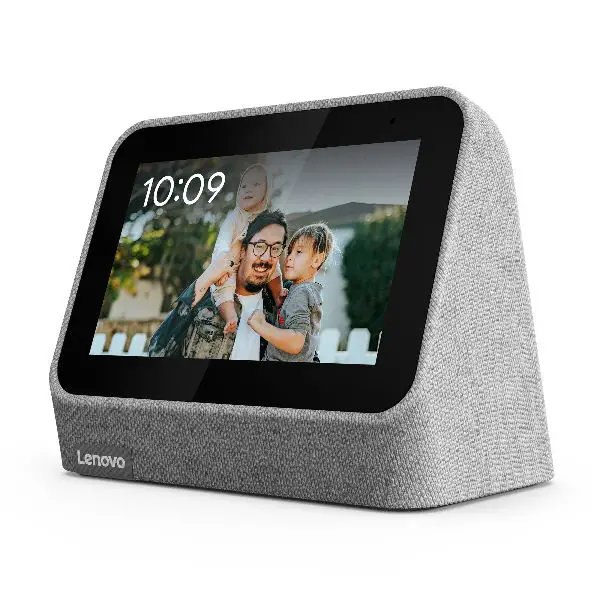

The original Smart Clock launched at $80 and came in light grey with a charcoal variant added a few months later. The new Smart Clock 2 will launch in September with a price bump of only $10 to $89.99 and will come in Abyss Blue, Heather Grey, and Shadow Black. We’ll definitely be getting one of these in the office to give it a try. Stay tuned for that review.
SUBSCRIBE TO UPSTREAM
Get Chrome Unboxed delivered straight to your inbox
Upstream is our flagship, curated newsletter with the top stories, most click-worthy deals, giveaways, and trending articles from Chrome Unboxed sent directly to your inbox a few times a week. Join 31,000+ subscribers.

