


Support our independent tech coverage. Chrome Unboxed is written by real people, for real people—not search algorithms. Join Chrome Unboxed Plus for just $2 a month to get an ad-free experience, access to our private Discord, and more. Learn more about membership here.
START FREE TRIAL (MONTHLY)START FREE TRIAL (ANNUAL)
When Lenovo sent out invitations to a product briefing for the upcoming MWC event (formerly Mobile World Congress) in Barcelona, I didn’t set my expectations very high that we would see any Chrome OS-related news. The annual event set in Barcelona focuses heavily on mobile technology and Chromebooks, in general, are a scarcity at MWC. That said, Lenovo is the one manufacturer that has announced Chrome OS devices around the global tech event with a few EDU and budget-friendly models released with little fanfare via press releases. This year, however, Lenovo threw us a curveball and came out swinging with not one but two 11th Gen Tiger Lake Chromebooks that will serve as flagship models for the company.
Lenovo Flex 5i Chromebook
The first model wasn’t a complete surprise as we dropped an exclusive late last month about the device’s existence. As we expected, the Lenovo Flex 5i is more or less a refresh of the popular Flex 5 model from 2020 that was made popular thanks to its offering of solid specs and very affordable price tag. The new version will come packing 11th Gen Tiger Lake CPUs with options ranging from a Celeron 6305 all the way up to the Core i5-1135G7 with Iris Xe graphics. Like last year’s model, the entry-level Flex 5i will come with 4GB of RAM which I think is a major misstep on Lenovo’s part. These 11th Gen processors deserve 8GB of RAM. Still, you can opt for 8GB and the Flex 5i will offer up to 512GB of storage which is a major bump from the previous model’s 128GB.
Lenovo did something very unique with the new Flex 5i by adding an option for an OLED display “for up to 50
times faster response times over LCD screens8 plus amped color volume, chroma attributes and higher contrast for a
more readable display in direct sunlight.” This is a good option to have as Lenovo decided to still use a 250 nit panel for the standard FHD display. I know we harp on this a lot but seriously, 300 nits should be the bare minimum in this type of laptop. Anyway, here’s a closer look at the new Lenovo Flex 5i Chromebook’s specs.
- Chrome OS
- Intel® Core™ i5-1135G7/Core™ i3-1115G4/Pentium® 7505/Celeron® 6305
- 4GB/8GB RAM
- 32GB/64GB eMMC or 128GB/256GB/512GB SSD
- 13.3″ FHD touch display w/optional OLED
- 2 x USB 3.1 Type-C
- 1 x USB 3.1 Type-A
- 1 x microSD Card Reader
- 1 x Audio Combo Jack
- Wave Audio certified
- Wi-Fi 6
- Bluetooth 5.1
- USI support
- 2.98 lbs
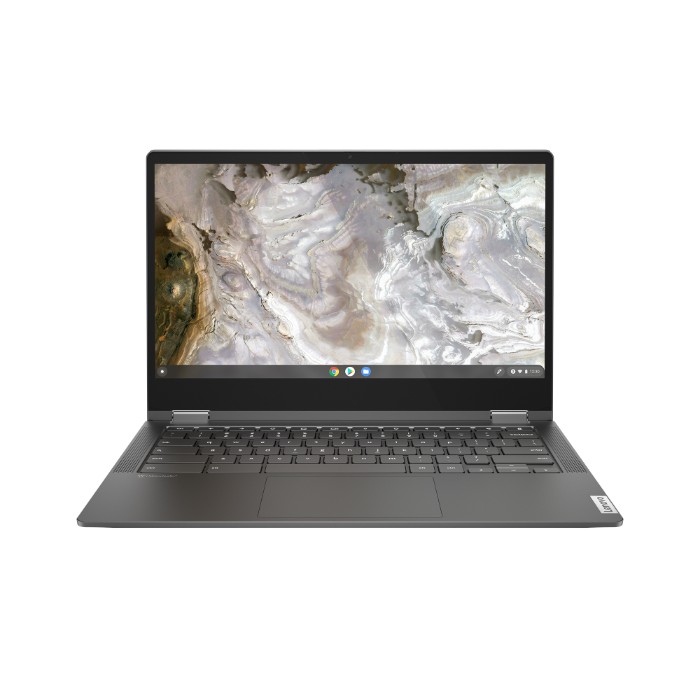
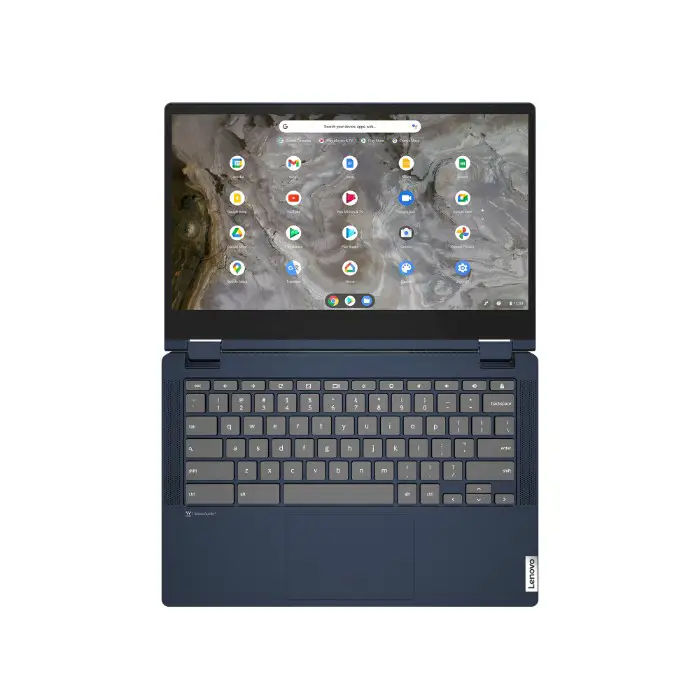
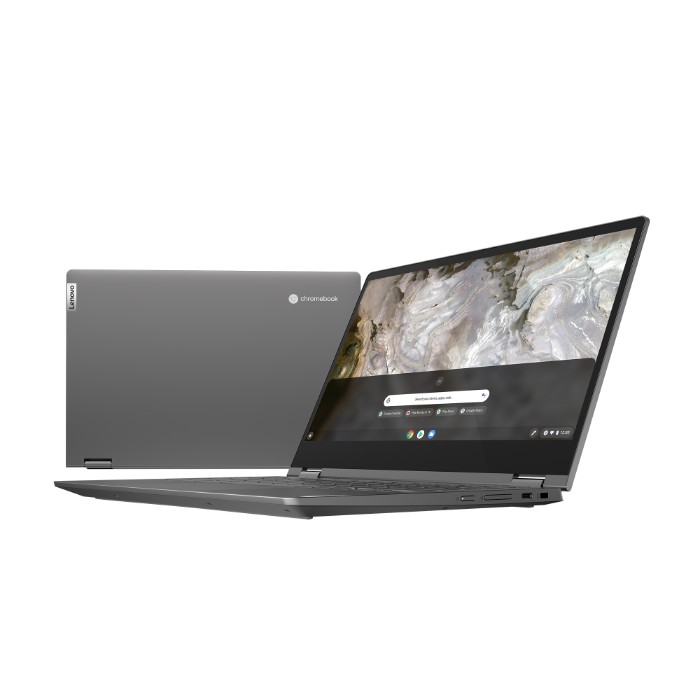
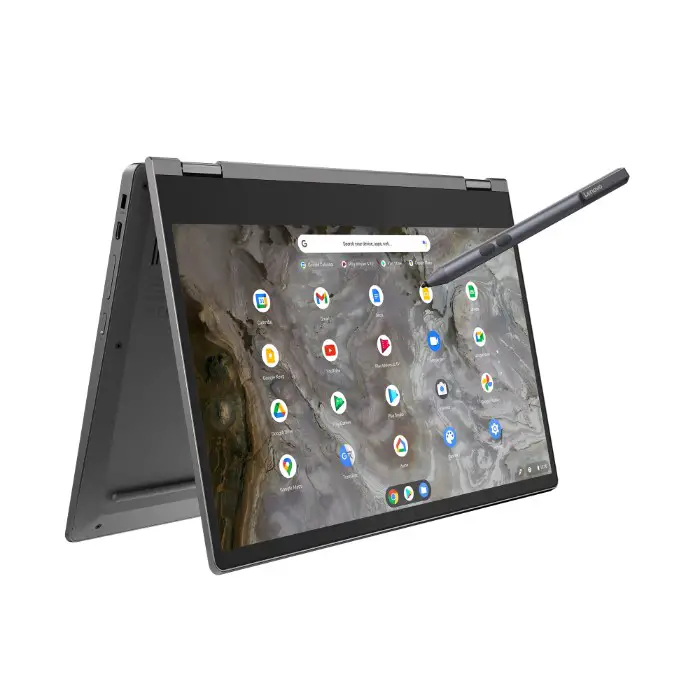

The Lenovo Flex 5i Chromebook will come in Abyss Blue and Iron Grey. Select configurations will be available this month with a starting price of $439.99. You should be able to find the 8GB/128GB model at Costco very soon for $549 which is a solid price for an 11th Gen Chromebook.
Lenovo 5i Chromebook
While the new Flex didn’t catch us completely off guard, Lenovo blindsided us with a new 14″ Chromebook carrying 11th Gen Intel processors. Lenovo has generally stuck with the 13.3″ form-factor for its more premium devices with the exception of the 15.6″ Yoga. The new Lenovo 5i Chromebook brings a lot of the same features to the table as the Flex model about but Lenovo has added a couple of unique touches that set it apart. For starters, this model comes equipped with a 300 nit display which can be upgraded to a touchscreen if you like. More interestingly, Lenovo has added an RGB lightbar to this Chromebook that changes color to inform users of the current battery life. The light is placed in the beveled edge in front of the trackpad. This is a unique addition and the type I like to see in premium Chromebooks. Here’s a rundown of the Lenovo 5i Chromebook.
- Chrome OS
- Intel® Core™ i5-1135G7/Core™ i3-1115G4/Pentium® 7505
- 4GB/8GB RAM
- 14″ Full HD display @ 300 nits w/optional touch
- 2 x USB 3.1 Type-C
- 1 x USB 3.1 Type-A
- 1 x microSD™ Card Reader
- 1 x Audio Combo Jack
- Wave Audio certified
- Wi-Fi 6
- Bluetooth 5.1
- USI support
- 3.13 lbs

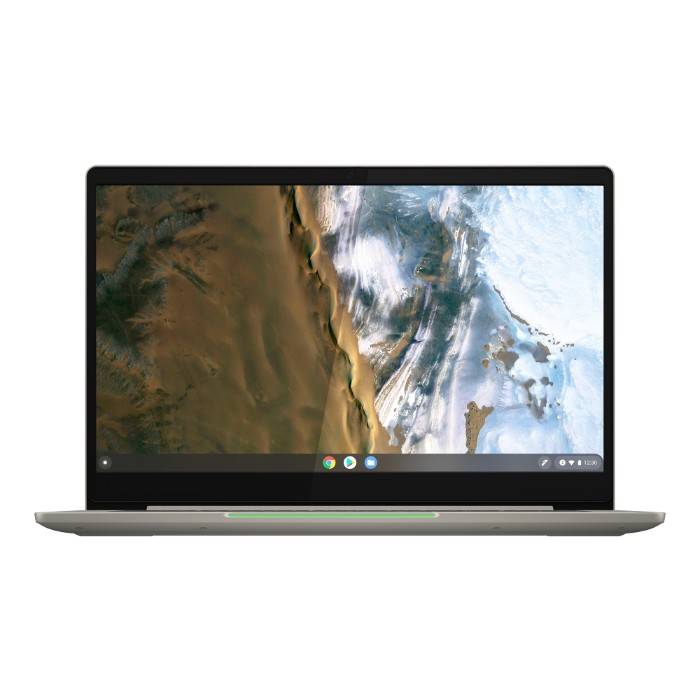
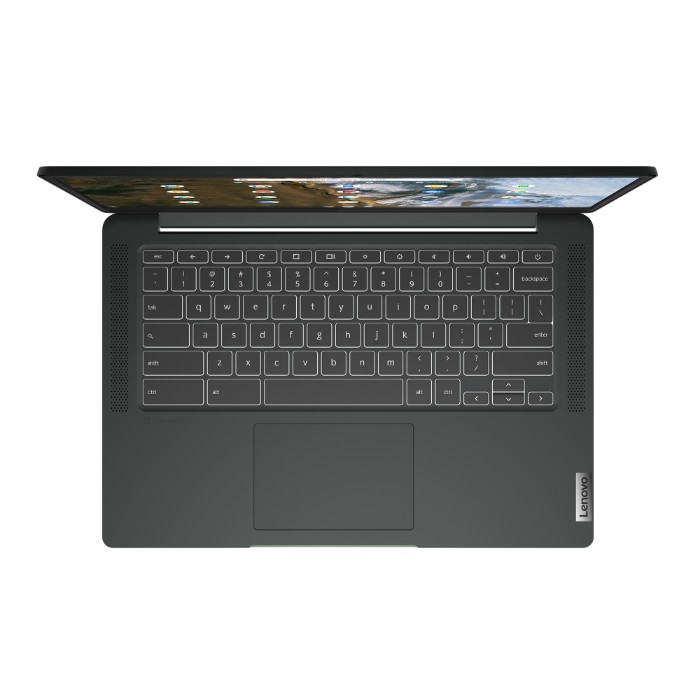
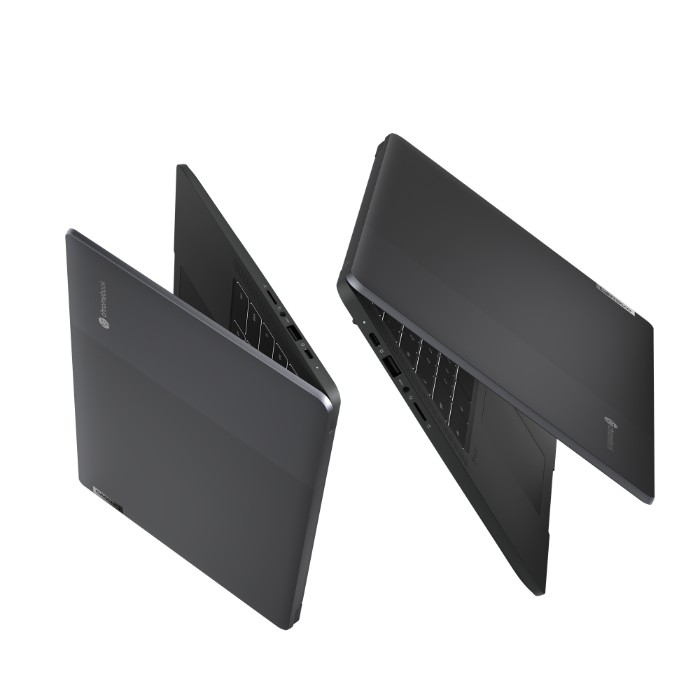


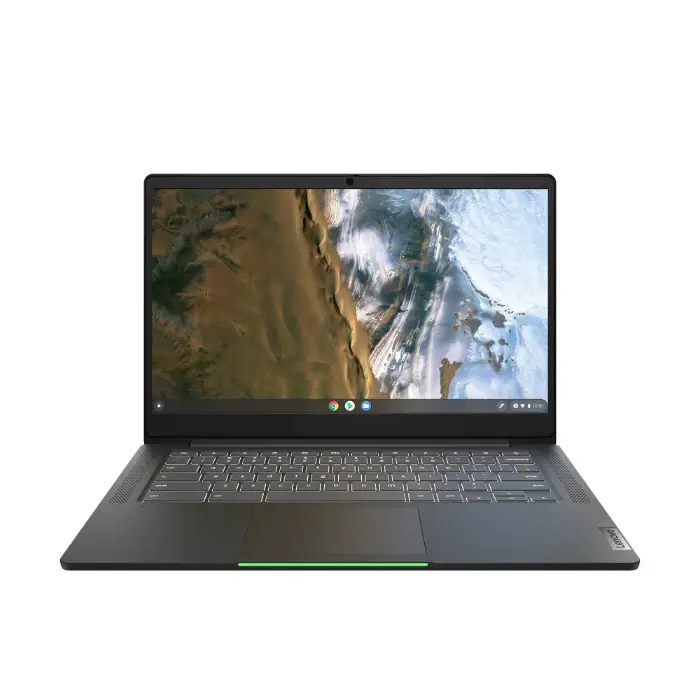
The Lenovo 5i Chromebook comes in Sand and Storm Grey. It is expected to be available in July with a starting price of $439.99. Out of the two devices announced, this one has more of my attention. I am interested in seeing the OLED display on the Flex 5i but I have always been a fan of a 14″ Chromebook and this particular model appears to have a healthy balance of features and unique design that it should be a very good seller for Lenovo. We’ll get our hands on these as soon as possible and let you know how they stack up against the rest of the crowd.
SUBSCRIBE TO UPSTREAM
Get Chrome Unboxed delivered straight to your inbox
Upstream is our flagship, curated newsletter with the top stories, most click-worthy deals, giveaways, and trending articles from Chrome Unboxed sent directly to your inbox a few times a week. Join 31,000+ subscribers.

