

Support our independent tech coverage. Chrome Unboxed is written by real people, for real people—not search algorithms. Join Chrome Unboxed Plus for just $2 a month to get an ad-free experience, access to our private Discord, and more. Learn more about membership here.
START FREE TRIAL (MONTHLY)START FREE TRIAL (ANNUAL)
When we got our first look at the leaked Lenovo AI Mouse back in July, it was obvious that Google’s OEM partners weren’t treating Googlebook like a standard Chromebook rollout. With custom Gemini buttons and RGB light strips, Lenovo is clearly building a tailored hardware ecosystem around their Googlebooks. The lingering question, however, was how users would actually manage and customize that hardware after launch. Now we have that answer.
According to screenshots and store assets spotted by GbookHub, Lenovo has officially published a dedicated Lenovo Vantage app on the Google Play Store built specifically for Googlebooks running what we assume will be called Googlebook OS.
Bringing desktop-class utility to Googlebook
Longtime PC users know Lenovo Vantage as the central control suite for Lenovo’s Windows laptops, handling system health, updates, and accessory profiles. Seeing it rebuilt as an Android application for Googlebook proves that OEMs are gaining the deep system-level hooks required to make desktop accessories feel truly integrated.

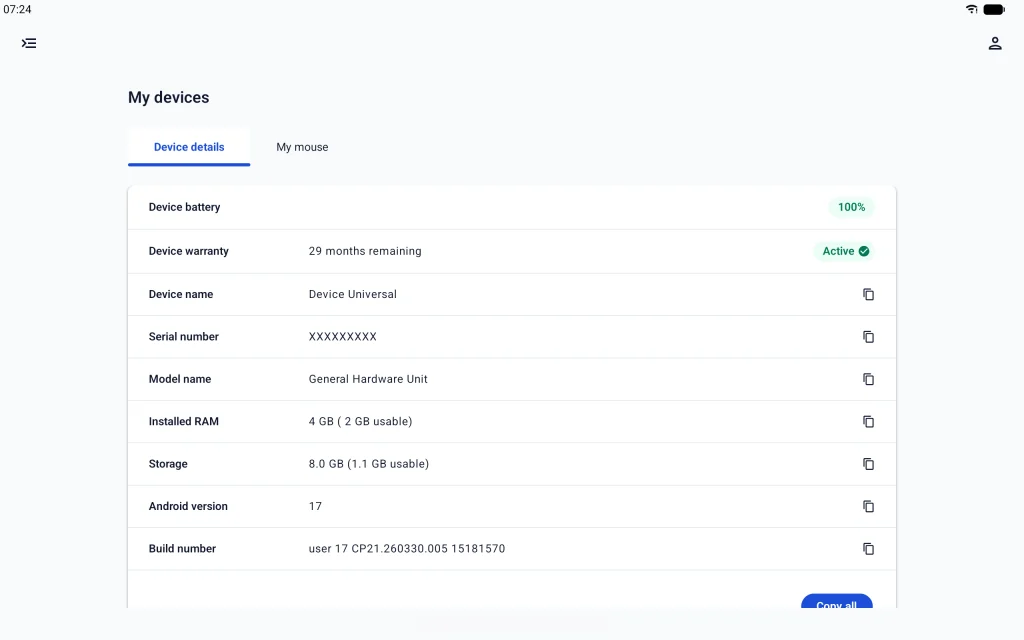
The app’s dashboard is split into two primary areas: unified device health and peripheral customization. On the system side, the app serves as a centralized spec and warranty hub:
- Hardware & System Status: Real-time visibility into OS build versions, onboard storage, serial numbers, and installed RAM.
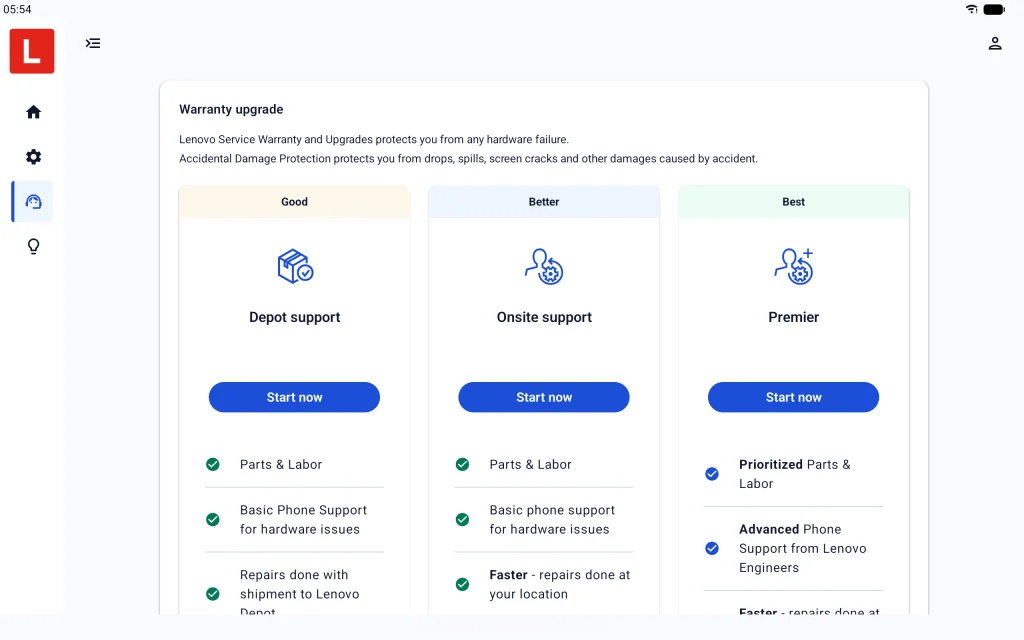
- Warranty & Support Services: Active tracking of remaining warranty coverage, with direct links to upgrade support tiers or submit repair tickets.
- Partner Perks: Direct access to bundled OEM promotions, including 90-day trials for 100GB Dropbox cloud storage.
Fine-tuning the Lenovo AI Mouse
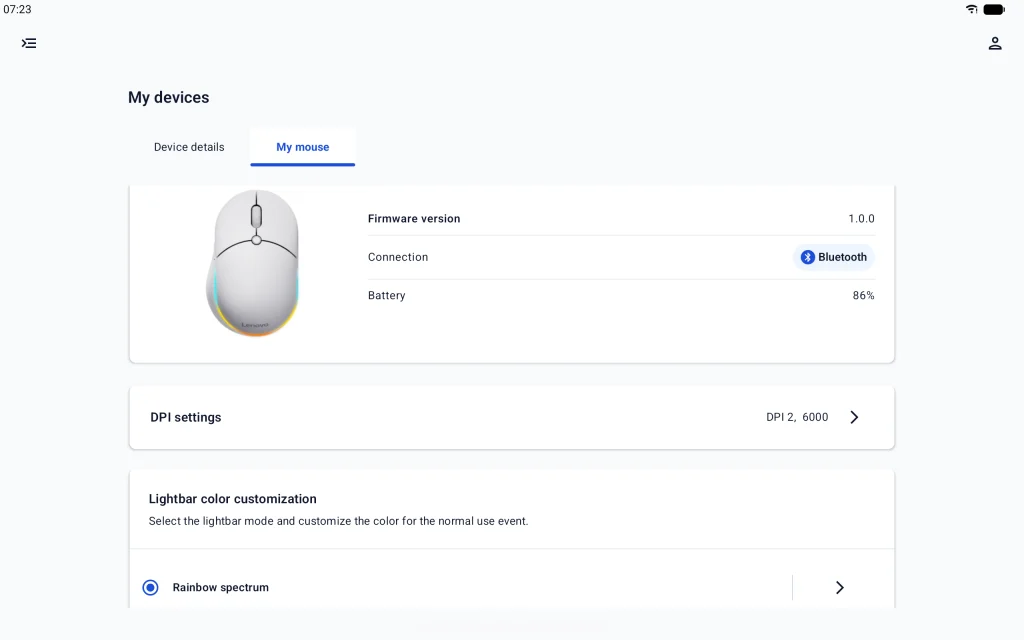
The real meat of the application sits under the “My devices” tab, where Lenovo details full configuration support for the Lenovo AI Mouse for Googlebook.
Unlike ChromeOS, which historically offered minimal mouse controls beyond basic pointer speed and button swapping, Vantage delivers the granular adjustments PC power users expect:
- DPI Profiling: Switch between quick sensitivity presets or fine-tune sensor DPI to match specific creative tasks.
- Peripheral Battery Monitoring: Accurate percentage tracking for connected Bluetooth accessories.
- Full RGB Lighting Control: Direct control over the mouse’s outer accent light bar, including animated presets like “Rainbow spectrum.”
Dedicated AI Key actions and exclusive sync animations
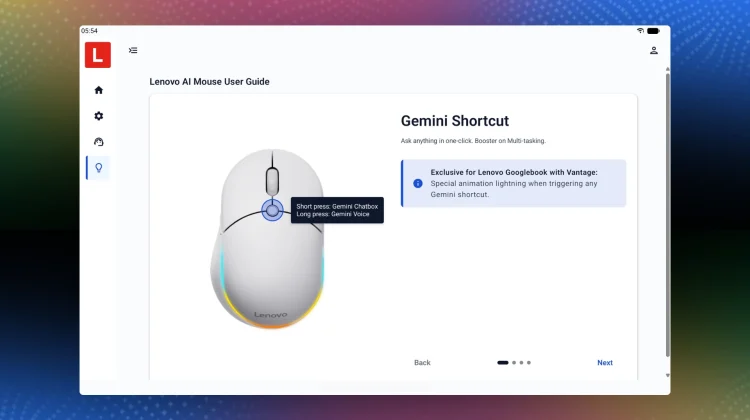
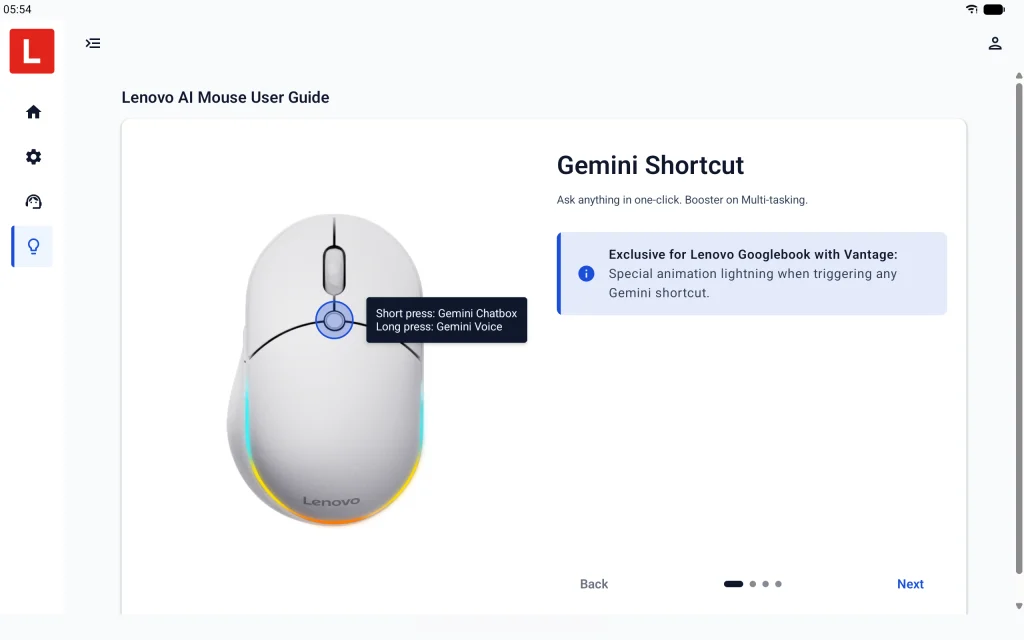
Most interesting of all is how Vantage handles the mouse’s physical, center-mounted AI Key. The leaked user guide within the app outlines two distinct default triggers:
- Short Press: Instantly launches the on-screen Gemini Chatbox.
- Long Press: Activates Gemini Voice dictation and the new Magic Pointer cursor tool.
Even better, Lenovo is using Vantage to tie the accessory back to the laptop chassis itself. When paired with a Lenovo Googlebook, triggering a Gemini shortcut via the mouse fires off a synchronized lighting animation across the laptop’s lid-mounted light bar.
That level of visual and functional synergy between software, peripherals, and the host machine has simply never existed in the ChromeOS sandbox. With pre-orders for the Lenovo Googlebook i 15 right around the corner, having Lenovo Vantage hit the Play Store shows just how prepared hardware partners are to give Googlebook a mature, out-of-the-box desktop experience.
SUBSCRIBE TO UPSTREAM
Get Chrome Unboxed delivered straight to your inbox
Upstream is our flagship, curated newsletter with the top stories, most click-worthy deals, giveaways, and trending articles from Chrome Unboxed sent directly to your inbox a few times a week. Join 31,000+ subscribers.

