

Support our independent tech coverage. Chrome Unboxed is written by real people, for real people—not search algorithms. Join Chrome Unboxed Plus for just $2 a month to get an ad-free experience, access to our private Discord, and more. Learn more about membership here.
START FREE TRIAL (MONTHLY)START FREE TRIAL (ANNUAL)
Being a child of the ’80s, the name Minolta brings about memories of epic commercials for SLR cameras designed for the average consumer. Say it with me. “Only from the mind of Minolta” If you’re from a younger generation, you probably have no clue what I’m talking about. So, I’ll just drop this awesome Wizard of Oz Minolta ad spot here so you can enjoy in my nostalgia.
What I didn’t realize was that Minolta is no longer in the camera game. As a matter of fact, the company merged with Konica back in 2003 and shortly thereafter, handed of its SLR business to Sony. That line of products birthed Sony’s popular Alpha line of DSLR shooters. Konica Minolta now specializes in business solutions that include but are not limited to the production of multi-function printing equipment, optical lens hardware, medical and optical sensors, and radiography equipment. The company also runs an IT consultation and service business under the brand All Covered that debuted in 1997.
All Covered
All Covered offers a wide variety of business solutions to enterprise and education customers. These services come in the form of things like mobile app development, managed IT services, SaaS, device management, and much more. As a Google Cloud Partner, All Covered offers GSuite services for business and education customers and that includes a partnership with Neverware that brings the Cloud Ready Chromium OS solution that breathes new life into aging hardware. This also allows customers to utilize the many cloud services offered by Google and other vendors.
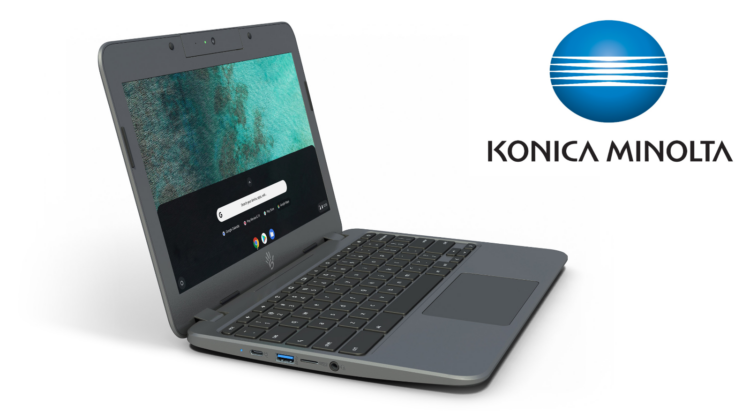
All Ready has taken another step in its commitment to the classroom by forging a partnership with EDU Chromebook maker Sector 5. Sector 5’s latest device, the Chromebook E4, offers LTE connectivity and rugged specs designed specifically for today’s classroom. Konica Minolta is dedicated to what they’ve dubbed “conquering the digital divide” in an attempt to widen the accessibility of always-connected devices to rural and economically disadvantaged students.
“The Sector 5 LTE Chromebook fills a need in education that has largely gone ignored. Greater responsibility has fallen on schools to not just provide their students with devices, but also ensure they have connectivity to use them. The Sector 5 device solves both.”
Jon Clemons, National Solution Architect, Education IT Services, All Covered
This partnership will see All Covered become an official reseller of Sector 5 Chromebooks and will allow Kinoca Minolta to offer the LTE devices to its massive customer base at a presumably reduced cost. We recently took the Sector 5 Chromebook E4 for a spin and were impressed at how much the education-focused device had to offer. The E4 is expected to be available just in time for the holidays. Find out more about the Sector 5 Chromebook E4 here. Learn more about All Covered education services here.
SUBSCRIBE TO UPSTREAM
Get Chrome Unboxed delivered straight to your inbox
Upstream is our flagship, curated newsletter with the top stories, most click-worthy deals, giveaways, and trending articles from Chrome Unboxed sent directly to your inbox a few times a week. Join 31,000+ subscribers.
Souce: Konica Minolta

