


Support our independent tech coverage. Chrome Unboxed is written by real people, for real people—not search algorithms. Join Chrome Unboxed Plus for just $2 a month to get an ad-free experience, access to our private Discord, and more. Learn more about membership here.
START FREE TRIAL (MONTHLY)START FREE TRIAL (ANNUAL)
It’s that time again, Team Pixel! Google’s latest Pixel drop has begun rolling out today, bringing a nice selection of helpful features as well as some fun and unexpected ones. The update will apply to Pixel 4 through Pixel 6 and 6 Pro devices. Here’s everything that was announced:
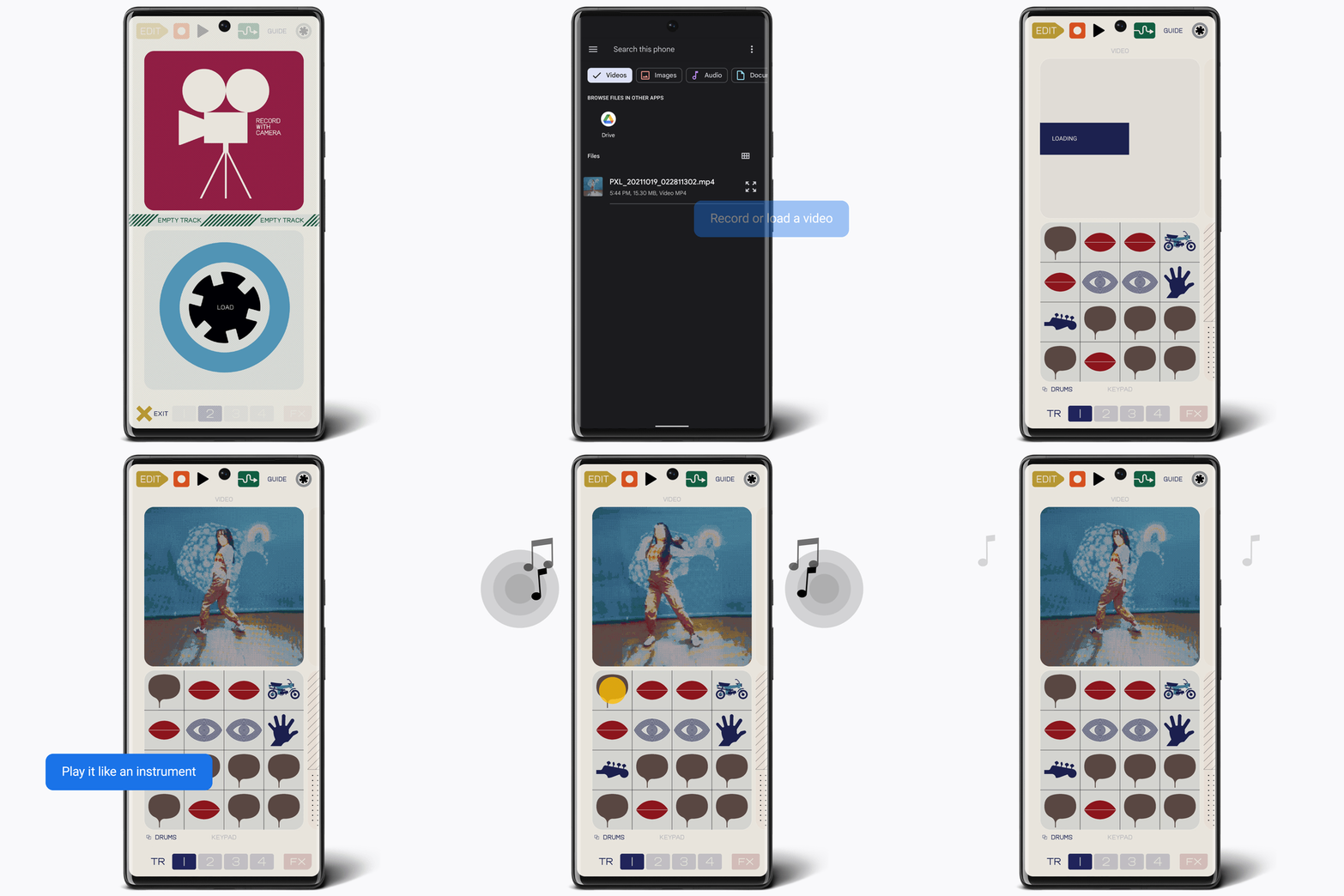
Turn your videos into music with “pocket operator for Pixel”
Here’s one feature I didn’t know I needed. In collaboration with teenage engineering, a Swedish consumer electronic and synthesizer company, Google has developed and launched the “pocket operator for Pixel” app. The app lets you record or import a video and turn it into a musical masterpiece by layering sounds, adding visual effects, and creating patterns and beats. Once you mix it all together, the result can be shared with your friends. Unfortunately, the app is only available for the Pixel 5 and newer Pixels. However, it is available to install right now from the Google Play Store.
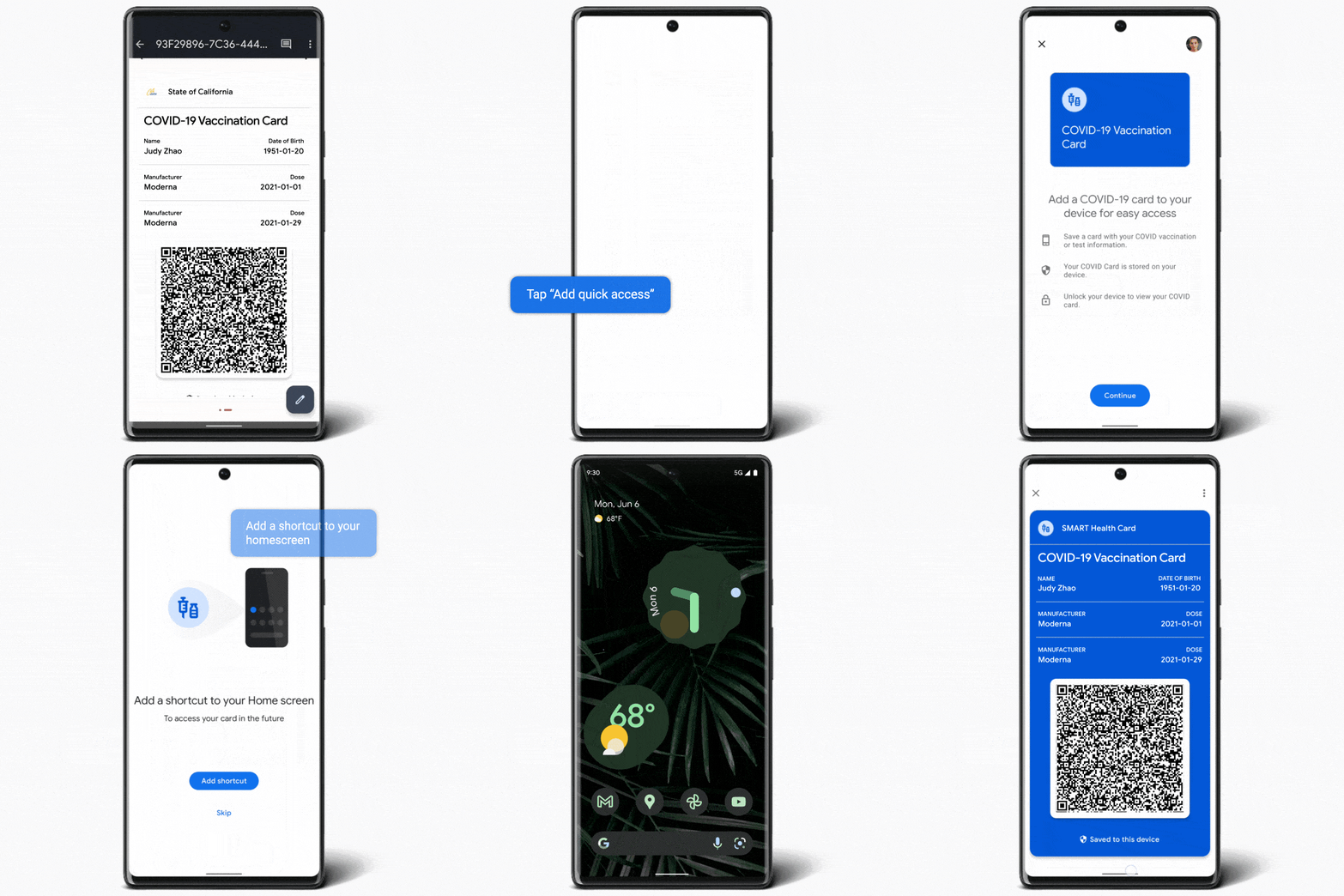
Access your COVID vaccine info from your home screen
Depending on where you are located, and as long as you have access to a digital version of your COVID-19 vaccine card, you will now be able to take a screenshot of it, which will prompt you to set up quick access to it by adding a shortcut to your home screen. This information will be stored locally, so you will need to manually save it every time if you want it on more than one device. To check which countries and healthcare providers are supported, check out g.co/help/covidcard.
New At a Glance features
The Pixel “At a Glance” widget is getting some very much-needed love with three new features, some of which had been rumored for some time, which are:
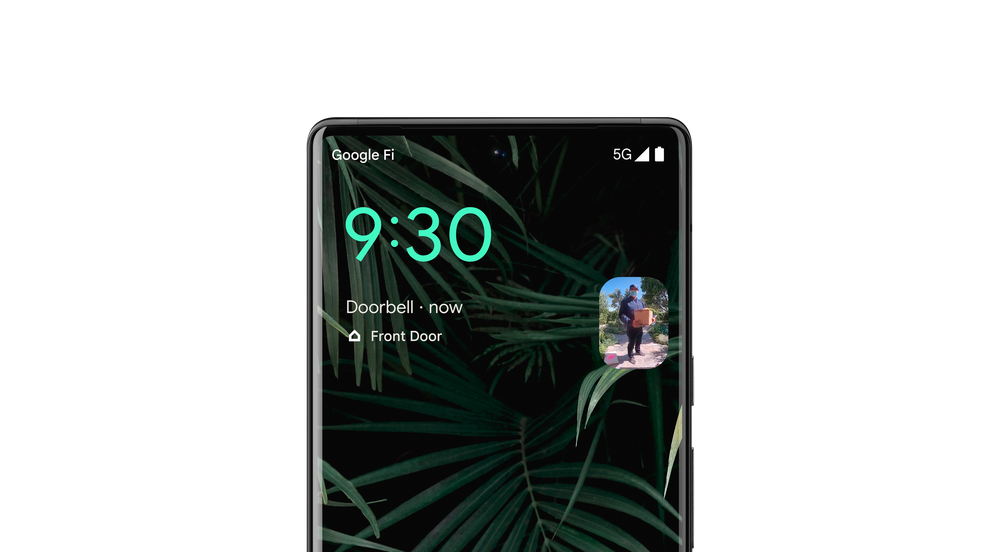
- Nest Doorbell video feed: You will now be able to view a live feed from your Nest Doorbell right on your home screen when someone rings with no need to open the Google Home or Nest app. This feature requires that you have either of these two apps installed, though, and of course, a compatible Nest Doorbell.
- Flashlight reminder: I am guilty of accidentally turning on my phone’s flashlight every now and then, which is why I’m excited that Google is now incorporating an at-a-glance reminder to let me know that it’s on. The reminder also includes a shortcut to turn it off and hopefully save that battery life.
- Air Quality alerts: Soon, you will have the option to get air quality alerts for your location, but only if you are in the U.S., Australia, and India.
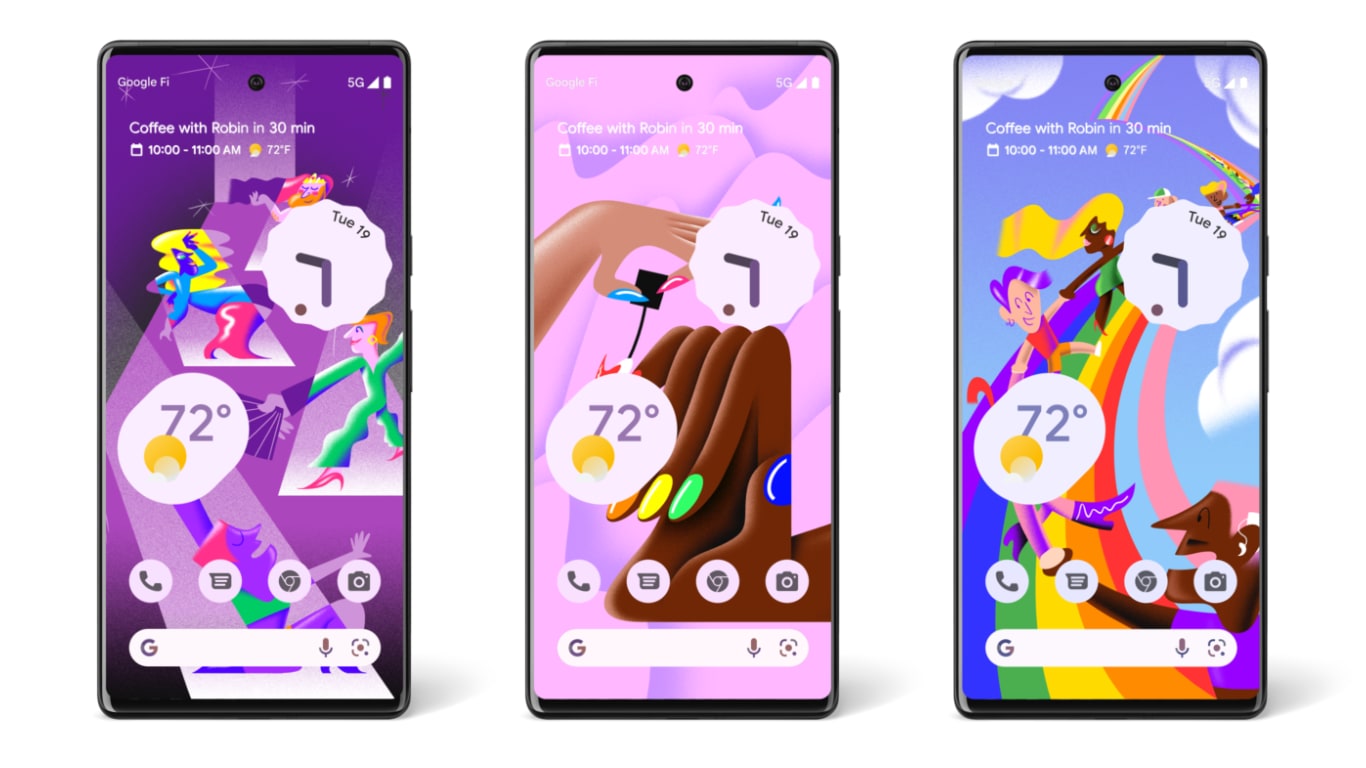
New Pride Month wallpapers
Google collaborated with illustrator Yann Bastard to create three new wallpapers to celebrate Pride Month. You will find these wallpapers in the Curated Culture collection and feature designs with brightly colored big and bold shapes.
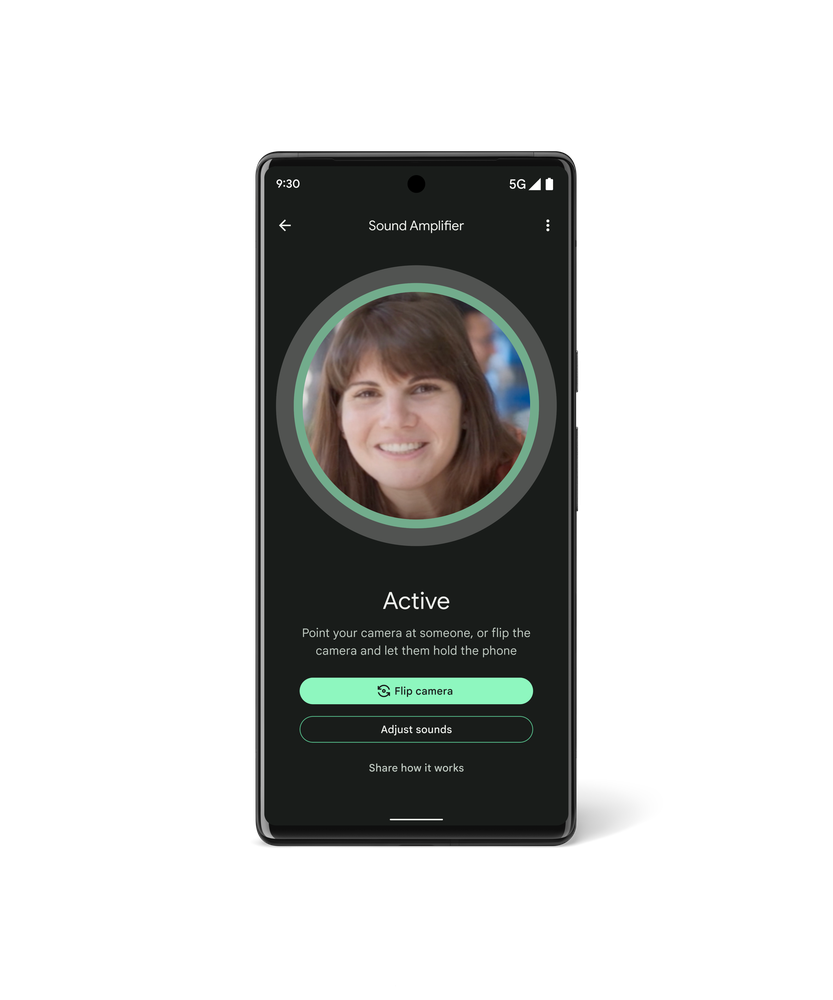
Conversation Mode in the Sound Amplifier app
Google is expanding Conversation Mode in the Sound Amplifier app, first available as an early tester beta on Pixels, to the Pixel 3 and newer. This feature will be a game-changer for people with hearing loss who need help canceling out some background noise when having a conversation. It works by having the user focus the camera on the person they want to talk to. Then it uses a deep learning model to separate audio and video signals to isolate and amplify speech.
This technology will also help with Google Meet calls, which will now have better audio quality and noise reduction. Google mentioned that this would be available to all Pixel users, not just workplace accounts.
More features for more Pixel users and locations
- Real Tone Filters, which allow you to apply after-the-fact Monk Skin Tone Scale-friendly filters, are now live for all Google Photo users.
- Car Crash Detection is coming to Canada for Pixel 3 and later (excluding the Pixel 3a).
- Chat translation in messages using Live Translate will now be available in five new languages on top of the eleven it already supported. New languages supported are Traditional Chinese, Dutch, Koren, Thai, and Turkish. This will be available only for the Pixel 6 and Pixel 6 Pro.
I think my favorite update for this month is the new At-a-Glance widgets. I have been waiting a while for a feature like this to be released, and I am so happy it’s finally here. However, remember that even though the feature drop has started rolling out today, as with all Google updates, it may take a few days for the staged rollout to reach your phone.
SUBSCRIBE TO UPSTREAM
Get Chrome Unboxed delivered straight to your inbox
Upstream is our flagship, curated newsletter with the top stories, most click-worthy deals, giveaways, and trending articles from Chrome Unboxed sent directly to your inbox a few times a week. Join 31,000+ subscribers.
