

Support our independent tech coverage. Chrome Unboxed is written by real people, for real people—not search algorithms. Join Chrome Unboxed Plus for just $2 a month to get an ad-free experience, access to our private Discord, and more. Learn more about membership here.
START FREE TRIAL (MONTHLY)START FREE TRIAL (ANNUAL)
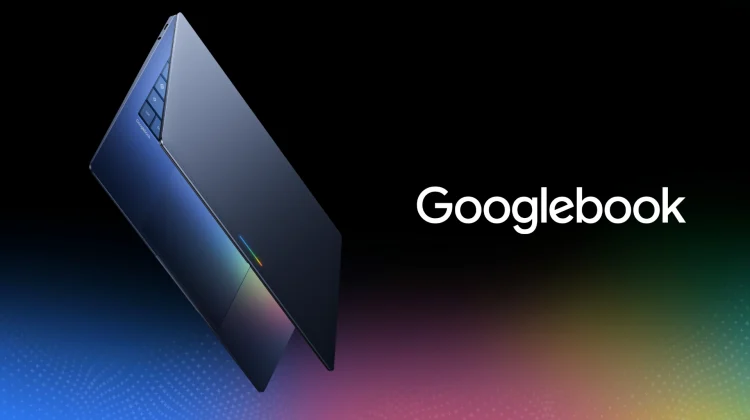
With the official launch of Googlebook just around the corner, we’ve spent a lot of time analyzing the hardware fleet, benchmark leaks, and the handful of software additions we expect to see right at launch. But there is another crucial operational question that hasn’t received any real attention yet: How is Google going to handle software updates on Googlebook?
If you’ve lived in the ChromeOS ecosystem for as long as I have, you know that the update cycle has always been a unique situation. Ever since the beginning, ChromeOS and the Chrome browser have been fused together at the hip, updating together on what used to be a 6-week schedule that has since been adjusted to a quicker, four-week milestone schedule.
However, looking at the modern Android update cadence alongside the major changes coming to the Chrome browser’s own update cycle on the way, I think we have a very clear picture of what the Googlebook update rhythm could look like and why it’s going to be a solid improvement for users.
The ChromeOS dilemma of an OS and browser locked together
Since its inception, ChromeOS carried a fundamental architectural challenge: the entire operating system and the web browser were essentially the same binary.
If Google wanted to patch a minor browser bug or roll out a small UI tweak to the Omnibox, it required compiling, testing, and pushing a full operating system image across dozens of distinct board architectures. If an OEM board ran into a driver conflict during testing, the entire OS update, along with critical browser security patches, could get delayed for weeks.
Google spent years trying to separate them on ChromeOS with “Lacros” (running a standalone Linux version of Chrome on top of the root OS) before eventually shelving the project as the broader transition to Googlebook and native Android took shape.
With Googlebook, however, that architectural separation is solved natively from day one and it will likely change the way updates hit these new laptops and tablets from Google.
Prediction 1: Bi-weekly updates for the Chrome browser
The first piece of the update puzzle is the web browser. Chrome is officially moving to a 2-week release cycle across all major desktop and mobile platforms in just over a week from now. Google is doubling its release velocity to shrink the “patch gap” for emerging web exploits and get web platform APIs into developers’ hands much faster.
On Googlebook, the desktop Chrome browser won’t be tied to system-level kernel builds. Just like Chrome on Windows, macOS, Linux or Android, the browser on Googlebook will simply update independently through standard background app updates.
That means every two weeks, your browser will seamlessly grab the latest rendering optimizations, Gemini web features, and security patches without requiring a full system reboot or an entire OS-level upgrade.
Prediction 2: Monthly OS security patches and Quarterly Feature Drops
But that’s just Chrome updates. Where does that leave the operating system itself? Because Googlebook is built on an Android foundation, it makes complete sense for Google to adopt the battle-tested monthly Android release rhythm. Here is how I expect that cadence to play out across the year:
- Monthly Security & Stability Patches: Just like Pixel devices and modern Android flagships, Googlebook will likely receive predictable, monthly system updates during the first week of every month. These will deliver low-level firmware optimizations, driver stability patches from Qualcomm, MediaTek, and Intel, and core Android security fixes.
- Seamless A/B Background Installation: Thanks to Android’s seamless update architecture (dual boot partitions adopted from ChromeOS), these monthly updates will download and install quietly in the background while you work, applying in seconds the next time you restart your laptop.
- Quarterly Pixel / Googlebook Feature Drops: Rather than holding back user-facing features for one massive annual OS overhaul, Google can package bigger desktop tools into quarterly Feature Drops like we see on Pixel devices.
The best of both worlds
This two-track strategy gives users the ideal balance of speed, security and stability. Your desktop browser can stay on the absolute bleeding edge with rapid, bi-weekly enhancements, while the underlying operating system can enjoy a steady, rock-solid monthly release cadence.
You will hopefully no longer have to worry about a delayed system build holding back a critical browser security patch, nor will you have to endure disruptive OS reboots just to get a minor web fix.
We’ll find out the exact details when Google lays out its long-term software roadmap during the press event in New York just two weeks from now, but all signs point to an update rhythm that is faster, more modular, and far more reliable than anything we’ve had before with ChromeOS. More details soon!
SUBSCRIBE TO UPSTREAM
Get Chrome Unboxed delivered straight to your inbox
Upstream is our flagship, curated newsletter with the top stories, most click-worthy deals, giveaways, and trending articles from Chrome Unboxed sent directly to your inbox a few times a week. Join 31,000+ subscribers.

