

• Skip to main content
  • Skip to primary sidebar
  • Deals
  • Features
  • Guides
  • Chromebooks
  • Videos
  • Podcast
  • More +
    • Reviews
    • Unboxing
    • Upcoming Devices
    • Chromebook Plus
    • Chrome
    • ChromeOS
    • Chrome OS Flex
  • Search
  • Sign Up
  • Log In
Chrome Unboxed – The Latest Chrome OS News

Chrome Unboxed - The Latest Chrome OS News

A Space for All Things Chrome, Google, and More!

  • Deals
  • Features
  • Guides
  • Chromebooks
  • Videos
  • Podcast
  • More +
    • Reviews
    • Unboxing
    • Upcoming Devices
    • Chromebook Plus
    • Chrome
    • ChromeOS
    • Chrome OS Flex
  • Search
  • Sign Up
  • Log In

How to use Google’s quirky illustrations for your contacts’ profile pictures

January 22, 2023 By Michael Perrigo View Comments

Support our independent tech coverage. Chrome Unboxed is written by real people, for real people—not search algorithms. Join Chrome Unboxed Plus for just $2 a month to get an ad-free experience, access to our private Discord, and more. Learn more about membership here.
START FREE TRIAL (MONTHLY)START FREE TRIAL (ANNUAL)

Have you ever noticed that your friends, family members and colleagues stored in Google Contacts have profile pictures that are directly controlled by why they upload to their account? Have you ever noticed how some people are just notoriously terrible at using a high-quality image or even updating it whatsoever? I sure have. I actually have many family members that use blurry, pixelated pictures or simply don’t upload anything at all, leaving me to stare at Google’s default colored circle with the first letter of their name in it.

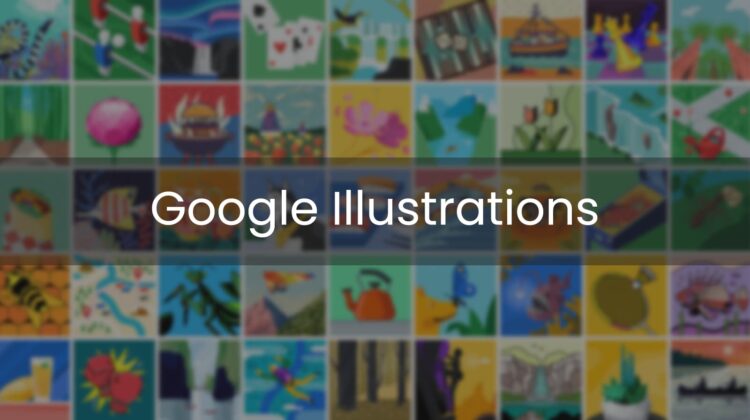
Today, I’m going to teach you how to use Google Illustrations in place of these types of images. Google’s illustrations are cute, fun, and quirky collections of graphics that you can sub in for any contact’s profile picture or even your own! That’s right, you can use them much in the same way that you use the fun profile images on your Chromebook.

Xremove ads

To get started, just open up Google Contacts. From there, select anyone in your list and tap the edit button, which looks like a pencil. Then, tap their profile image, and you should see a few options. “Device” and “Google Photos” have been present for some time as image sources to pick from, but there’s also an “Illustrations” tab on the far left side.

Upon choosing this, you’ll be presented with a slew of wacky, wild, and colorful pieces of art. One or more of these should help you describe those closest to you! Don’t worry, they won’t see this – it’s only for your own eyes.

Featured Videos

Xremove ads

While there is a search box for finding illustrations faster, I’d recommend you scroll through them, even if it’s for entertainment purposes only. There are many categories available to you, and each one features loads of collections with tons of images inside of them. Peek through “Animals”, “Sports and Recreation”, “Hobbies and Interests”, “Food”, and “Nature and Cities and Places” as seen below.

The Keyword

Did you know? You can also set your Google Account profile image as an illustration!

Open any app that shows your profile image at the top right and tap on it. From there, go to Manage your account > Personal info > Photo > Change and follow the same steps discussed above to select a new image.

There are actually so freaking many of these graphics that Google went ahead and included a reload button to show you an entirely new set of categories whenever you want. “Music”, “Historical sites”, “Drinks”, “Books and Writing” and the list goes on. I’m a big fan of these. Once you’ve selected an image, it will overtake the previous contact image that existed in that spot. Enjoy!

SUBSCRIBE TO UPSTREAM

Get Chrome Unboxed delivered straight to your inbox

Upstream is our flagship, curated newsletter with the top stories, most click-worthy deals, giveaways, and trending articles from Chrome Unboxed sent directly to your inbox a few times a week. Join 31,000+ subscribers.

Xremove ads
SUBSCRIBE HERE!

Filed Under: Apps, Guides and How-To's

About Michael Perrigo

Known as "Google Mike" to his customers, Michael worked at Best Buy as a Chromebook Expert who dedicated his time to understanding the user experience from a regular Chromebook owner's perspective. Having spent nearly 20 years meeting you face-to-face, he strives to help you understand your technology through carefully crafted guides and coverage, relentlessly seeking out the spark in what's new and exciting about ChromeOS.

Primary Sidebar

Googlebook

Google’s classic ‘Text’ app is now an Android app for Googlebook on the Play Store

By Robby Payne
September 24, 2026

Why we can now rule out hardware or software bugs for the missing Lenovo Duet m

By Robby Payne
September 24, 2026

Best Buy is giving away free Pixel Buds 2a with any Googlebook pre-order

By Robby Payne
September 23, 2026

Every new Googlebook includes nearly $600 in free software perks

By Robby Payne
September 23, 2026

Our first real look at Googlebook OS in the wild features CapCut, Figma, offline downloads, and games

By Robby Payne
September 23, 2026

More Googlebook

Xremove ads

Deals

The best Chromebook deals today

By Robby Payne
September 2, 2026

The best Chromebook ever made is $350 off at Best Buy right now

By Robby Payne
August 21, 2026

The excellent, powerful Acer Chromebook Plus Spin 514 is $150 off right now

By Robby Payne
August 12, 2026

Acer’s new Chromebook 315 is wildly affordable and points to the real future of Chromebooks

By Robby Payne
August 11, 2026

You can score the massively upgraded ASUS CX54 Chromebook Plus for just $599 right now

By Joseph Humphrey
July 28, 2026

More Deals

Xremove ads

Reviews

Acer Chromebook Plus Spin 514 Review: the best convertible you can buy [VIDEO]

By Robby Payne
July 1, 2026

Lenovo Chromebook Plus 2-in-1 Review: pretty great in a vacuum

By Robby Payne
April 23, 2026

My review after 6 weeks with the Lenovo Chromebook Plus 14 [VIDEO]

By Robby Payne
August 11, 2025

One week with the best small Android tablet you can buy, and I’m sold

By Robby Payne
May 9, 2025

Best Chromebooks of 2024 [VIDEO]

By Robby Payne
November 28, 2024

More Reviews

Xremove ads

TWITTER · FACEBOOK · INSTAGRAM · YOUTUBE · EMAIL · ABOUT

Copyright © 2026 · Chrome Unboxed · Chrome is a registered trademark of Google Inc.
We are participants in various affiliate advertising programs designed to provide a means for us to earn fees by linking to affiliated sites.

PRIVACY POLICY