


Support our independent tech coverage. Chrome Unboxed is written by real people, for real people—not search algorithms. Join Chrome Unboxed Plus for just $2 a month to get an ad-free experience, access to our private Discord, and more. Learn more about membership here.
START FREE TRIAL (MONTHLY)START FREE TRIAL (ANNUAL)
Last week, we published a quick guide on how to create web app shortcuts on ChromeOS for sites that don’t offer a PWA. This is a great way to have an app-like experience for your favorite sites and keep them contained to their own window. However, sometimes, the icon that get automatically created for it, which comes from the site’s favicon, is less than ideal and sometimes downright ugly. When this happens you, unfortunately, get stuck with an icon you don’t like on your Chromebook’s app drawer or shelf. It doesn’t have to be this way.
For example, I use Whatsapp quite a bit, but the icon is surrounded by a square, which is then enveloped in a circle as ChromeOS app icons do. This results, in my opinion, in an extremely weird and ugly icon. If you have created a shortcut for a website and you are not happy with the icon that was created for it, read on for a solution.

How to change the site icon
I came across this solution a few years ago on Reddit and have been using it ever since. It involves creating a bookmarklet and running it to temporarily change the shortcut icon that is cached on your browser, then creating the shortcut again before refreshing that page. Once you refresh that page, the site icon goes back to its original one, however, the shortcut you have created will retain the new custom icon. Let’s go through the steps.
- Copy the below code to your clipboard. This will be the javascript code for your bookmarklet.
javascript:(function() { var links = document.querySelectorAll('link[rel*=icon]'); var href = prompt('Enter your new shelf icon\'s URL'); href && links.forEach((link) => link.href = href); })();- Open the Chrome Bookmark Manager, and create a new bookmark. Title it whatever you want, maybe something like “Icon change,” and paste the code you copied as the URL. Click Save.
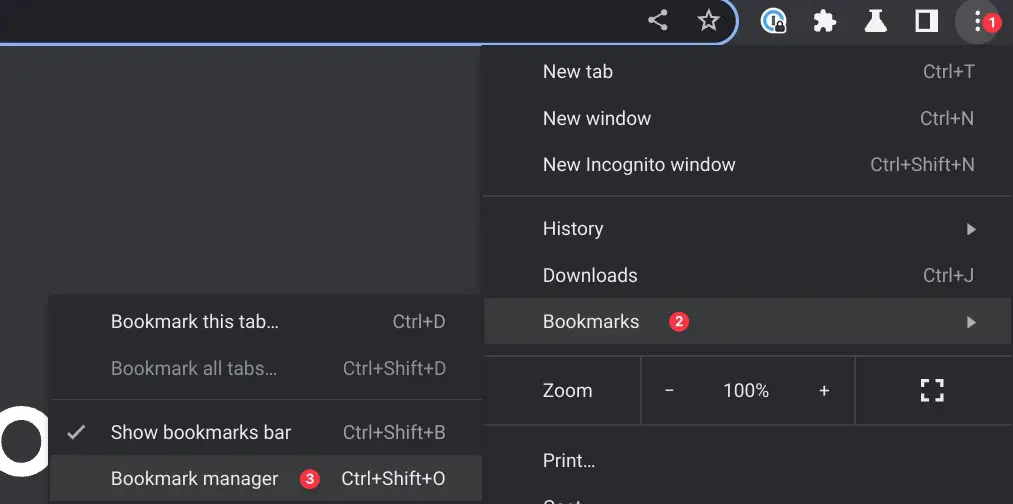
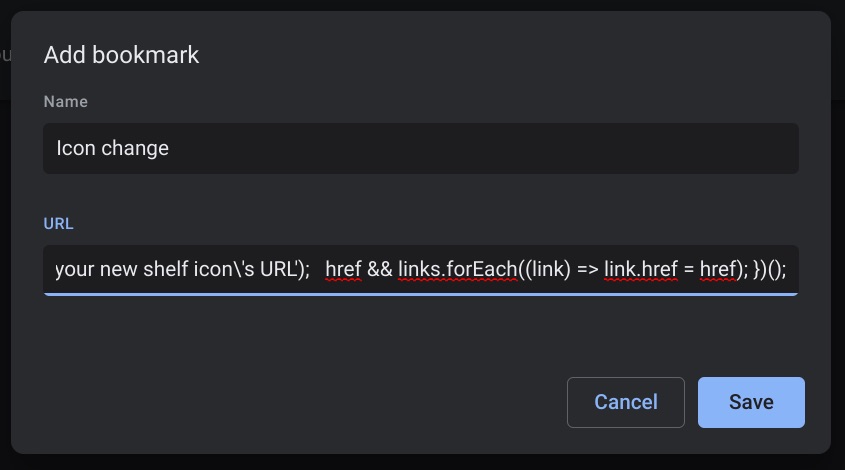
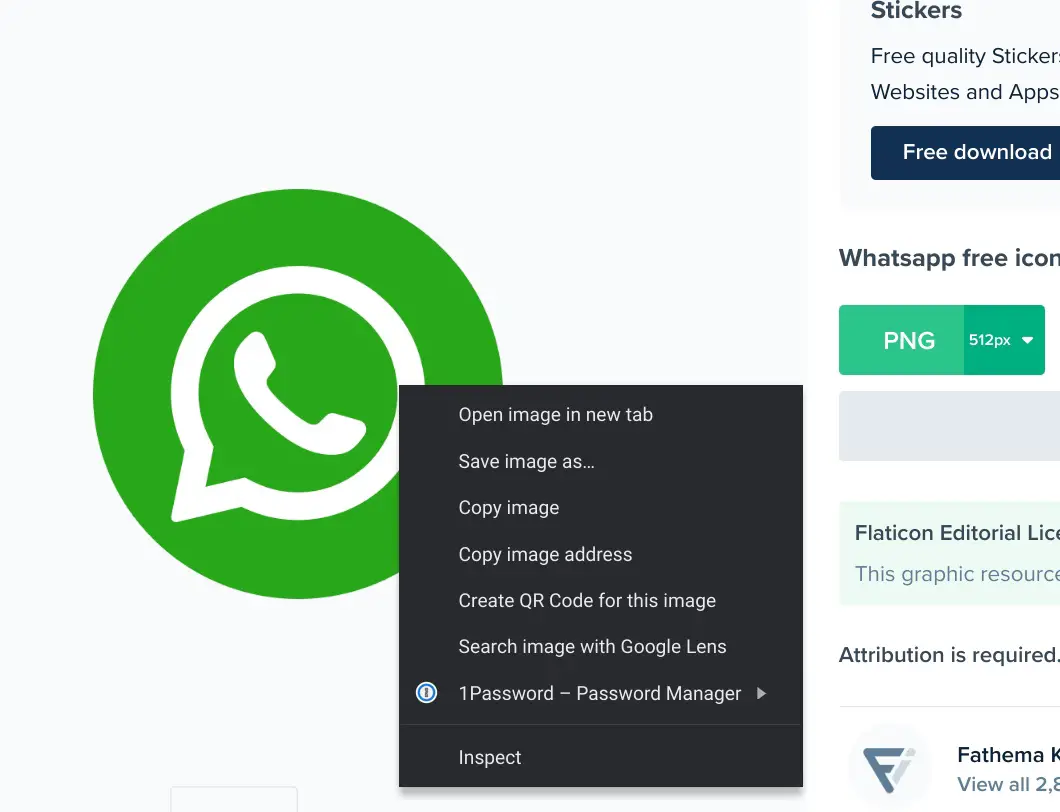
- Find the image you want to use as your new icon and copy the image address. I recommend using a website like Flaticon or Iconfinder. In the below example, I’m copying the image URL for the Whatsapp Icon I want to use.
- Open a new tab and navigate to the site you want to create a shortcut for with your preferred icon.
- Once you are on the site, run the bookmarklet you created in step 2. The bookmarklet will prompt you to enter the new shelf icon URL. Enter the image address you copied earlier and press OK.
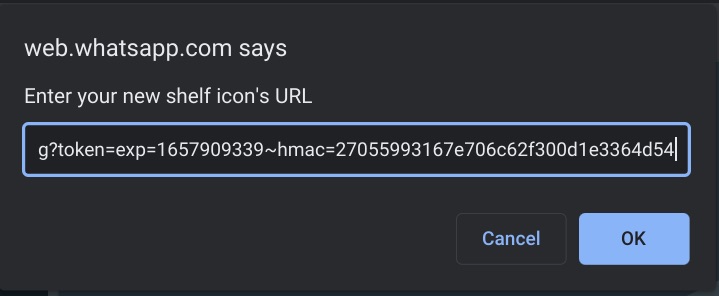
- You’ll notice that the site’s favicon changed and it will remain like this until the page refreshes. At this time, you can proceed with creating (or re-creating) the site’s shortcut by following these instructions.

Once you’re recreated the site shortcut, it will take on the new icon you defined and stay that way unless you delete the shortcut or powerwash. Note that although this works for the majority of sites I have tried, there may be times that the site’s icon won’t change, as is the case with Google apps or sites that are enforcing their own icon. Although not a true solution to this issue, it is an acceptable workaround until Google gives us a way to personalize app icons on ChromeOS.
SUBSCRIBE TO UPSTREAM
Get Chrome Unboxed delivered straight to your inbox
Upstream is our flagship, curated newsletter with the top stories, most click-worthy deals, giveaways, and trending articles from Chrome Unboxed sent directly to your inbox a few times a week. Join 31,000+ subscribers.
