

• Skip to main content
  • Skip to primary sidebar
  • Deals
  • Features
  • Guides
  • Chromebooks
  • Videos
  • Podcast
  • More +
    • Reviews
    • Unboxing
    • Upcoming Devices
    • Chromebook Plus
    • Chrome
    • ChromeOS
    • Chrome OS Flex
  • Search
  • Sign Up
  • Log In
Chrome Unboxed – The Latest Chrome OS News

Chrome Unboxed - The Latest Chrome OS News

A Space for All Things Chrome, Google, and More!

  • Deals
  • Features
  • Guides
  • Chromebooks
  • Videos
  • Podcast
  • More +
    • Reviews
    • Unboxing
    • Upcoming Devices
    • Chromebook Plus
    • Chrome
    • ChromeOS
    • Chrome OS Flex
  • Search
  • Sign Up
  • Log In

Google Wifi Unboxing and Setup

December 9, 2016 By Robby Payne View Comments

Support our independent tech coverage. Chrome Unboxed is written by real people, for real people—not search algorithms. Join Chrome Unboxed Plus for just $2 a month to get an ad-free experience, access to our private Discord, and more. Learn more about membership here.
START FREE TRIAL (MONTHLY)START FREE TRIAL (ANNUAL)
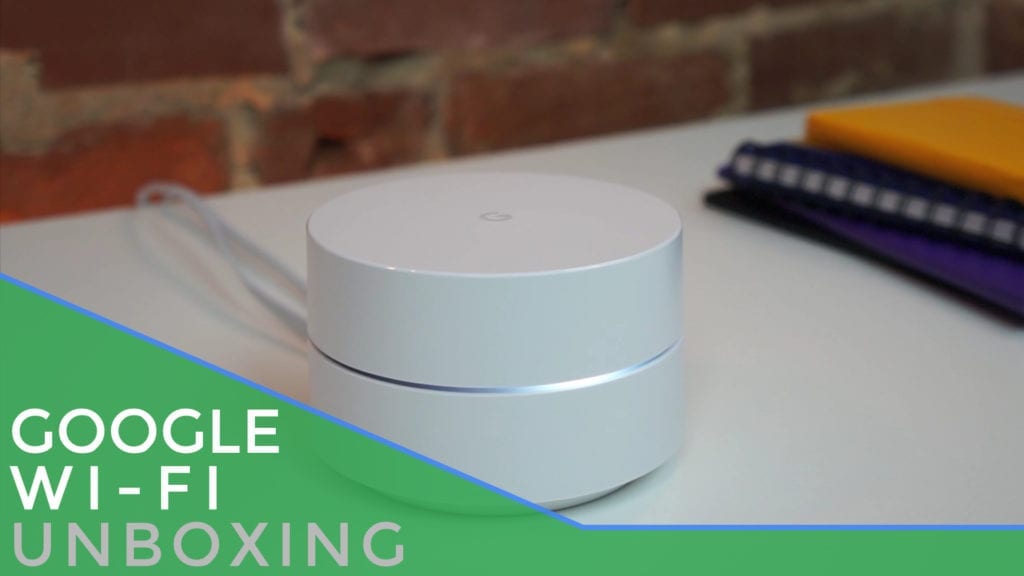
googlewifiunboxsetupWe just received our Google Wifi and have been seriously excited about getting it all set up and running here in the office where we can truly tax its performance.

The results will follow in a review, but for now, check out the video of a beautifully-boxed device that sets up as easy as anything I’ve ever used!

Xremove ads


The Setup

As unboxings tend to go, there’s nothing really outstanding to talk about with the box itself, other than the fact that this thing (like all other #madebygoogle devices) is packaged in beautiful, simple materials.

Featured Videos

Xremove ads

It is really pretty.

Anyway, the real star here is the setup process. In the video, you’ll see exactly how dead-simple this all is.


I’ve never been a fan of router setup in general. It’s usually clunky and too time consuming. I’m simply not a networking guy and I just want a plug-and-play experience.

Xremove ads

Google Wifi delivers.

I’d be willing to bet the least tech-savvy folks you know could get this thing connected.

Here are the steps:

Xremove ads
  • Plug Google Wifi into both power and your modem via Ethernet Cable
  • Open the Google Wifi App
  • Follow the setup steps as it literally walks you through everything (naming, password, location…)

It is so simple, I can’t believe it!

Robust and Simple

The app, with a bit of snooping around, is pretty robust. There are lots of settings, options and goodies. But for a bunch of people, the 2 minutes you spend in the app getting things set up may be the sum total of time spent in this app all together.

For the people who want some pretty serious control, it is there and we’ll talk about it more in the review. Speed tests, traffic and device control, port forwarding…all that is present.

Xremove ads

And you can adjust the LED light brightness!

Whether you are into controlling your network or just want to get on the internet quickly, Google Wifi has you covered.

My impressions are VERY GOOD thus far, but we’ll be back soon with a full review.

ORDER Google Wifi (Amazon)

Xremove ads

Filed Under: All Stories, Google Assistant, News, Unboxing/First Impressions

About Robby Payne

As the founder of Chrome Unboxed, Robby has been reviewing Chromebooks for over a decade. His passion for ChromeOS and the devices it runs on drives his relentless pursuit to find the best Chromebooks, best services, and best tips for those looking to adopt ChromeOS and those who've already made the switch.

Primary Sidebar

Xremove ads

Deals

The best Chromebook deals today

By Robby Payne
May 5, 2026

Save $40 on the Google Pixel Watch 4 before the Spring Sale ends

By Joseph Humphrey
April 24, 2026

Deal Alert: the excellent Lenovo Chromebook Plus 2-in-1 returns to $429

By Robby Payne
April 20, 2026

Lenovo Legion Tab Gen 3 drops to $399, ahead of the much pricier Gen 5 release

By Joseph Humphrey
April 18, 2026

How to get 50% off YouTube Premium for a full year with Google One

By Robby Payne
April 16, 2026

More Deals

Xremove ads

Reviews

Lenovo Chromebook Plus 2-in-1 Review: pretty great in a vacuum

By Robby Payne
April 23, 2026

Acer Chromebook Plus Spin 514 Review: Kompanio Ultra power in a convertible

By Robby Payne
December 24, 2025

My review after 6 weeks with the Lenovo Chromebook Plus 14 [VIDEO]

By Robby Payne
August 11, 2025

One week with the best small Android tablet you can buy, and I’m sold

By Robby Payne
May 9, 2025

Best Chromebooks of 2024 [VIDEO]

By Robby Payne
November 28, 2024

More Reviews

Xremove ads

Guides

This Chromebook trackpad shortcut is definitely not new, but is blowing my mind

By Robby Payne
March 11, 2024

How to reduce broadcast delay on YouTube TV to stop live spoilers

By Robby Payne
December 8, 2023

Windows PC keyboard and Chromebook

How to use a Windows keyboard with a Chromebook

By Joseph Humphrey
December 8, 2023

How reset and revert your Chromebook to the previous version of Chrome OS

By Robby Payne
November 29, 2023

My Chromebook Plus features disappeared: here’s how I fixed it

By Robby Payne
November 24, 2023

More Guides

TWITTER · FACEBOOK · INSTAGRAM · YOUTUBE · EMAIL · ABOUT

Copyright © 2026 · Chrome Unboxed · Chrome is a registered trademark of Google Inc.
We are participants in various affiliate advertising programs designed to provide a means for us to earn fees by linking to affiliated sites.

PRIVACY POLICY