
• Skip to main content
  • Skip to primary sidebar
  • Deals
  • Features
  • Guides
  • Chromebooks
  • Videos
  • Podcast
  • More +
    • Reviews
    • Unboxing
    • Upcoming Devices
    • Chromebook Plus
    • Chrome
    • ChromeOS
    • Chrome OS Flex
  • Search
  • Sign Up
  • Log In
Chrome Unboxed – The Latest Chrome OS News

Chrome Unboxed - The Latest Chrome OS News

A Space for All Things Chrome, Google, and More!

  • Deals
  • Features
  • Guides
  • Chromebooks
  • Videos
  • Podcast
  • More +
    • Reviews
    • Unboxing
    • Upcoming Devices
    • Chromebook Plus
    • Chrome
    • ChromeOS
    • Chrome OS Flex
  • Search
  • Sign Up
  • Log In

Google Wallet preps ID card and Driver’s License Support for Android devices in the United States

December 5, 2022 By Michael Perrigo View Comments

In December’s Google Play System Update, which is rolling out now, several critical fixes for Android Auto, Google TV, and more relating to account management, security, and even the overall user experience are being applied.

We have yet to receive this update, but Phone Arena reports that it includes a number of tweaks to the Play Store itself, Developer Services, and even device connectivity. However, one feature stood out to me and I wanted to highlight it today.

Xremove ads

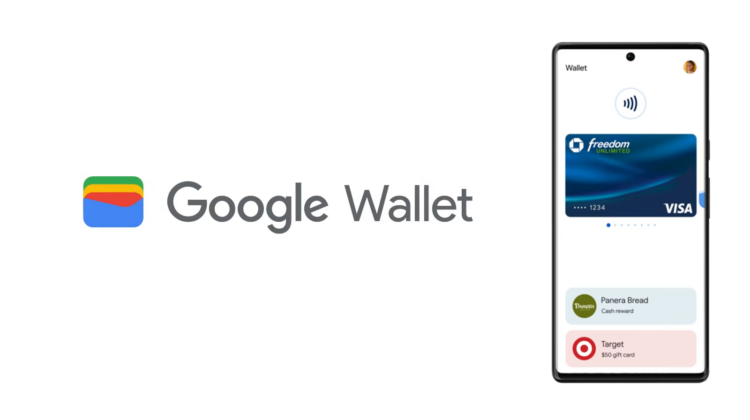
Now that Wallet has finally dropped onto Fitbit Versa 4 and Sense 2 devices, it seems Google is ready to “test drive” its ID card and driver’s license features that were first announced earlier this year. In working with state and local law, the company wants to make it easier for you to leave your wallet at home. To do this, you’d have to have vital documents and cards on your person without physically keeping them present.

The obvious answer to this is that you should store a digital version in an application on your phone, but until now, this has neither been accepted by society nor secure and reliable enough to be adopted by legal authorities.

Featured Videos

Xremove ads

Wallet

[Phone] Beta feature to allow users from selected US states to digitize their state ID or driver’s license into the Google Wallet for convenient, private, and secure presentation.

Google Play System Update Changelog for Wallet

The question remains, however, if users will need to unlock their device in order to show their driver’s license or ID to the DMV, police, or any other person allowed to request it on the fly. If so, this would pose a serious security risk for one’s private data.

My hope is that you can flash your cards without unlocking your device. Of course, this means that your identification would still be visible to anyone who picks up or finds your phone. What if you’re still required to provide biometric authentication in order to reveal your personal ID cards, but your phone remains locked and all of this occurs on your lock screen? It’s going to be very interesting as we watch this technology develop, but one thing is for certain – I’m just glad we’re finally making advancements in this space.

We’ll see soon enough which states receive access to these tools and can upload their driver’s licenses and ID cards. The most important question today though is whether or not you’d trust your vital statistics with Google and on your phone as you’re out and about. Let me know in the comments whether or not you’re going to give this a shot or pass on it when it finally rolls out.

Xremove ads

Join Chrome Unboxed Plus

Introducing Chrome Unboxed Plus – our revamped membership community. Join today at just $2 / month to get access to our private Discord, exclusive giveaways, AMAs, an ad-free website, ad-free podcast experience and more.

Plus Monthly

$2/mo. after 7-day free trial

Pay monthly to support our independent coverage and get access to exclusive benefits.

Xremove ads
Start free trial

Plus Annual

$20/yr. after 7-day free trial

Pay yearly to support our independent coverage and get access to exclusive benefits.

Start free trial

Our newsletters are also a great way to get connected. Subscribe here!

Click here to learn more and for membership FAQ

Xremove ads

Filed Under: Apps, New & Upcoming Features

About Michael Perrigo

Known as "Google Mike" to his customers, Michael worked at Best Buy as a Chromebook Expert who dedicated his time to understanding the user experience from a regular Chromebook owner's perspective. Having spent nearly 20 years meeting you face-to-face, he strives to help you understand your technology through carefully crafted guides and coverage, relentlessly seeking out the spark in what's new and exciting about ChromeOS.

Primary Sidebar

Xremove ads

Deals

The best Chromebook deals today

By Robby Payne
December 26, 2025

The Acer Chromebook Plus Spin 514 hits an all-time low price of $499

By Robby Payne
December 23, 2025

Save $220 on the powerful, versatile Acer Chromebook Plus Spin 714

By Robby Payne
December 10, 2025

The Google Pixel 9a just hit its lowest price ever at $150 off

By Joseph Humphrey
December 8, 2025

At $349, this Lenovo Chromebook Plus is one of the best value laptops you can buy

By Joseph Humphrey
December 3, 2025

More Deals

Xremove ads

Reviews

Acer Chromebook Plus Spin 514 Review: Kompanio Ultra power in a convertible

By Robby Payne
December 24, 2025

My review after 6 weeks with the Lenovo Chromebook Plus 14 [VIDEO]

By Robby Payne
August 11, 2025

One week with the best small Android tablet you can buy, and I’m sold

By Robby Payne
May 9, 2025

Best Chromebooks of 2024 [VIDEO]

By Robby Payne
November 28, 2024

Samsung Galaxy Chromebook Plus Review: Samsung is back! [VIDEO]

By Robby Payne
October 28, 2024

More Reviews

Xremove ads

Guides

This Chromebook trackpad shortcut is definitely not new, but is blowing my mind

By Robby Payne
March 11, 2024

How to reduce broadcast delay on YouTube TV to stop live spoilers

By Robby Payne
December 8, 2023

Windows PC keyboard and Chromebook

How to use a Windows keyboard with a Chromebook

By Joseph Humphrey
December 8, 2023

How reset and revert your Chromebook to the previous version of Chrome OS

By Robby Payne
November 29, 2023

My Chromebook Plus features disappeared: here’s how I fixed it

By Robby Payne
November 24, 2023

More Guides

TWITTER · FACEBOOK · INSTAGRAM · YOUTUBE · EMAIL · ABOUT

Copyright © 2025 · Chrome Unboxed · Chrome is a registered trademark of Google Inc.
We are participants in various affiliate advertising programs designed to provide a means for us to earn fees by linking to affiliated sites.

PRIVACY POLICY