

Support our independent tech coverage. Chrome Unboxed is written by real people, for real people—not search algorithms. Join Chrome Unboxed Plus for just $2 a month to get an ad-free experience, access to our private Discord, and more. Learn more about membership here.
START FREE TRIAL (MONTHLY)START FREE TRIAL (ANNUAL)
Google TV recently slipped up and showed the fact that it may finally be preparing to launch the long-overdue individual user profile switching for its Chromecast, and while that’s a feature I’m truly looking forward to (with bated breath), my mind is currently set on the issues the device currently struggles with instead.
Today, I won’t be talking about the fact that the Chromecast with Google TV that we received in 2020 is now over 2 years old or how ridiculous it is that we still don’t have an upgrade with increased storage space or horsepower. No, today, I’ll be talking about yet another software issue that’s frustrating the hell out of me.
Over the past few months, I’ve noticed that Google TV has a really unhealthy obsession with trying to make me watch Chaos Walking, among other shows and movies that I’ve repeatedly removed from my Watchlist. I’ve already watched it, and I’ve even clicked the “Remove from Watchlist” button with the Chromecast remote. Upon doing so, the movie disappeared, only to re-appear again a few days later or immediately after a reboot like a clingy ex-girlfriend.
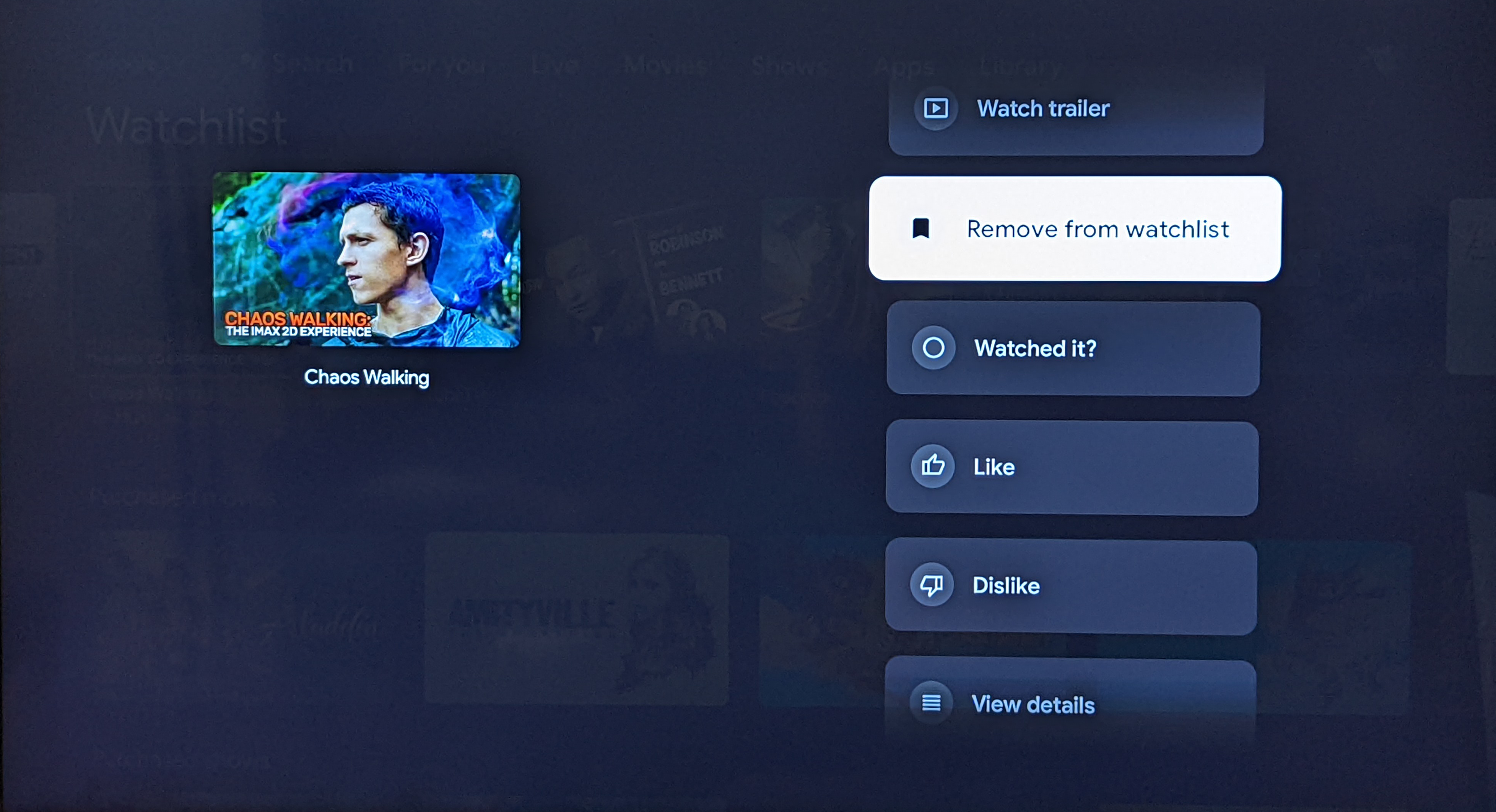
“Chaos Walking” is a fitting name for content that doesn’t go away
What’s even more appalling is the fact that I’ve removed these pieces of content from my “Watchlist” on Google Search, and even via Google Collections to see if there was simply a syncing issue with the TV interface. Unfortunately, this entire ordeal seems to be on Google’s end. Perhaps they have a syncing issue that needs to be resolved.
Either way, the Watchlist is useless to me if it’s more of a “Watched” list. If I keep having to cycle through stuff that I’ve removed in order to find something interesting to sit down to each evening, then I may as well browse freely across the device’s other menus like the “Shows” and “Movies” tabs.
To be honest, this, among other issues as of late like odd visual glitches and discoloration during navigation and playback that have recently plagued my device (a reset fixes this, but it shouldn’t be happening to begin with) have just soured my once magical Google TV experience. I don’t have a faulty outlet, and Google insists that I check with my ISP to resolve the problem. I have, and they have stated that such an odd thing really has nothing to do with my internet speeds.
Google is known for having annoying sync issues with user data, and this latest problem just reinforces the larger issue at hand. Chromebook users who actually care about organizing and utilizing apps and web apps in their launcher have not been able to do so reliably for years as changes are reverted the moment they reboot their laptops. I hope that the company looks into these detrimental aspects of the user experience and prioritizes them in order to make their services more worth using across the board.
SUBSCRIBE TO UPSTREAM
Get Chrome Unboxed delivered straight to your inbox
Upstream is our flagship, curated newsletter with the top stories, most click-worthy deals, giveaways, and trending articles from Chrome Unboxed sent directly to your inbox a few times a week. Join 31,000+ subscribers.

