

Support our independent tech coverage. Chrome Unboxed is written by real people, for real people—not search algorithms. Join Chrome Unboxed Plus for just $2 a month to get an ad-free experience, access to our private Discord, and more. Learn more about membership here.
START FREE TRIAL (MONTHLY)START FREE TRIAL (ANNUAL)
Google Search is undergoing another major upgrade, expanding far beyond static text snippets and blue links into a dynamic, interactive workspace.
According to a new post over at News from Google, the company is introducing five major updates across Google Search, AI Mode, and Google Lens designed to make researching, studying, and understanding complex topics significantly easier – perfectly timed for the beginning of the school year across all grade levels.
The highlight of the rollout is the deep integration of Gemini Notebook (formerly NotebookLM) directly into Search, alongside interactive 3D simulations in AI Overviews and automated one-pager document creation. Here is a quick breakdown of the five new capabilities coming to Google Search
1. Gemini Notebooks integrated directly into Search
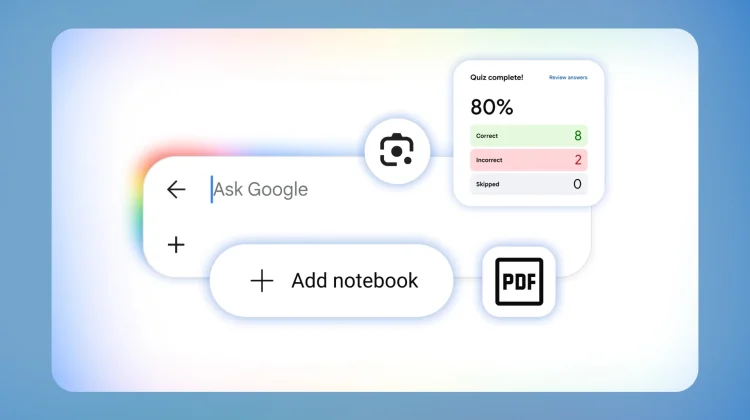
One of Google’s most popular AI experiments, Gemini Notebook (formerly NotebookLM), is moving straight into the search experience as Google is rolling out notebooks to AI Mode in Search. Instead of jumping to a separate app, you can build dedicated research notebooks for individual classes, projects, or work topics right from your search bar:
- Multi-Source Ingestion: You can ground your search queries by uploading lecture slides, course syllabi, PDFs, relevant web articles, and even past AI Mode conversation threads directly into a notebook.
- Cross-Product Syncing: Any notebooks you already have inside the Gemini app or Gemini Notebook will automatically sync to Google Search, keeping your sources and instructions unified across devices.
Notebooks in AI Mode are rolling out in English across more than 180 countries over the coming days (excluding the EEA).
2. Interactive visuals and 3D simulations
Reading static paragraphs about complex scientific or mechanical topics often falls short. To fix this, Google Search can now generate interactive visual widgets and simulations directly within AI Overviews and AI Mode.
- Dynamic Science Models: Search for “pH scale”, and Search generates an interactive slider to demonstrate acidity and alkalinity in real time. You can follow up with specific prompts – like plotting citrus fruits on the scale – and the visual updates dynamically.
- 3D Visualizations: In AI Mode, you can request hyper-specific tools, simulations, or rotating 3D models to better visualize physics problems, molecular structures, and mathematical charts.
Generative UI capabilities are live globally in English in AI Mode and are actively rolling out to AI Overviews over the coming weeks.
3. Create ready-to-use study docs from raw notes and slides
Instead of manually copying, pasting, and organizing messy notes into a coherent document, Search can now compile them for you. In AI Mode, you can upload multiple raw inputs – such as a photo of handwritten lecture notes combined with slide decks – and prompt Search to generate a custom one-pager, outline, or study guide summarizing key concepts.
The custom file creation feature has rolled out globally in English for documents, slide presentations, spreadsheets, and text files, with support expanding to AI Overviews soon.
4. Official practice quizzes for standardized tests
Google is bringing interactive, expert-vetted practice quizzes directly into Search results and AI Overviews. Through partnerships with trusted educational authorities like The Princeton Review, Careers360, Physics Wallah, and Akira Enem, you can prompt Search to build interactive prep quizzes for specific subjects or major standardized tests, including:
- Standardized Exams Supported: ACT, SAT, AP exams, GRE, LSAT, MCAT, JEE, NEET, and ENEM.
- Instant Explanations: When you submit an answer, Search delivers an interactive breakdown explaining why the answer was right or wrong, along with direct source links to dive deeper.
Practice quizzes are now available globally in English free of charge in both AI Overviews and AI Mode.
5. Step-by-step problem breakdown in Google Lens
Google Lens is receiving a major interactive coaching upgrade, too. When you get stuck on a difficult math problem, diagram, or worksheet, you can tap the Lens camera icon in the Google app (iOS and Android) and snap a photo. Rather than just handing you a bare answer, Lens delivers an AI Overview that walks through the step-by-step logic, points out exactly where you made a mistake in your written work, and helps coach you through the solution.
If you need further clarification, you can seamlessly transition into AI Mode to ask follow-up questions in a conversational thread. This new Lens coaching experience will roll out globally in English over the coming weeks.
SUBSCRIBE TO UPSTREAM
Get Chrome Unboxed delivered straight to your inbox
Upstream is our flagship, curated newsletter with the top stories, most click-worthy deals, giveaways, and trending articles from Chrome Unboxed sent directly to your inbox a few times a week. Join 31,000+ subscribers.

