

Support our independent tech coverage. Chrome Unboxed is written by real people, for real people—not search algorithms. Join Chrome Unboxed Plus for just $2 a month to get an ad-free experience, access to our private Discord, and more. Learn more about membership here.
START FREE TRIAL (MONTHLY)START FREE TRIAL (ANNUAL)
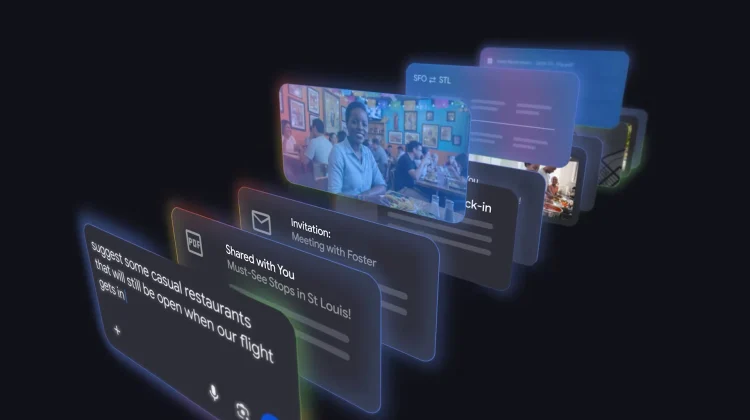
Google is continuing to evolve Search from a tool that knows the world into one that knows the world and you. In a major update to its “AI Mode,” Google has announced the expansion of Personal Intelligence – a feature that allows the search engine to securely tap into your personal context from Gmail and Google Photos to provide tailored, highly relevant responses.
For years, Search has been the place to find global information, but this move aims to bridge the gap between what’s out there and what’s happening in your life. By connecting the dots across your Google ecosystem, Search can now provide answers that a generic AI simply couldn’t.
How Personal Intelligence works
Starting today, users with Google AI Pro and AI Ultra subscriptions can opt-in to link their Gmail and Google Photos directly to Search’s AI Mode. This isn’t just a simple keyword search through your emails; it uses Google’s latest Gemini 3 model to understand intent and context.
Because it has access to your flight confirmations, hotel bookings, and even your photo library, Search can act more like a personal assistant. Instead of just giving you a list of things to do in a specific city, it can suggest an itinerary based on your actual travel dates and preferences it has gathered from your past memories.
Real-world utility: Travel and Shopping
The power of this integration is most evident in the way it handles complex, multi-layered queries. During testing, Google highlighted a few key scenarios where this becomes a game-changer:
- Travel Planning: If you’re searching for things to do on an upcoming trip, AI Mode can reference your hotel booking in Gmail and your family’s interests in Google Photos. It might suggest a specific museum for the kids or an ice cream parlor you’ve visited before, creating a starting point for a trip that fits your specific family dynamic.
- Intelligent Shopping: If you need a new coat for a trip to Chicago in March, Personal Intelligence already knows your destination and timing from your flight confirmation. It can then cross-reference the brands you’ve bought in the past to suggest windproof, versatile options that match your style and the expected weather.
Beyond productivity, Google is also leaning into the fun side of personal AI, allowing users to ask creative questions like “Describe my perfect day” or “If my life were a movie, what would the genre be?” based on their personal history.
Privacy and the Opt-in approach
Whenever an AI starts looking through private emails and photos, privacy is the top concern. Google is emphasizing that Personal Intelligence is strictly an opt-in experience. Users have to manually choose to connect their apps, and these connections can be toggled on or off at any time.
Crucially, Google states that AI Mode does not train its core models directly on your Gmail inbox or Photos library. The “learning” is contained to the specific prompts and responses within AI Mode to improve functionality over time without compromising the privacy of your data.
Who can use it and how to get it
This feature is currently rolling out as a Labs experimental feature. It is available to personal Google accounts in the U.S. (English) that are subscribed to the Google AI Pro or AI Ultra tiers. Notably, this is not yet available for Workspace business, enterprise, or education accounts.
If you’re a subscriber, you can check for an invitation in AI Mode or manually enable it by tapping your profile in the Search app, navigating to “Search personalization,” and selecting “Connected Content Apps.”
SUBSCRIBE TO UPSTREAM
Get Chrome Unboxed delivered straight to your inbox
Upstream is our flagship, curated newsletter with the top stories, most click-worthy deals, giveaways, and trending articles from Chrome Unboxed sent directly to your inbox a few times a week. Join 31,000+ subscribers.

