

Support our independent tech coverage. Chrome Unboxed is written by real people, for real people—not search algorithms. Join Chrome Unboxed Plus for just $2 a month to get an ad-free experience, access to our private Discord, and more. Learn more about membership here.
START FREE TRIAL (MONTHLY)START FREE TRIAL (ANNUAL)
Google is rolling out a massive wave of updates to the Google Play Store today, and the headline feature completely changes how everyday users can build and run software on their devices.
According to a new announcement from Google, the Play Store is transitioning from a place where you simply download existing apps to a platform where you can launch the ones you create yourself with no developer background required. Here is a quick breakdown of everything arriving in the latest Google Play update.
“Vibe code” and run personal apps without a developer account
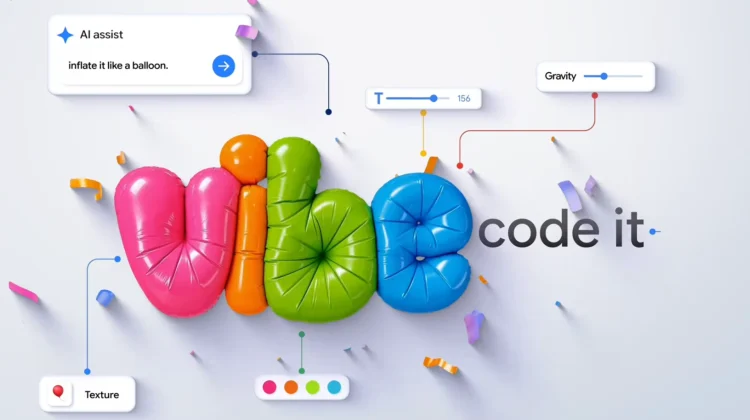
The biggest addition today is the ability to build custom Android apps using Google AI Studio and deploy them directly to your own device through Google Play.
Google specifically highlights that users can now “vibe code” personal projects – like a custom stat-tracker for a local rec league or a hyper-specific family organizer – and launch them using just a standard Google account.
- No Developer Account Needed: You don’t have to pay registration fees or jump through publishing hoops to get your custom app onto your phone.
- Private and Secure: These personal apps remain completely separate from the public Play Store catalog.
- Future Sharing: Rolling out today in the U.S. (for users 18+), the feature is currently limited to your own device. However, Google notes that in the coming months, you will be able to share your custom apps privately with a close circle of friends and family, or eventually graduate the project to a professional developer account for public release.
Smarter discovery and Googlebook optimizations
Alongside personal app creation, Google is overhauling how you find content across different form factors and inside the store itself:
- Built for Googlebook & Beyond: The Play Store is adapting better to non-phone screens. On the new Googlebook platform, apps optimized for large screens are now pushed front and center. Cars with Google built-in are getting an adapted UI, and Android XR users now get an immersive 3D space where apps surround them as they browse.
- Ask Play & Play in Gemini: “Ask Play” can now generate side-by-side comparisons between similar apps, breaking down key differences and user sentiment. Additionally, “Play in Gemini” is rolling out soon to bring app and game recommendations directly into your Gemini chats.
- Sports Topic Pages: You can now follow live scores and jump directly into streaming apps for major soccer leagues, including the Premier League, Champions League, La Liga, Liga MX, and MLS.
“Gamer DNA,” 48-hour Sprints, and PC expansions
Mobile and PC gaming on Google Play also received a hefty set of community and discovery upgrades:
- Game Finder & Gamer DNA: Rolling out in the U.S. today, Game Finder analyzes how you play and your stated preferences (mechanics, art styles, genres) to build your “Gamer DNA.” It uses this profile alongside data from similar players to recommend titles that actually match your taste, rather than just pushing what is popular. You can also curate and soon share custom “Game Playlists.”
- Sprints & Sidekick: Available globally today, “Sprints” are fast-paced, 48-hour micro-challenges that match you with groups of two to five players. You can track Sprints and record 30-second gameplay “Playbacks” using the new Sidekick in-game overlay.
- Community Posts: Game detail pages now feature a built-in Q&A forum with automatic language translation so players can help each other out directly in the store.
- Big Games & Trials: Major titles like Dave the Diver and Warhammer 40,000: Boltgun are arriving on Play (with REPLACED, Chosen by Odin, and Over the Hill coming soon), complete with cross-save support between Android mobile and PC. Google is also expanding free limited-time Game Trials to PC titles.
Finally, Google is adding a new Family Link feature that lets parents share a child’s general age range directly with apps to ensure age-appropriate experiences without oversharing personal data.
Most of these updates, alongside this week’s Play Fest points event, are beginning their rollout today. Be sure to check your Play Store app over the next few days to see the new layout and tools in action.
SUBSCRIBE TO UPSTREAM
Get Chrome Unboxed delivered straight to your inbox
Upstream is our flagship, curated newsletter with the top stories, most click-worthy deals, giveaways, and trending articles from Chrome Unboxed sent directly to your inbox a few times a week. Join 31,000+ subscribers.

