

Support our independent tech coverage. Chrome Unboxed is written by real people, for real people—not search algorithms. Join Chrome Unboxed Plus for just $2 a month to get an ad-free experience, access to our private Discord, and more. Learn more about membership here.
START FREE TRIAL (MONTHLY)START FREE TRIAL (ANNUAL)
In an effort to further support at distance learning and as a direct response to the increased usage of Google Meet, Google has added several new safety and engagement features to the software which should help teachers manage their interactions easier. The official blog post features a trove of content which is discussed at length, but we’re going to simplify it here for you today.
Safety
First, Google Meet is gaining several tools that will help teachers protect not only their students but also their bandwidth. In addition to last year’s security controls and advanced safety locks, they’ll be adding the following tools over the coming months:
- An option for teachers to end meetings for everyone including students in breakout rooms
- Mute all participants
- Control when students can unmute themselves
- Access to key moderation tools for educators on tablets or phones (controlling who can join a meeting or screen share)
- When meetings are generated from Google Classroom, students won’t be able to join before the teacher, and teachers will be the meeting host by default
- Meet will look at the Classroom roster and only allow registered students to join a meeting
- Meetings that are not started from Classroom will support multiple hosts so teachers can help one another facilitate
Wow! That’s quite a bit. I particularly love how most of these features are focused on keeping students and teachers on the same page. With distanced learning, I’ve heard that many users have had extensive issues with synchronicity in areas regarding procedures and that it’s been a challenge to replicate the nuances of the physical classroom over the web. Here’s to hoping these updates resolve a bunch of that when they finally release!
Engagement
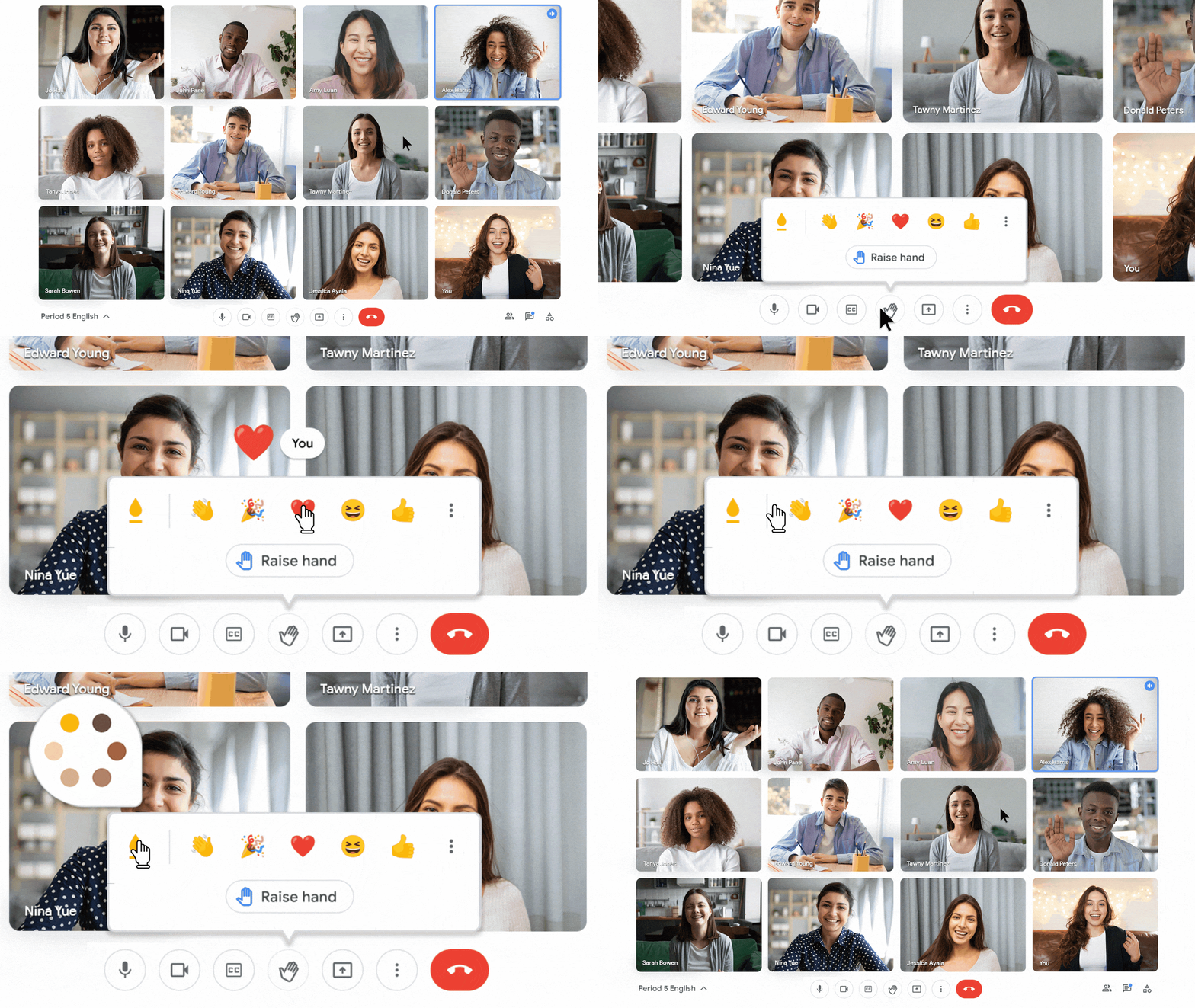
Regarding engagement improvements, Google Meet is adding emoji reactions so that students can express themselves while muted. This way, teachers can gauge reactions to their content without being interrupted. Emoji can be hand-picked by the teacher, and students can even customize the skin tone of the emoji to better represent themselves. Though I feel like this should have been a thing for more than a year now, I think that video meetings were more of a basic utility pre-pandemic, and emoji probably would have been seen as “unprofessional”.
We’ve already covered the updates to Google Meet on Chromebooks, but now, the company is improving the performance of the software across the board for users with low bandwidth connections! This is fantastic and well in-line with the needs of the current state of our society.
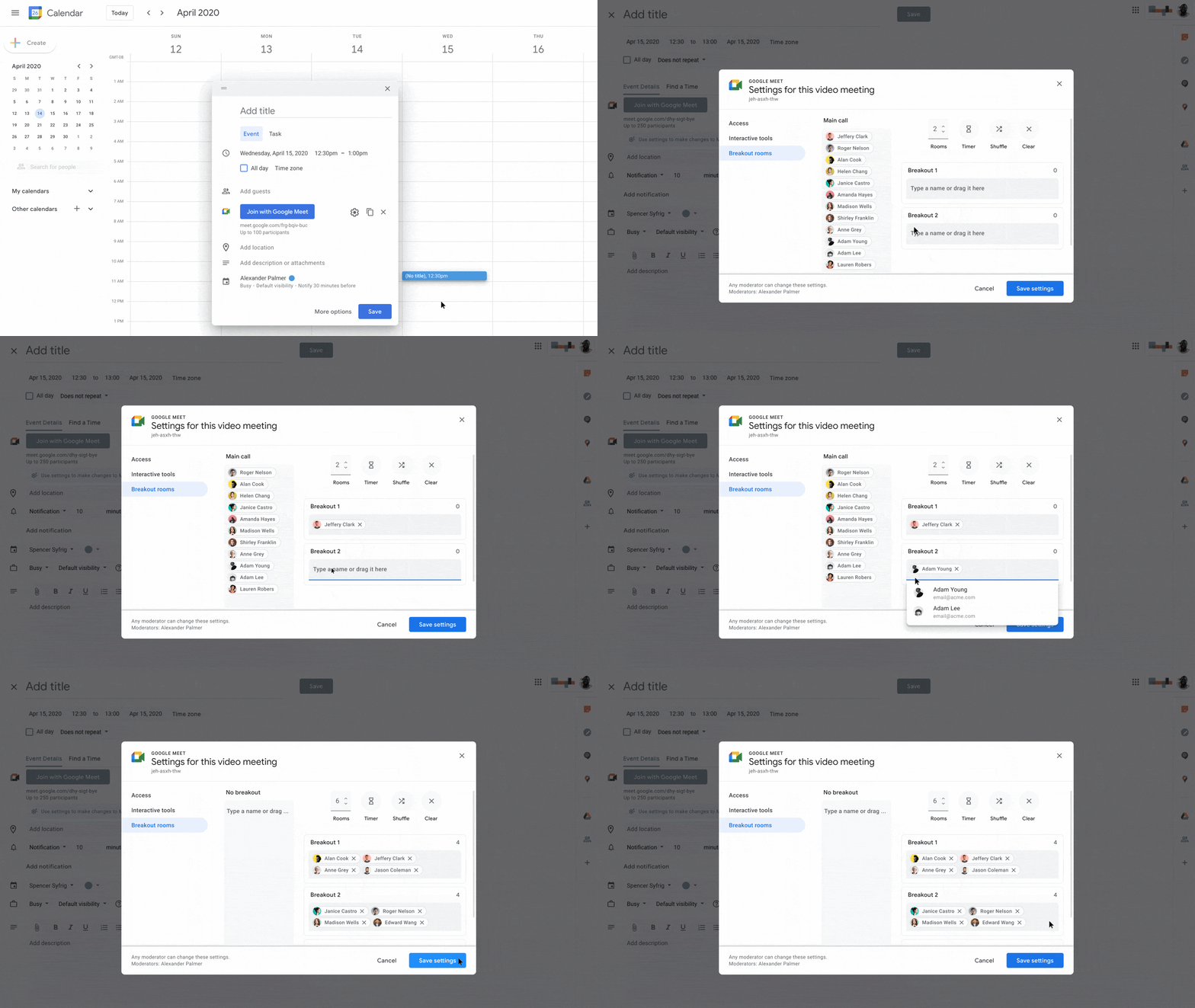
Teachers will also be able to proactively set up breakout rooms ahead of time in Calendar. This should help them save time and coast right through the lesson plan, no longer getting caught up on how to sort people out for smaller group sessions.
Lastly, students will be able to get a transcript of the meeting if they weren’t able to attend on that day. This is coming later this year though, and will probably be the last thing to roll out. Google Meet just became one beast of a tool for distanced learning, and they’re taking it very seriously. It’s incredible to see how much work they’ve put into this since the pandemic began, and I have a feeling that while their focus has really been on how they can serve their users, it may also be fueled by the competition’s vigor for innovation. At this point, I can’t think of anything they haven’t added or plan to add.
SUBSCRIBE TO UPSTREAM
Get Chrome Unboxed delivered straight to your inbox
Upstream is our flagship, curated newsletter with the top stories, most click-worthy deals, giveaways, and trending articles from Chrome Unboxed sent directly to your inbox a few times a week. Join 31,000+ subscribers.

