


Support our independent tech coverage. Chrome Unboxed is written by real people, for real people—not search algorithms. Join Chrome Unboxed Plus for just $2 a month to get an ad-free experience, access to our private Discord, and more. Learn more about membership here.
START FREE TRIAL (MONTHLY)START FREE TRIAL (ANNUAL)
A few weeks ago, Google Maps added a data layer to the service which shows you up-to-date COVID-19 information about cases near you. The update was pushed in an effort to help you make wiser decisions regarding your family’s health and safety during the pandemic. Today, during their Search On event, Google has outlined a few more helpful tools for Maps that could help you practice social distancing. We’re told that these new features will be available ‘soon’, but no specific date was given. Our guess is that users will begin to see them appear at different times thanks to Google’s staged roll out approach.
Busyness Updates
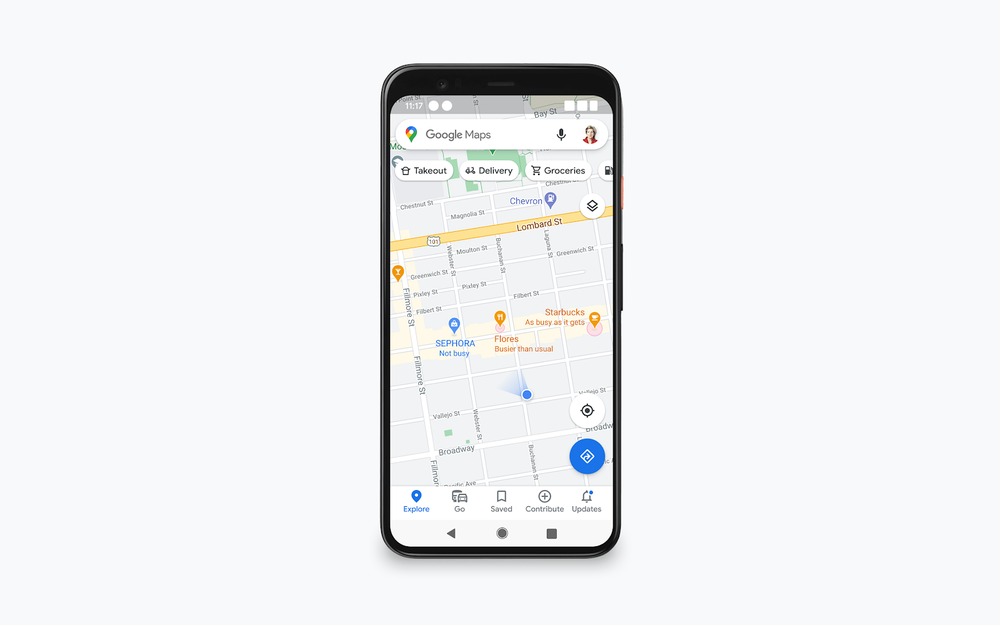
One of the most popular features in Maps has been the ability to search for whether or not an establishment is busy at varying times throughout its hours of operation and to see trends for this as well. During the pandemic, more people have started to use this tool to improve their success with social distancing practices. In fact, Google says that it’s being used 50% more than it was prior to this societal shift. Now, you’ll be able to see busyness information without even searching for it! Opening the map, you’ll be presented with a sort of ‘hot spot’ for each business which will have a larger or smaller red circle around it based on how busy it is at that time. If you do search for a business, an indicator will show at the top of the screen as you navigate to your destination.

Live View overlays business information on their front door
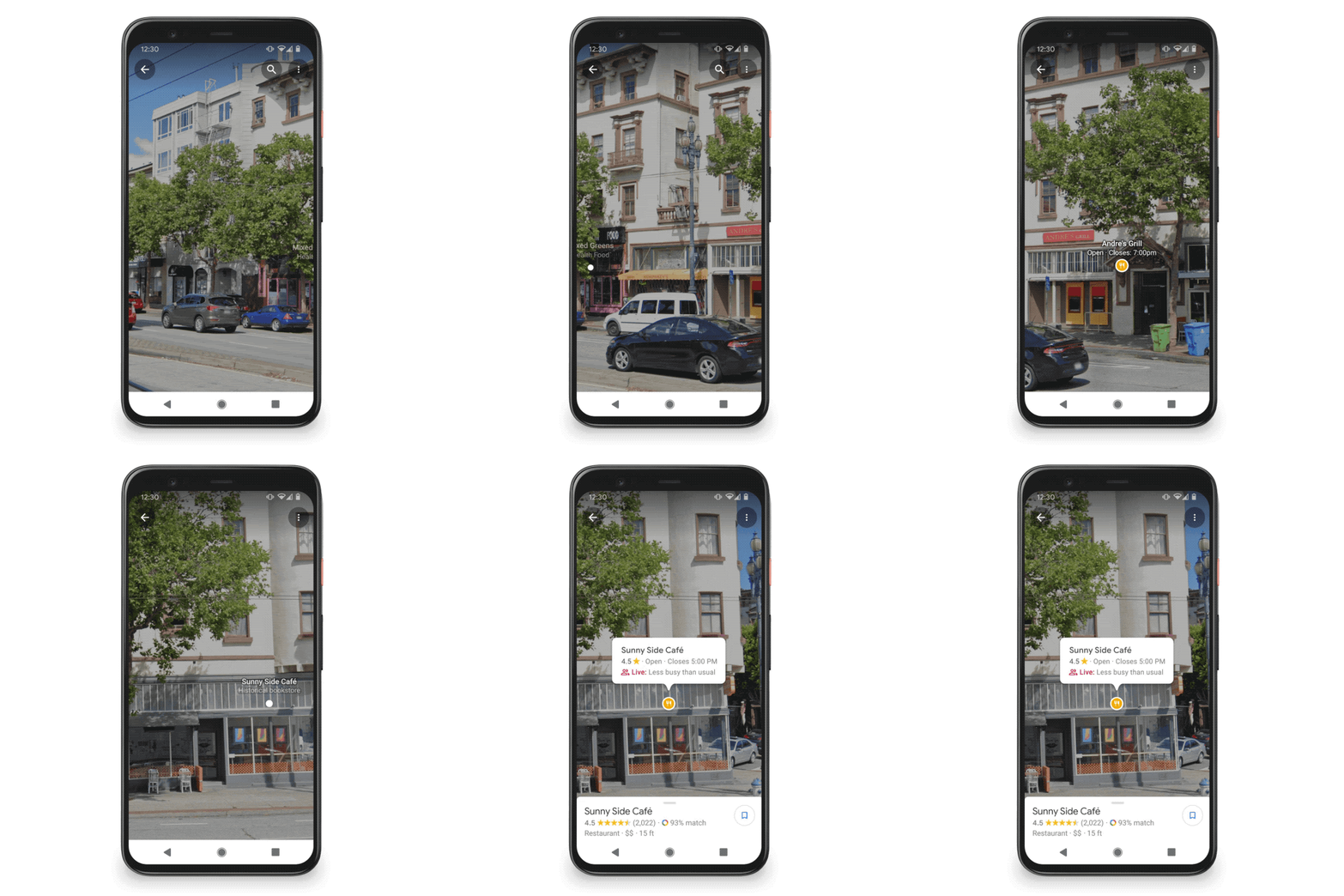
An update to Live View now plasters a business’s maps listing information right on their front door, well, sort of. Just activate Live View from within Google Maps, point the camera at a physical business location as you walk around town (with a mask) and an icon for that place will pop up with its hours of operation. Clicking it will show their star rating and their current busyness level. At the bottom of your screen, you’ll still be presented with the full Maps listing where you can see photos, reviews, an indoor view if there is one and more. Google wants to save you from having to go inside of a business if you can avoid it. The best protection against COVID-19 is social distancing, after all.
Health and Safety Information on map listings
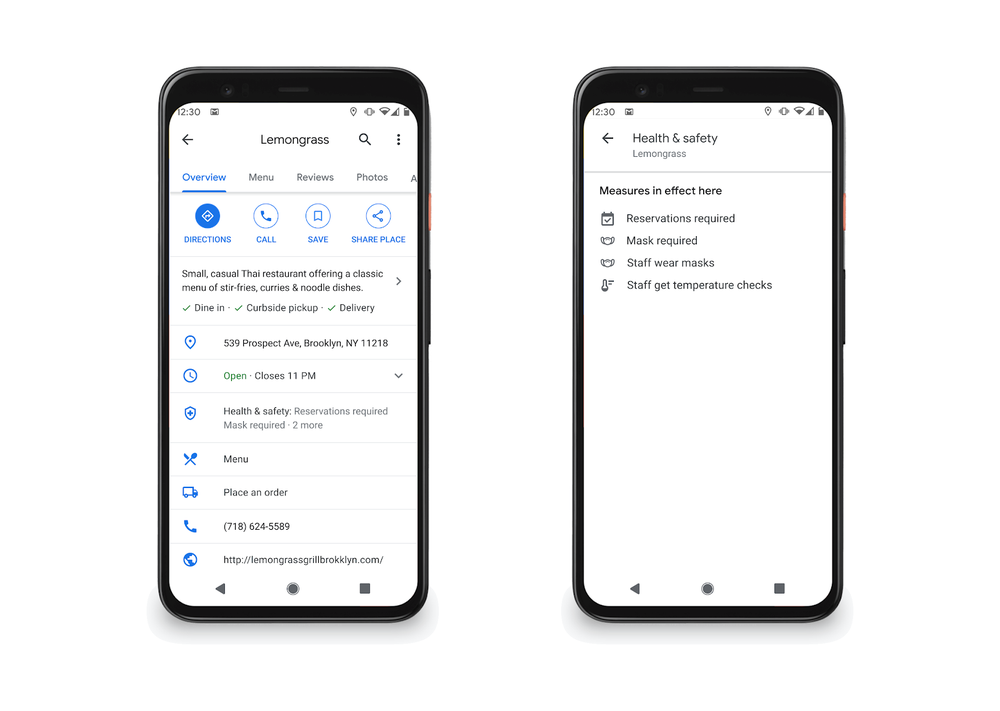
Perhaps the most important update that Google spoke about today, in my opinion, is the ability to see health and safety information directly on a map listing. It truly is a testament to how the company is stepping up to meet our cultural needs as they arise. Seeing whether or not a location requires you to wear a mask or to get your temperature checked prior to entering, in addition to seeing whether or not the staff there wear masks themselves or use plexiglass to separate themselves from their customers is incredibly useful. We have some indication that in order to allocate such a mass of data across the globe, Google has been using its eerily human Duplex technology to call business and inquire whether or not these precautions are in place.
SUBSCRIBE TO UPSTREAM
Get Chrome Unboxed delivered straight to your inbox
Upstream is our flagship, curated newsletter with the top stories, most click-worthy deals, giveaways, and trending articles from Chrome Unboxed sent directly to your inbox a few times a week. Join 31,000+ subscribers.

