

Support our independent tech coverage. Chrome Unboxed is written by real people, for real people—not search algorithms. Join Chrome Unboxed Plus for just $2 a month to get an ad-free experience, access to our private Discord, and more. Learn more about membership here.
START FREE TRIAL (MONTHLY)START FREE TRIAL (ANNUAL)
For over a decade and a half, Chrome’s powerful and versatile address bar (affectionately known as the Omnibox) has lived in one place: permanently pinned to the top of your active browser window. Whether you’re typing a URL, searching Google or running quick math conversions, you always had to have Chrome open on your screen to use it. But that traditional model is about to fundamentally change.
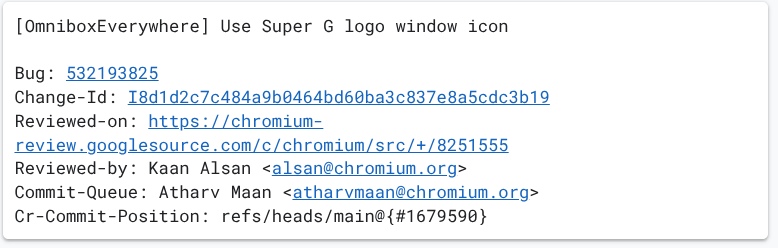
A massive surge of commits in the Chromium Gerrit under the project name “OmniboxEverywhere” (also tied to the internal flag omnibox-loom) reveals that Google is decoupling the Omnibox from the browser entirely.
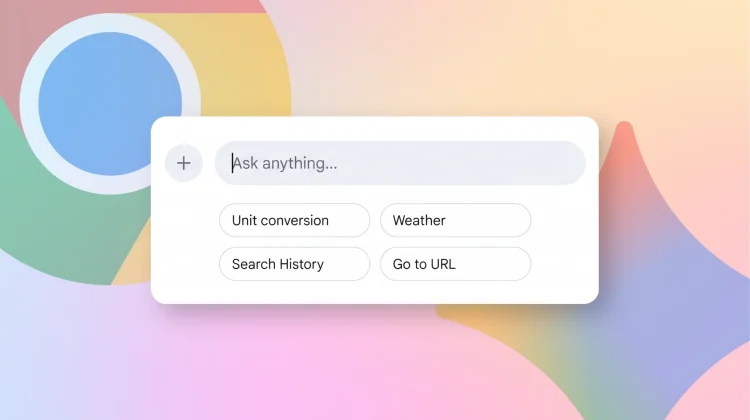
Instead of remaining trapped inside a browser tab, Google is transforming the Omnibox into a floating, system-wide desktop HUD powered by Gemini. Think of it as Google’s direct answer to macOS Spotlight, Raycast, or Windows PowerToys Run – putting Search, browser navigation, and multi-modal AI just a single keystroke away across your entire operating system.
How “Omnibox Everywhere” will work
Looking through the recent code commits in the Chromium repository, we can see exactly how this floating search bar will work in day-to-day use:
- Summon it from anywhere: You can pop open the search bar with a quick keyboard shortcut (
Ctrl+Shift+Spaceon Windows and Linux orCmd+Shift+Spaceon Mac). If you prefer using a mouse, commits show there will also be a handy system tray icon to launch it in the background without needing a full Chrome window open. - Built-in Gemini AI and file attachments: Instead of the usual “Search Google or type a URL” text, you’re greeted with an “Ask anything” prompt. It integrates Google’s Gemini AI directly into the bar, and thanks to new tools like Mac ScreenCaptureKit support, you’ll be able to quickly attach files or screenshots right from your desktop for instant answers.
- It stays out of your way: Rather than disappearing the second you click somewhere else, recent code updates allow the search bar to simply slip behind your active window. That way, your query stays right where you left it until you’re ready to bring it back into focus.
- Move it wherever you want: It isn’t locked to the center of your screen. Google added smooth drag-and-drop support, meaning you can click, grab, and reposition the floating bar anywhere on your desktop that feels comfortable.
- Remembers your work vs. personal profile: If you juggle multiple Google accounts, code for profile persistence ensures the overlay remembers which profile you used last even after a reboot, so your history, bookmarks, and Gemini responses always match the right account.
An early look at what’s coming
Because “OmniboxEverywhere” is still seeing heavy daily code commits in the Chromium repository, this feature is very much in active development. It currently lives behind early developer flags and internal unit tests, meaning it likely won’t hit stable Chrome releases for a little while. We’ll be tracking the Gerrit closely as more UI elements and capabilities come online, so be sure to stay tuned to Chrome Unboxed for more!
SUBSCRIBE TO UPSTREAM
Get Chrome Unboxed delivered straight to your inbox
Upstream is our flagship, curated newsletter with the top stories, most click-worthy deals, giveaways, and trending articles from Chrome Unboxed sent directly to your inbox a few times a week. Join 31,000+ subscribers.

