

Support our independent tech coverage. Chrome Unboxed is written by real people, for real people—not search algorithms. Join Chrome Unboxed Plus for just $2 a month to get an ad-free experience, access to our private Discord, and more. Learn more about membership here.
START FREE TRIAL (MONTHLY)START FREE TRIAL (ANNUAL)
Well, it’s been a wild ride. Dating back almost 4 years ago now, LaCros has been a topic of discussion for us here at Chrome Unboxed on a rotating schedule. From the early days when it felt very much like an experiment to last year when Google made things quite official, the end goal and point of LaCros has always been a tad bit muddy at best.
If over the course of those 4 years you missed out on all of this, the premise is simple even if the execution was not. LaCros (short for Linux and ChromeOS) was built as a standalone Chrome browser intended to run on ChromeOS. While we’ve obviously always had a Chrome browser on Chromebooks, LaCros was intended to split the browser from the underlying OS so that updates could happen more quickly.
The last 6 months or so have seen great strides with LaCros, and there are many Chromebook users that enable the feature flag with regularity and rely on this different, updated version of the Chrome browser on their Chromebooks. From the outside looking in, it has felt like LaCros was ready to launch at any moment.
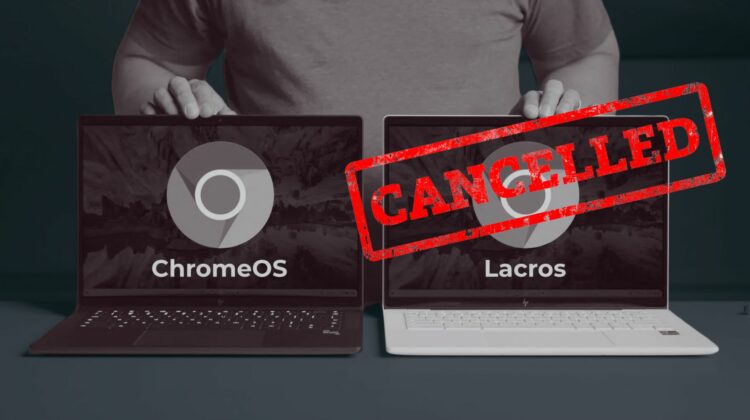
However, it looks like that wild ride is coming to an end. According to Google, LaCros development will cease and the standalone Chrome browser for ChromeOS will no longer be supported as of ChromeOS 128.
Back in August 2023, we previewed our work on an experimental version of Chrome browser for ChromeOS named Lacros. The original intention was to allow Chrome browser on Chromebooks to swiftly get the latest feature and security updates without needing a full OS update.
As we refocus our efforts on achieving similar objectives with ChromeOS embracing portions of the Android stack, we have decided to end support for this experiment. We believe this will be a more effective way to help accelerate the pace of innovation on Chromebook.
With this change, there will be no impact to Chromebooks users. As always, we are fully committed to continuing to roll out monthly releases and security fixes for both Chrome and ChromeOS faster throughout. Thanks to the early testing and feedback from the community on Lacros, we were able to make various performance improvements behind the scenes to ChromeOS, such as faster login time, and enhanced battery life during video playback. Please note that Lacros will no longer be supported on ChromeOS version M128.
ChromeOS Beta Tester Community Forum
Big changes happened for ChromeOS
In the 4 years since the LaCros project began, however, some big changes have happened for ChromeOS. First, we now have a 4-week update schedule. This allows ChromeOS to keep pace pretty easily and helps users get new features, bug fixes, and security updates at a very regular pace.
Second, Google recently extended the life of new Chromebooks out to 10 full years of support at the OS and security level. This support extension means more Chromebooks get supported longer than ever, so the hope of a split browser coming to save the day for “expired” Chromebooks isn’t quite as necessary as it was a year or so ago.
And finally – also most importantly – Google recently announced that ChromeOS was going to make a big move to being built on the Android Linux Kernel instead of the ChromeOS Linux Kernel. This move is being done to further align development of both platforms, allowing core-level features to be built once and deployed to both operating systems with far greater ease.
When you factor in all these changes, you can see why LaCros may not be necessary any longer. It’s impossible to know what Google’s original plans were for LaCros and if there ever was any intention on using it to extend the lifespan of Chromebooks via its development. For the record, any time we asked about that topic, we never got an official response, so I don’t know that there was actually a plan in place to leverage LaCros in this way to begin with.
I know this news will make many of you quite sad, and those that have been using LaCros and utilizing the account switching that came along with it will be most impacted by this change. But for most of the Chromebook crowd, you’ll notice no difference and no changes to what you are already doing and are used to.
Alas, this is always the pain point of staying ahead of the curve: experiments are called experimental for a reason. Sometimes they pan out, and sometimes they don’t. With the length of the LaCros experiment, it felt like we’d definitely see it arrive at some point, but with all of the changes that have happened with ChromeOS since LaCros began, I also understand why the time has come to shelve the project. Still, it’s a bit of a sad day for sure.
SUBSCRIBE TO UPSTREAM
Get Chrome Unboxed delivered straight to your inbox
Upstream is our flagship, curated newsletter with the top stories, most click-worthy deals, giveaways, and trending articles from Chrome Unboxed sent directly to your inbox a few times a week. Join 31,000+ subscribers.

