


Support our independent tech coverage. Chrome Unboxed is written by real people, for real people—not search algorithms. Join Chrome Unboxed Plus for just $2 a month to get an ad-free experience, access to our private Discord, and more. Learn more about membership here.
START FREE TRIAL (MONTHLY)START FREE TRIAL (ANNUAL)
We’ve known about a Google Home app redesign for some time now, but today, it’s officially been unveiled. The company, in hopes of making it more user friendly, has now added a few new tabs to the bottom of the home screen to help you easily control your connected devices, create automations, and see what’s happening around your household.
The app also opens to your Favorites tab, where you can pin your most-used devices and actions, and view your Spaces, which categorizes your devices like lights, cameras, Wi-Fi, and climate. You can also edit your Favorites tab to reflect what matters most to you. There’s also an inbox for important updates and an Activity tab to track device and camera history – pretty cool.
Speaking of cameras, Google is finally – several years past due – adding original Nest Camera support into the Home app! Starting in July, Public Preview users will be able to check out all their first generation Nest Camera indoor and outdoor feeds in one spot via the Cameras Space or by adding them to their Favorites tab to see the live stream as soon as the app is opened. Additionally, a new vertical video history timeline is being implemented to let users scroll through hours of video in a blink and even see alerts by type (packages, people, vehicles, etc).
In recent news, the tech giant has rolled out support for Matter-enabled devices, and now the Home app is compatible with them. This means that with the ‘Devices’ tab, you’ll have one spot to manage all of your smart home tech even if they’re not Nest-owned. Oh, and iOS users running version 16.5 of their operating system will also be able to use Matter devices through the new app.
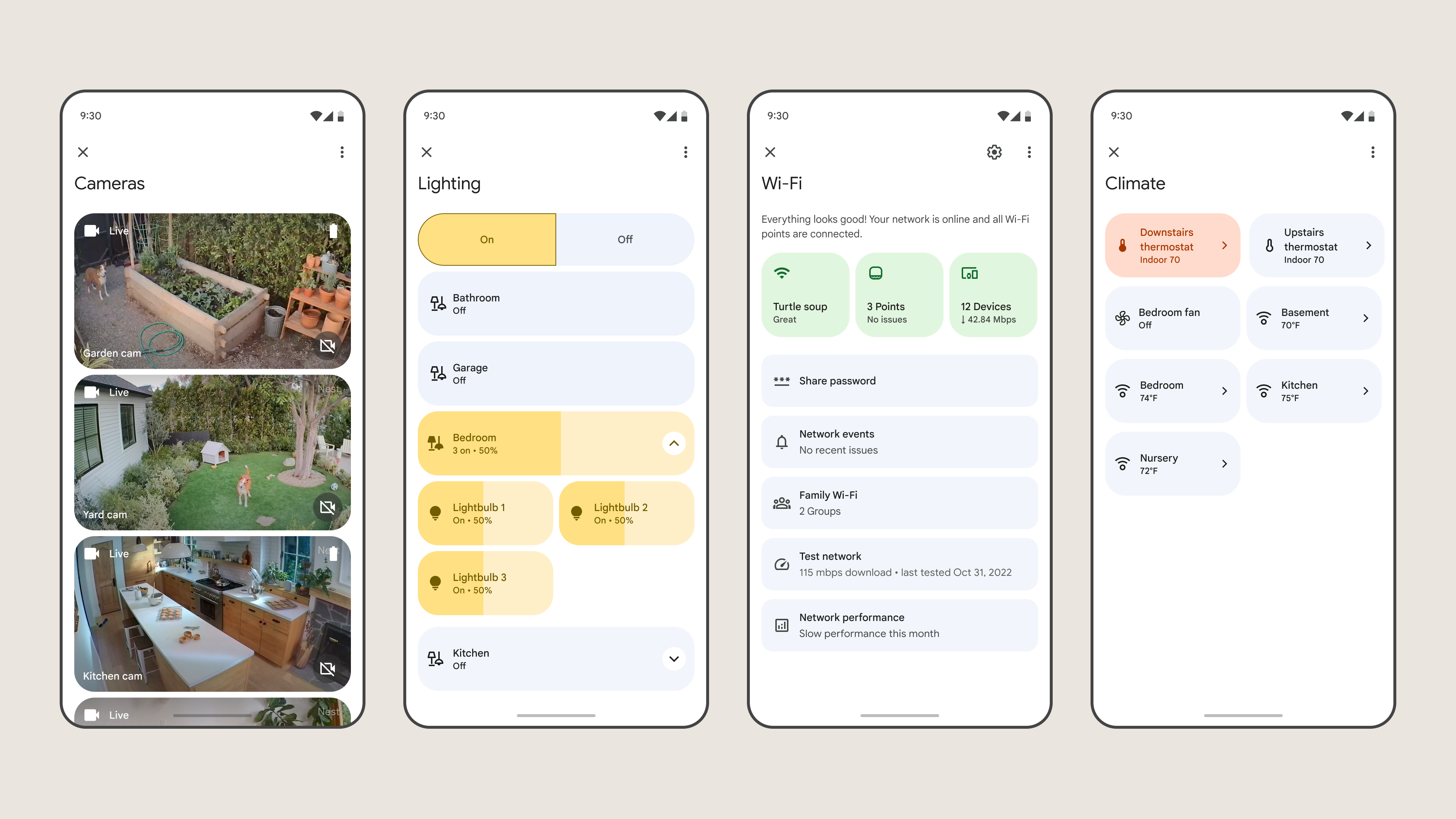
Next up, Home will be available on smartwatches running WearOS on May 15th. Whether you want to quickly make changes to your thermostat temperature or toggle some lights, as well as be notified of packages arriving at your doorstep, you’ll now have that power on you without having to carry your phone around.
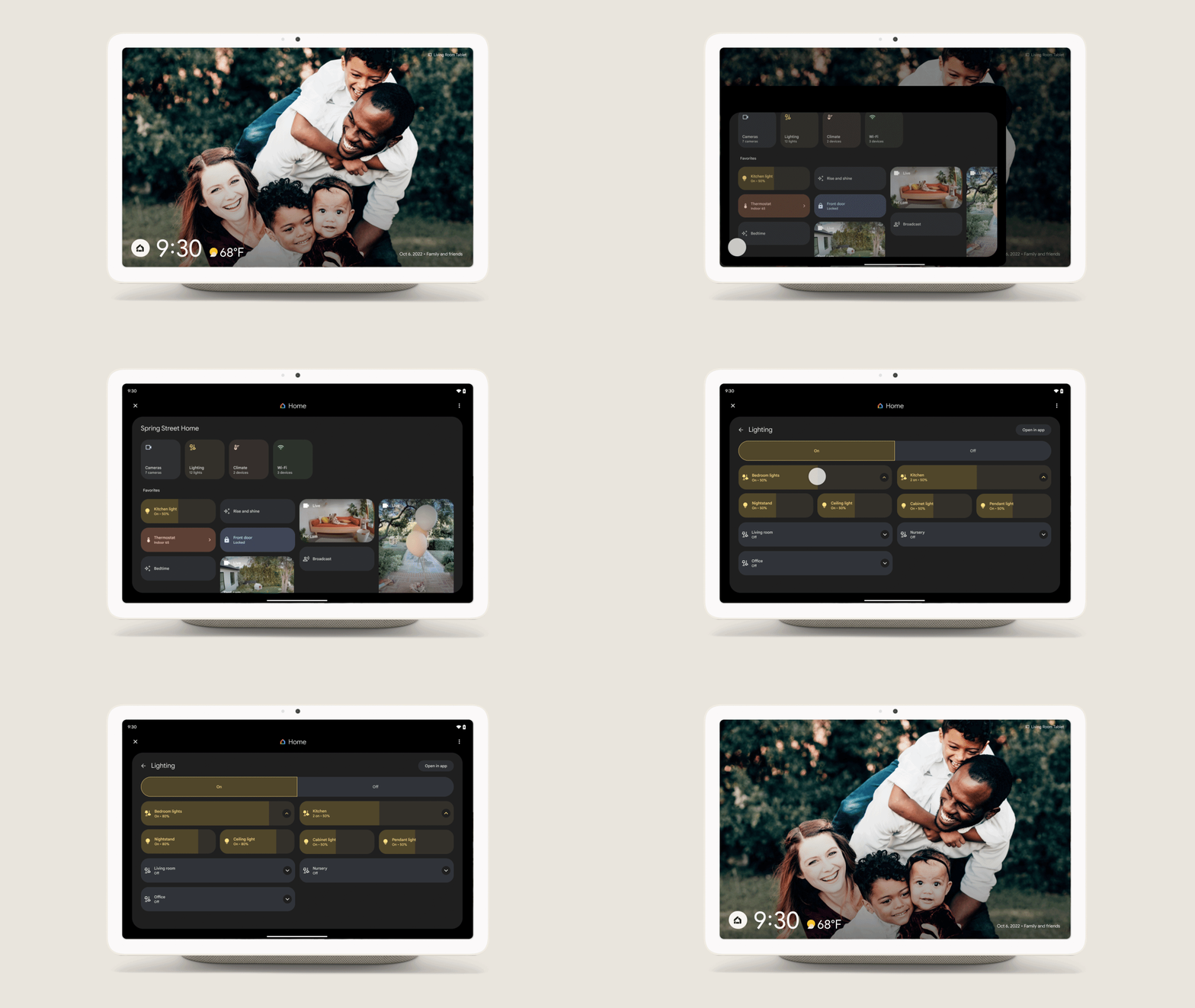
Lastly, Pixel users will be getting a new set of lockscreen controls driven by the Google Home app. Sadly, this is rolling out first on the Pixel 7a and Pixel Fold as well as the new Pixel Tablet. Access will be given next month, and with it, you’ll be able to toggle lights, change temps, and view cameras all without unlocking your device so long as your phone or tablet is on the charging dock or Pixel Stand. It sounds like a much improved version of what we already have today, and for that, I’m glad – I just hope we can add a bunch more items to that screen soon than we’re currently limited to.
Truly, this redesign and all of these new features are pretty cool and I welcome them with open arms, but again and as you always hear me say, Google is implementing it all years past due. Nest Cameras have been stuck in the Nest app while other Nest devices moved over to the Home app, and the redesigned controls, automations, and more have been sought after for longer than I care to remember with some people resorting to IFTTT and other third-party applications to fill the gap. Let me know what you think about this and also drop in the comments what your favorite Google I/O announcement was today!
SUBSCRIBE TO UPSTREAM
Get Chrome Unboxed delivered straight to your inbox
Upstream is our flagship, curated newsletter with the top stories, most click-worthy deals, giveaways, and trending articles from Chrome Unboxed sent directly to your inbox a few times a week. Join 31,000+ subscribers.

