


Support our independent tech coverage. Chrome Unboxed is written by real people, for real people—not search algorithms. Join Chrome Unboxed Plus for just $2 a month to get an ad-free experience, access to our private Discord, and more. Learn more about membership here.
START FREE TRIAL (MONTHLY)START FREE TRIAL (ANNUAL)
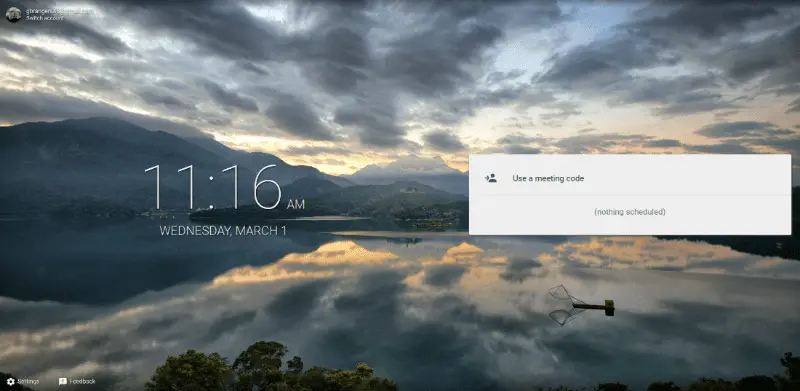
Earlier this week Google rolled out a new product for the organization-focused GSuite, formerly Google Apps. If you take a look at the image above you will see what may look like a familiar landing page for a product many of you, like us, use on a daily basis.
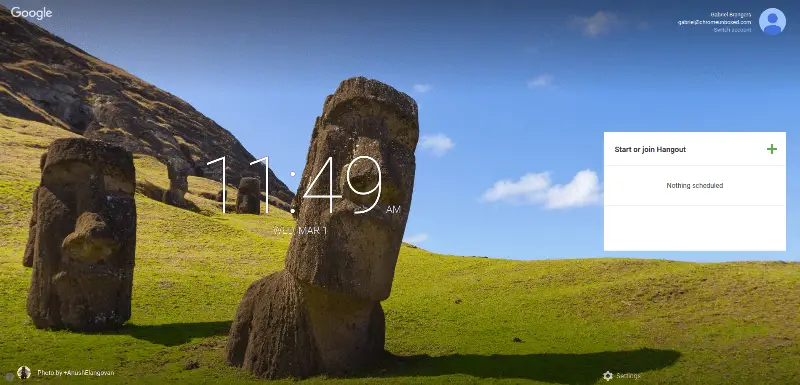
Meet by Google Hangouts has all the look, feel and presumably functionality of our old friend Google Hangouts. As a matter of fact, if you glance at the image below you might have to take a second look to see the differences. (aside from the background image, of course)
The major defining line between the two is that Meet appears to be for the sole purpose of video conferencing. If you go to meet.google.com, you’re greeted with a what looks very similar to the same page you arrive on when you click on a new video call from Hangouts using a GSuite account. Even the favicon for Meet is the Hangouts icon with the quotation marks replaced with the video camera icon.
A GSuite landing page exists is there but looks to still be under construction but the “new” product doesn’t appear to be fully functional yet. On the Meet site you are greeted with a minimal settings menu used for resolution and audio settings. Apart from that, you have the option to input a “meeting code” and that’s about it.
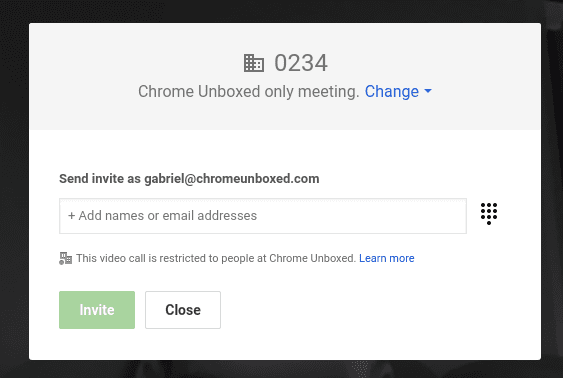
Being the curious mind that I am, I decided to make up a meeting code and here’s what happened next. The familiar Hangouts video call screen popped up and I was notified that I was the only one in the call. I could, however, invite other users. So, I did. When I clicked the invite button this is what I found.
By the way, we have a GSuite account.
Now we have a Chrome Unboxed only meeting. The option to allow users outside Chrome Unboxed is there. But, by default this is clearly centered around enterprise and departmental use. Also notable, the URL for the actual call was a standard Hangout address confirming this new products is likely a trimmed down version of our favorite messaging app.
So, Why Reinvent The Wheel?
Since I first read the report from Tech Crunch yesterday, I have already seen the buzz around the web that Google is killing Hangouts. Again. Heck, even we were fearful of an ill-fated demise at one point in time. In the year 2017 I don’t think many would be surprised at Google killing a project out of the blue. It’s almost become an expectation at this point. Just the other day I was taken aback when I opened my Spaces app on my phone just to find it will cease to exist next month. Oh well, life goes on.
I don’t feel this is the case for the new Meet application. Google has spent an enormous amount of time and resources compartmentalizing products for GSuite in the hopes to tailor them for organizations in a manner that will compete on a level with existing software. Hangouts is a great app. We use it for everything, all the time. However, corporations, educational institutions and non-profits often require a higher level of professionalism than your average tech writer like me.

If I were a fortune 500 small business and looking to barter a deal with a client half way around the world, I would feel a bit more comfortable Meeting with them as opposed to a Hangout. It may seem silly to some but something I learned in the corporate world is that perception is reality. Google already has Chrome for Meetings and it only makes sense that the accompanying app reflect the same theme. Building it off of an already great platform like Hangouts is just good business.
This is purely extrapolation on my part. From my perspective this only reinforces the fact that we can expect Hangouts to stick around for the long haul. Google takes pride in offering full-featured business solutions and this, to me, is just another step in that evolution.
Source: Tech Crunch

