
• Skip to main content
  • Skip to primary sidebar
  • Deals
  • Features
  • Guides
  • Chromebooks
  • Videos
  • Podcast
  • More +
    • Reviews
    • Unboxing
    • Upcoming Devices
    • Chromebook Plus
    • Chrome
    • ChromeOS
    • Chrome OS Flex
  • Search
  • Sign Up
  • Log In
Chrome Unboxed – The Latest Chrome OS News

Chrome Unboxed - The Latest Chrome OS News

A Space for All Things Chrome, Google, and More!

  • Deals
  • Features
  • Guides
  • Chromebooks
  • Videos
  • Podcast
  • More +
    • Reviews
    • Unboxing
    • Upcoming Devices
    • Chromebook Plus
    • Chrome
    • ChromeOS
    • Chrome OS Flex
  • Search
  • Sign Up
  • Log In

Google Discover starts showing users old news, but there may be a good explanation

March 29, 2021 By Michael Perrigo View Comments

Support our independent tech coverage. Chrome Unboxed is written by real people, for real people—not search algorithms. Join Chrome Unboxed Plus for just $2 a month to get an ad-free experience, access to our private Discord, and more. Learn more about membership here.
START FREE TRIAL (MONTHLY)START FREE TRIAL (ANNUAL)

Do you remember that time you were scrolling through your Youtube feed and came upon something that was uploaded six to ten years prior? You may have said to yourself (or even commented) something to the effect of “Go home, Youtube, you’re drunk!” or “Why is Youtube recommending this to me all this time later?” Well, I know that feeling, and according to a Reddit user with the best name ever – u/Noooooooooooooopls – Google Discover has begun to do the same.

Posted just yesterday, the user shows a Doom graphics mod article that was posted five days prior, and stated that he or she simply was not receiving any current events in the Discover feed. While some were enamored with the fact that a Doom graphics mod even existed, others shared the sentiment about the issue. While odd, I think that this has a relatively simple explanation. Though it certainly could be just a fluke, or perhaps even a truly problematic, I did notice that several of the comments pointed out that just below some of the older articles, new ones were immediately appearing for them.

Xremove ads

To investigate, I went to my own Discover feed and browsed down all of my coffee news (yep), and happened upon something that no one on Reddit really mentioned. I’m not sure if this has always existed or not, but on articles that were relatively old, they were marked with a tag labeled “In case you missed it”. Be it something new, or that the tag just isn’t appearing for some users, I believe that Google is attempting to bring attention to good content despite its age. Some things are just evergreen, and in light of the upcoming Assistant Memory feature, I imagine the company is looking to beef up Discover’s value to users.
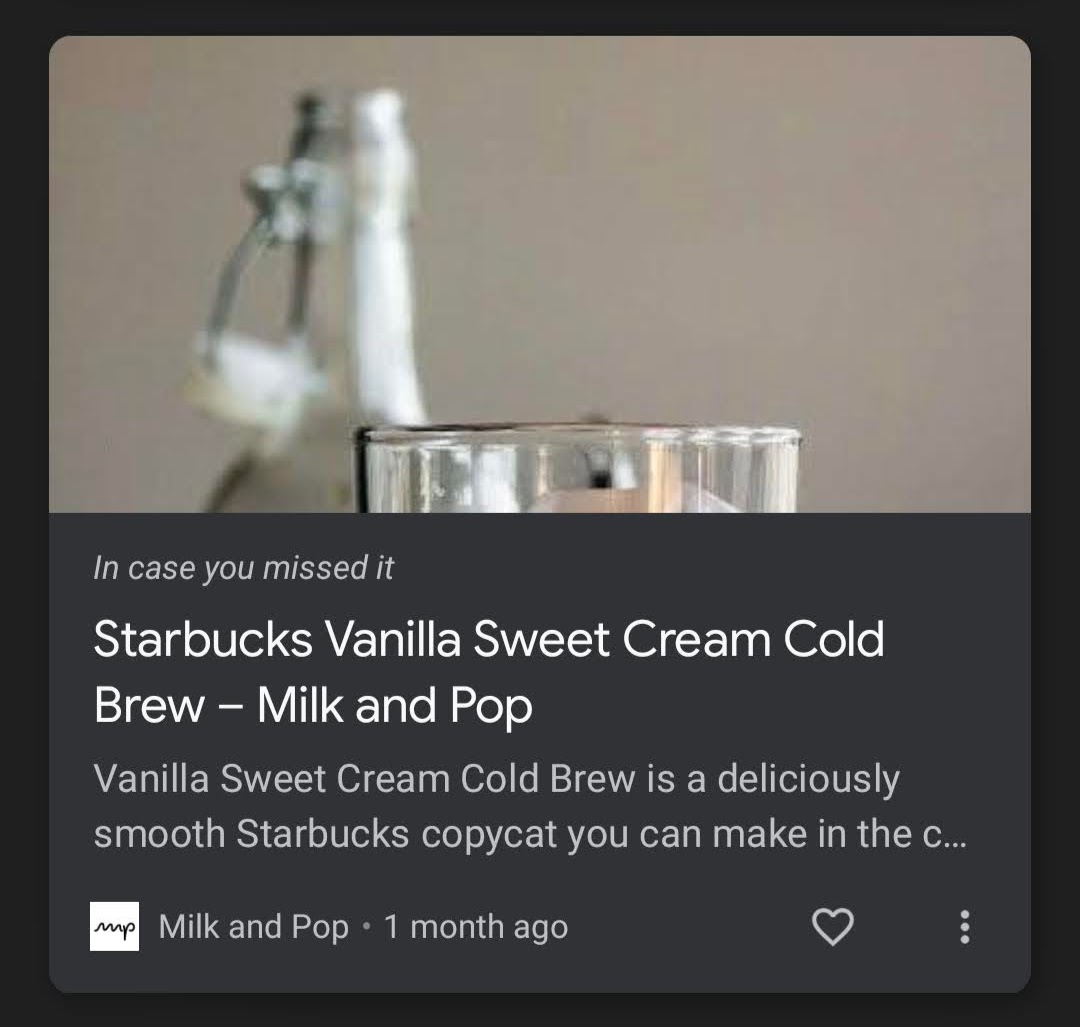
Unfortunately, Discover has become known for its ability to offer up hot off the press news only moments after it’s published. With the recent addition of hearts for liking content that appears there in place of up or down arrows, I believe that Google intends to make Discover a bit more social. This change also provides the service with the ability to continually serve up content that’s to a user’s liking – even after all of the up-to-date and relevant content has already been seen.

Featured Videos

Xremove ads

Let me know in the comments section if you’re also experiencing any super old news showing up in your Google Discover feed. Is it tagged with the “In case you missed it” label, or not? Do you visit Discover to find fresh news, or just things that interest you? Do you care if it’s old so long as you have yet to read it for yourself? I think that many of Google’s services have a different identity in the company’s mind than that which the users ascribe to them. It’s a fascinating thought – I wonder how big the chasm could potentially be between the two and how much it directly affects the reception of such changes.

Filed Under: Google Assistant, New & Upcoming Features, News

About Michael Perrigo

Known as "Google Mike" to his customers, Michael worked at Best Buy as a Chromebook Expert who dedicated his time to understanding the user experience from a regular Chromebook owner's perspective. Having spent nearly 20 years meeting you face-to-face, he strives to help you understand your technology through carefully crafted guides and coverage, relentlessly seeking out the spark in what's new and exciting about ChromeOS.

Primary Sidebar

Xremove ads

Deals

Massive Deal Alert: The Acer Chromebook Plus Spin 714 just hit an all-time low $499

By Robby Payne
April 1, 2026

The best Chromebook deals today

By Robby Payne
March 30, 2026

The Acer Chromebook Plus Spin 714 hits a new all-time low at $270 off

By Robby Payne
March 25, 2026

You can score $40 off Google’s battery-powered Nest Doorbell right now

By Joseph Humphrey
March 20, 2026

The touchscreen Lenovo Chromebook Slim 3 is a steal at under $200

By Robby Payne
March 16, 2026

More Deals

Xremove ads

Reviews

Acer Chromebook Plus Spin 514 Review: Kompanio Ultra power in a convertible

By Robby Payne
December 24, 2025

My review after 6 weeks with the Lenovo Chromebook Plus 14 [VIDEO]

By Robby Payne
August 11, 2025

One week with the best small Android tablet you can buy, and I’m sold

By Robby Payne
May 9, 2025

Best Chromebooks of 2024 [VIDEO]

By Robby Payne
November 28, 2024

Samsung Galaxy Chromebook Plus Review: Samsung is back! [VIDEO]

By Robby Payne
October 28, 2024

More Reviews

Xremove ads

Guides

This Chromebook trackpad shortcut is definitely not new, but is blowing my mind

By Robby Payne
March 11, 2024

How to reduce broadcast delay on YouTube TV to stop live spoilers

By Robby Payne
December 8, 2023

Windows PC keyboard and Chromebook

How to use a Windows keyboard with a Chromebook

By Joseph Humphrey
December 8, 2023

How reset and revert your Chromebook to the previous version of Chrome OS

By Robby Payne
November 29, 2023

My Chromebook Plus features disappeared: here’s how I fixed it

By Robby Payne
November 24, 2023

More Guides

TWITTER · FACEBOOK · INSTAGRAM · YOUTUBE · EMAIL · ABOUT

Copyright © 2026 · Chrome Unboxed · Chrome is a registered trademark of Google Inc.
We are participants in various affiliate advertising programs designed to provide a means for us to earn fees by linking to affiliated sites.

PRIVACY POLICY