

Support our independent tech coverage. Chrome Unboxed is written by real people, for real people—not search algorithms. Join Chrome Unboxed Plus for just $2 a month to get an ad-free experience, access to our private Discord, and more. Learn more about membership here.
START FREE TRIAL (MONTHLY)START FREE TRIAL (ANNUAL)
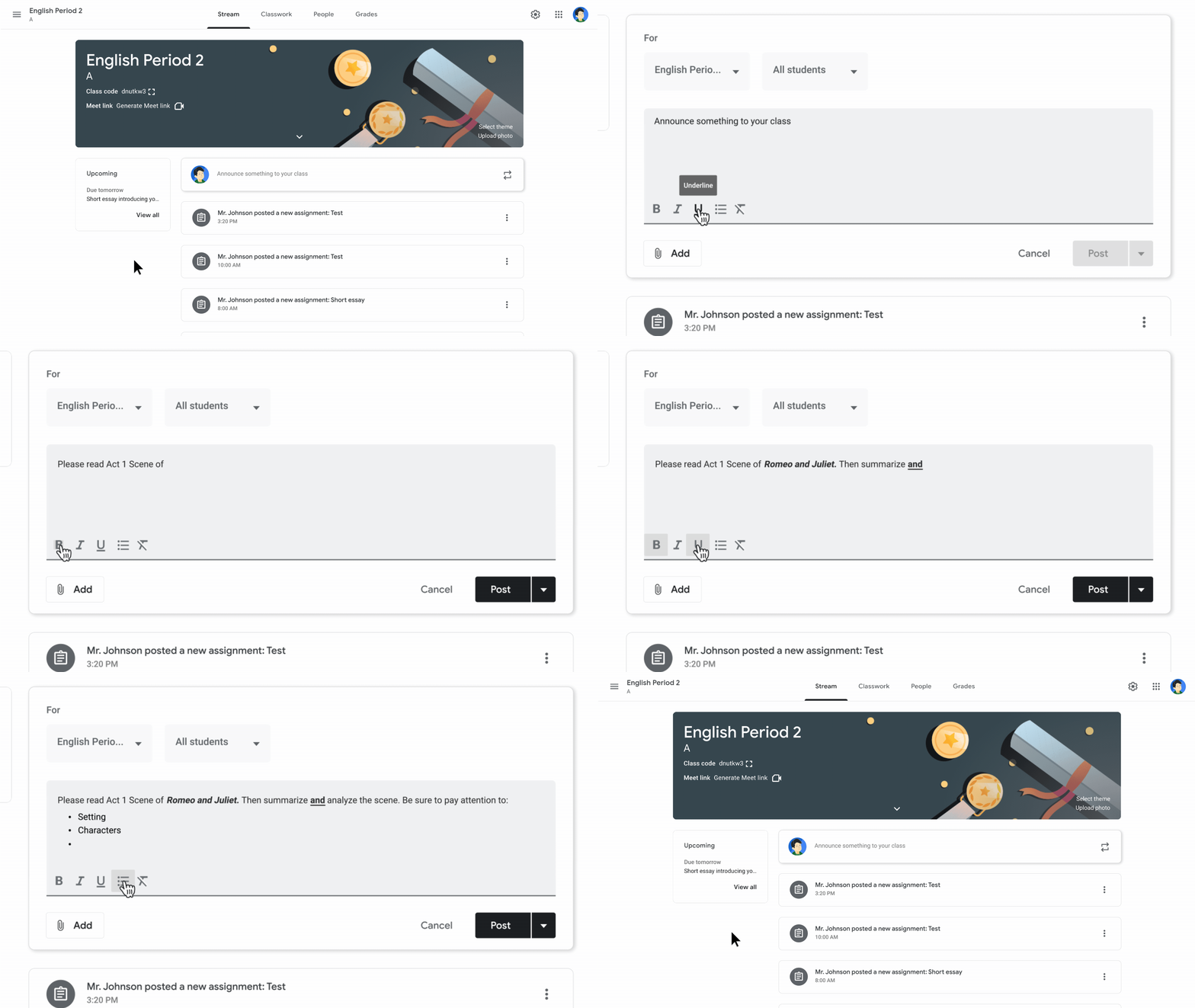
Update 2/19/21: Rich text editing will be available for Classroom Stream Posts, not Classroom assignments. I’ve updated the article to reflect this. Thanks Tom Mullaney!
During the Learning with Google Livestream Event, which you can watch below, Google revealed a torrent of improvements to its distanced learning tools – specifically Google Meet and Classroom. These improvements are taking the web by storm for their innovation and timely nature, and I think that they will go a long way to helping teachers and students learn and grow during the pandemic.
Today, we’re going to take a look at the roadmap that the company has set out for its Classroom service, which has nearly tripled in usage since the outbreak began! Last year’s 40 million users pale in comparison to the 150 million students, educators, and school leaders utilizing it around the world now. If nothing else says that there’s a massive cultural shift towards digital learning like Classroom’s success, this certainly does. The service has truly become a one-stop learning management system for many – much to Google’s surprise.
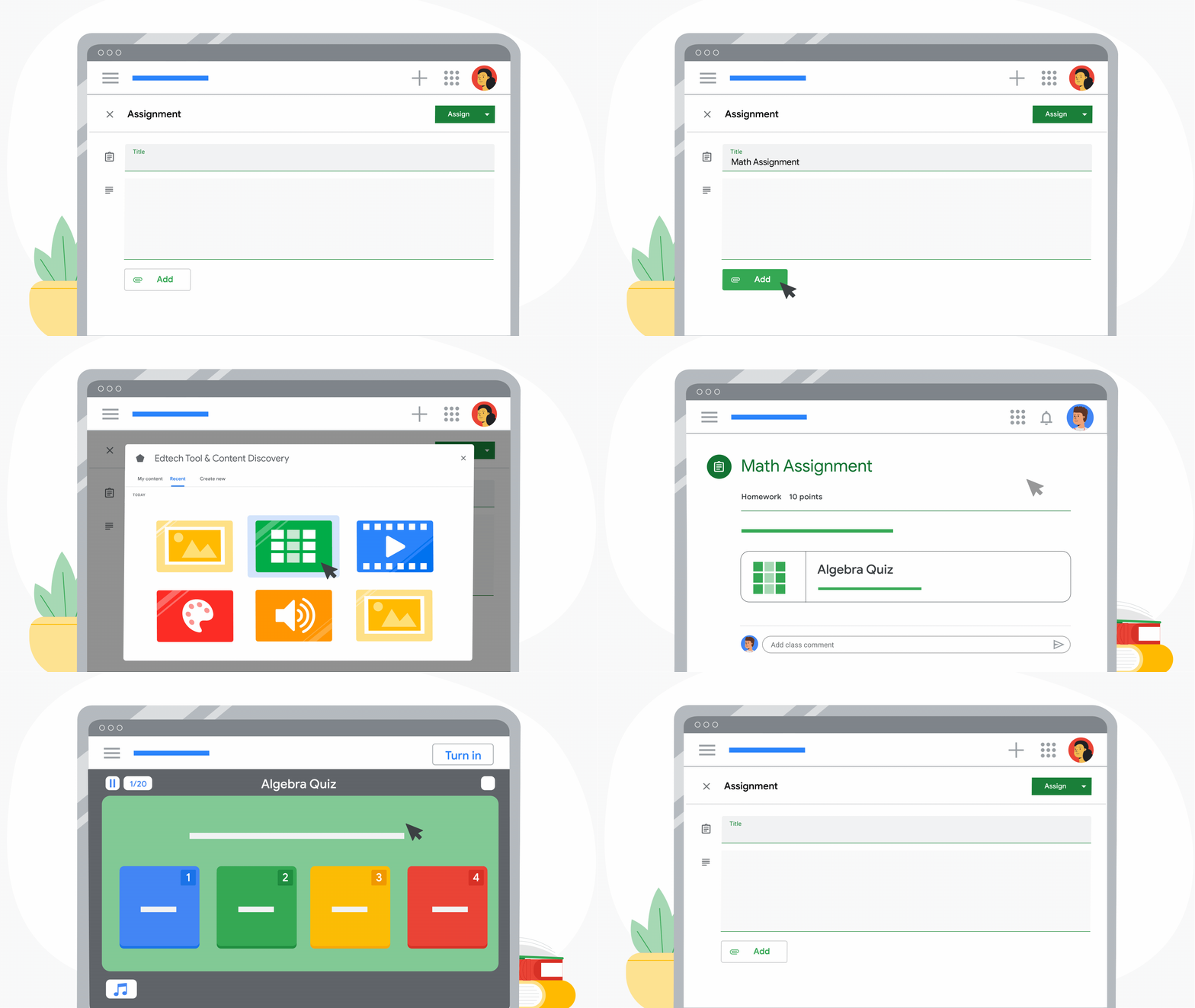
Over the next year, Classroom will gain several new tools and features to help students learn from across the world while keeping things simple for educators. For example, those using the new Google Workspace for Education Plus or Teaching and Learning Upgrade will be able to utilize add-ons that will let them choose their favorite EdTech tools and content from the marketplace to integrate into their Classroom experience with no extra logins. Student Information System (SIS) roster syncing is also coming. This will let teachers sync a list of students across to Classroom to create new classes with just a few clicks!
There are several other improvements planned for teachers, students, and admins as well! Here’s a short list of the incredible features on their way!
- Grade Export is gaining integration with Aspen SIS
- Classroom audit and activity logs for admins
- The ability to track student engagement or the lack thereof
- Offline support for the Classroom Android app (start work, review assignments, open Drive attachments, write in Docs)
- Combine more photos of paper assignments into a single document in the app, crop, edit, and attach them for review (similar to Drive Scan).
- Improved mobile grading on Android. Switch between student submissions, grade while viewing an assignment, and share feedback on the go!
- Rich text formatting for Stream Posts
- Originality reports (detect potential plagiarism) in 15 more languages
- Import Classroom student rosters into CS First integration (Google’s free introductory computer science curriculum).
All of this is incredible. The fact that Google has spent so much time focusing on how it can serve its users in a time of need in such an important space is encouraging, especially with many of its other services ending up in the news for negative things lately.
Honestly, this roadmap, on top of what Classroom has already been able to accomplish by revolutionizing the digital learning experience makes me super jealous that I’m not in school right now! Did I say that out loud? Maybe one day the Classroom tools will be expanded outward towards other educational frontiers like Youtube courses for small businesses to monetize and so on. At least then, I would have a reason to play with these tools.
SUBSCRIBE TO UPSTREAM
Get Chrome Unboxed delivered straight to your inbox
Upstream is our flagship, curated newsletter with the top stories, most click-worthy deals, giveaways, and trending articles from Chrome Unboxed sent directly to your inbox a few times a week. Join 31,000+ subscribers.

