


Support our independent tech coverage. Chrome Unboxed is written by real people, for real people—not search algorithms. Join Chrome Unboxed Plus for just $2 a month to get an ad-free experience, access to our private Discord, and more. Learn more about membership here.
START FREE TRIAL (MONTHLY)START FREE TRIAL (ANNUAL)
Remember Assistant’s ‘Guacamole’ experiment that we discussed a while back? The ability to skip the “Hey Google” hotword in order to perform simple tasks was first discovered by 9to5Google during their APK Insights of the Search app on Android. At that time, Google stated that they had nothing to announce, but now, a new Insights report from 9to5 resurfaces Guacamole as ‘Quick phrases’.
Aside from having a much more user-friendly nomenclature, Quick phrases look be gearing up for an official release. As always, APK Insights are not a guarantee that a feature will make it out of development, and until the day when Google releases updates, anything is capable of ending up on the chopping block.
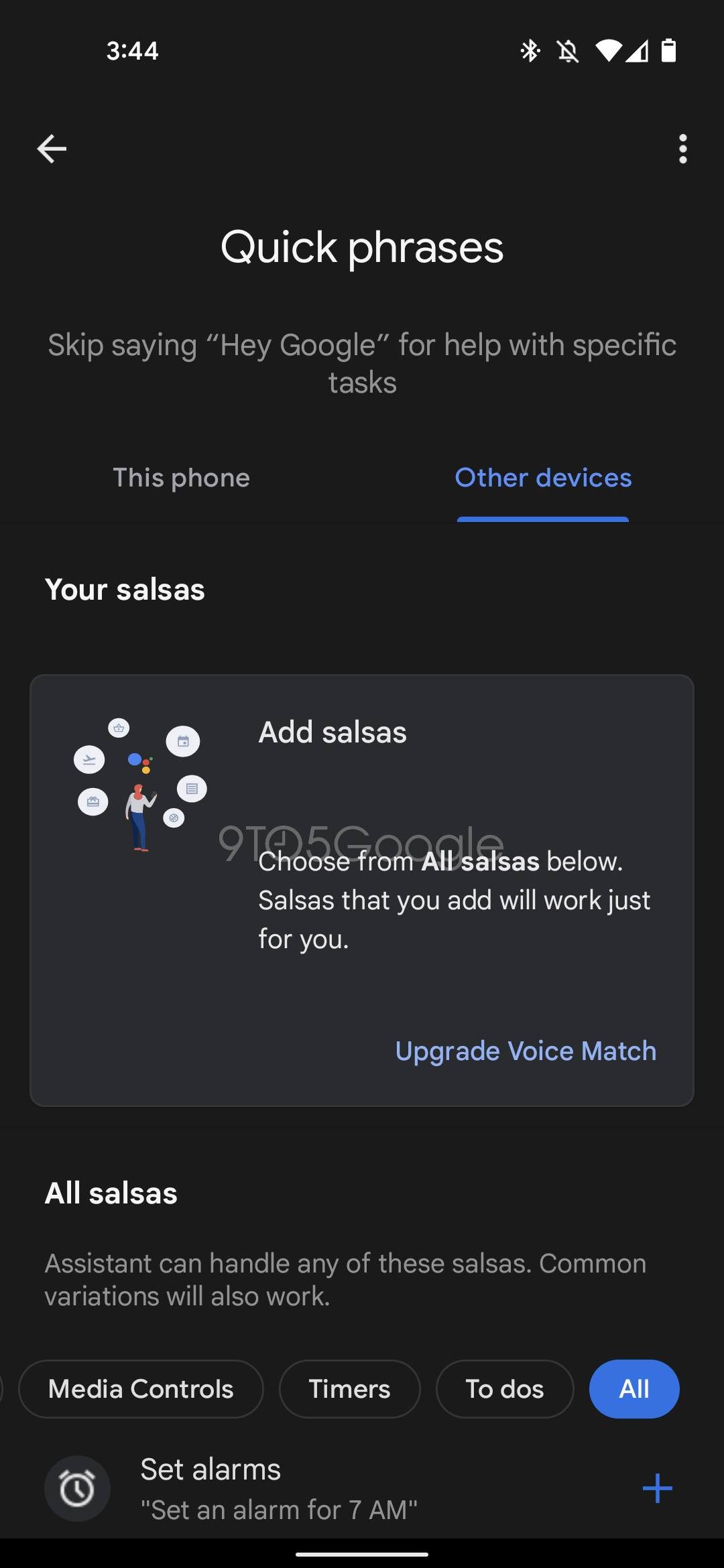
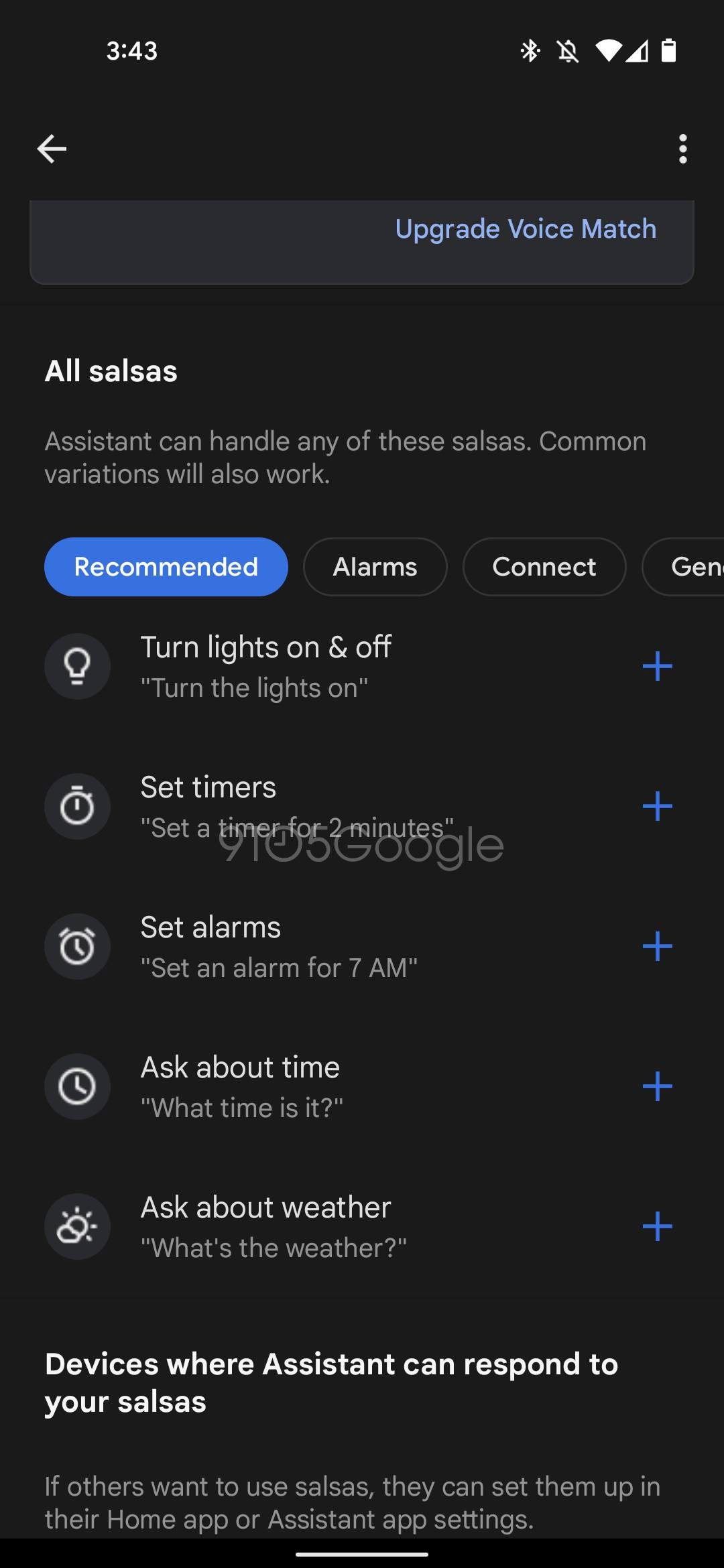
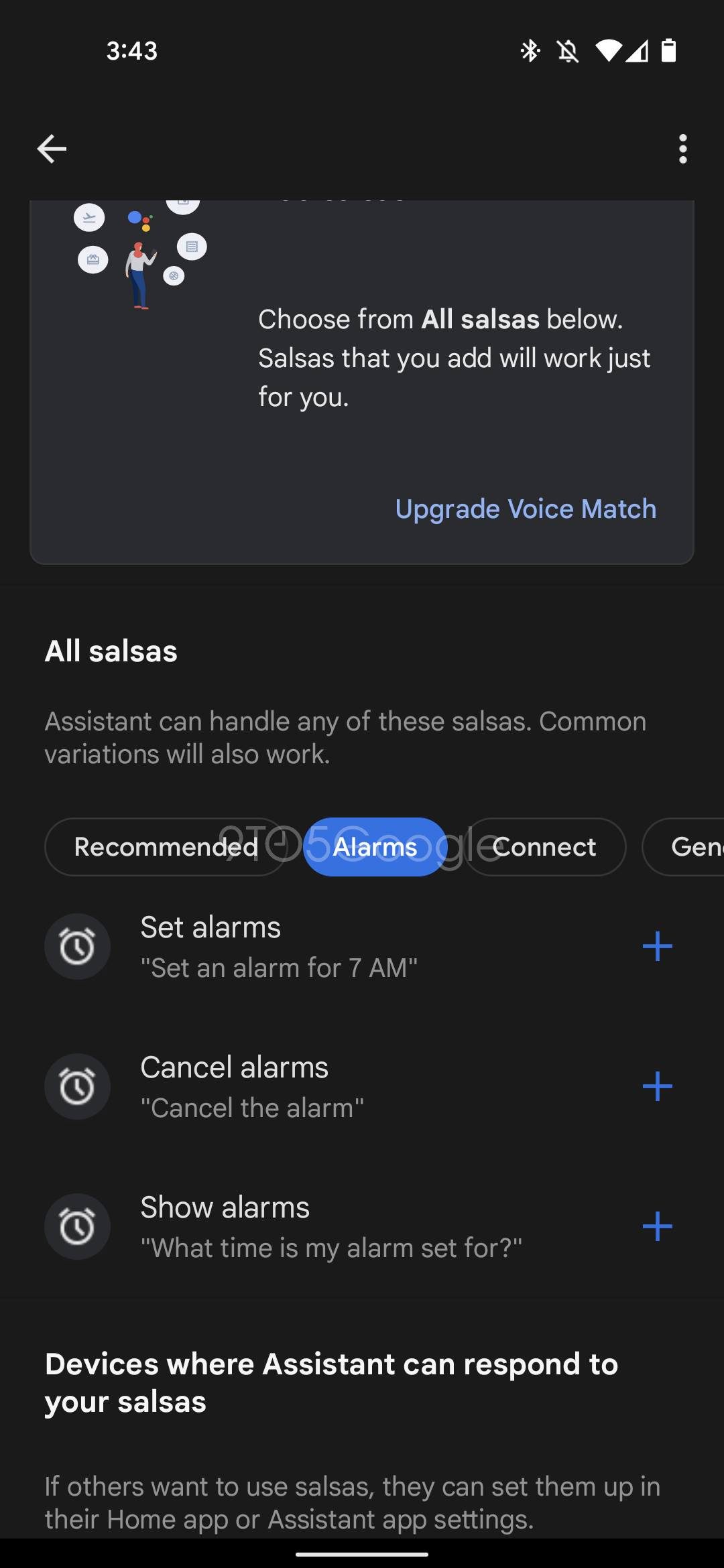

Skip saying “Hey Google” for help with specific tasks
9to5Google APK Insights
Being able to perform smart home voice tasks without first initiating speakers and smart displays with a hotword is obviously a controversial step by Google, but it must feel that its userbase is open to the idea since it’s been toying with the concept behind the scenes. For now, Guacamole is only appearing on Android phones, but it’s likely to expand into the home quickly after release.
You can see in the images discovered that ‘Salsas’ are a codename for ‘tasks’ you will perform by voice, and these will work only for you once you set up and initiate your voice match settings. This means that no one else in your home can perform tasks without the hotword unless they’ve set up their own quick phrases. Once you’ve created a few ‘salsas’ (obviously, this name will be temporary), all you’ll need to do is speak them out loud in your home and Google will listen for them before taking action.
As a reminder, the Assistant does actively listen for the “Hey Google” hotword and actively destroys everything on device that does not include it. That means that nothing gets sent to Google unless you’ve opted-in to share to help improve the service, and anything that is sent must include the hotword.
However, the real question is whether or not Google will collect data around ‘Quick phrases’. If it does, that would mean that voice snippets would be sent to them for evaluation without the hotword, and that could be a very slippery slope. My guess is that the company will either omit data collection with this feature in an effort to avoid the ethical boundaries it may risk crossing or that it will collect information only tied to Quick phrases – something that allows a lot more to be sent to them with a lot less clarity and privacy.
I can see a lot more room for error here and I still think that it’s a dangerous game to play. Obviously, the company is going to have guardrails in place and it will always be the user’s choice to enable it, but normalizing a less rigid ruleset around in-home microphones has become gradually more commonplace over the years and is still something that may not sit right with many.
Anyways, as with most things Google, we can only say “Only time will tell”. For now, your voice tasks will be categorized under ‘Recommended’, ‘Alarms’, ‘Connect’, ‘General info’, ‘Lights’, ‘Media controls’, ‘Timers’, and ‘To-Dos’. Initially, checking the time, setting and managing timers and alarms, playing, pausing, and skipping music, creating reminders and family notes, controlling smart home devices, and more will be possible with Quick phrases, and I’m sure the available tasks will expand based on how users decide to engage with them.
SUBSCRIBE TO UPSTREAM
Get Chrome Unboxed delivered straight to your inbox
Upstream is our flagship, curated newsletter with the top stories, most click-worthy deals, giveaways, and trending articles from Chrome Unboxed sent directly to your inbox a few times a week. Join 31,000+ subscribers.


